Using Objet Studio
5–50
DOC-06810 Rev. A
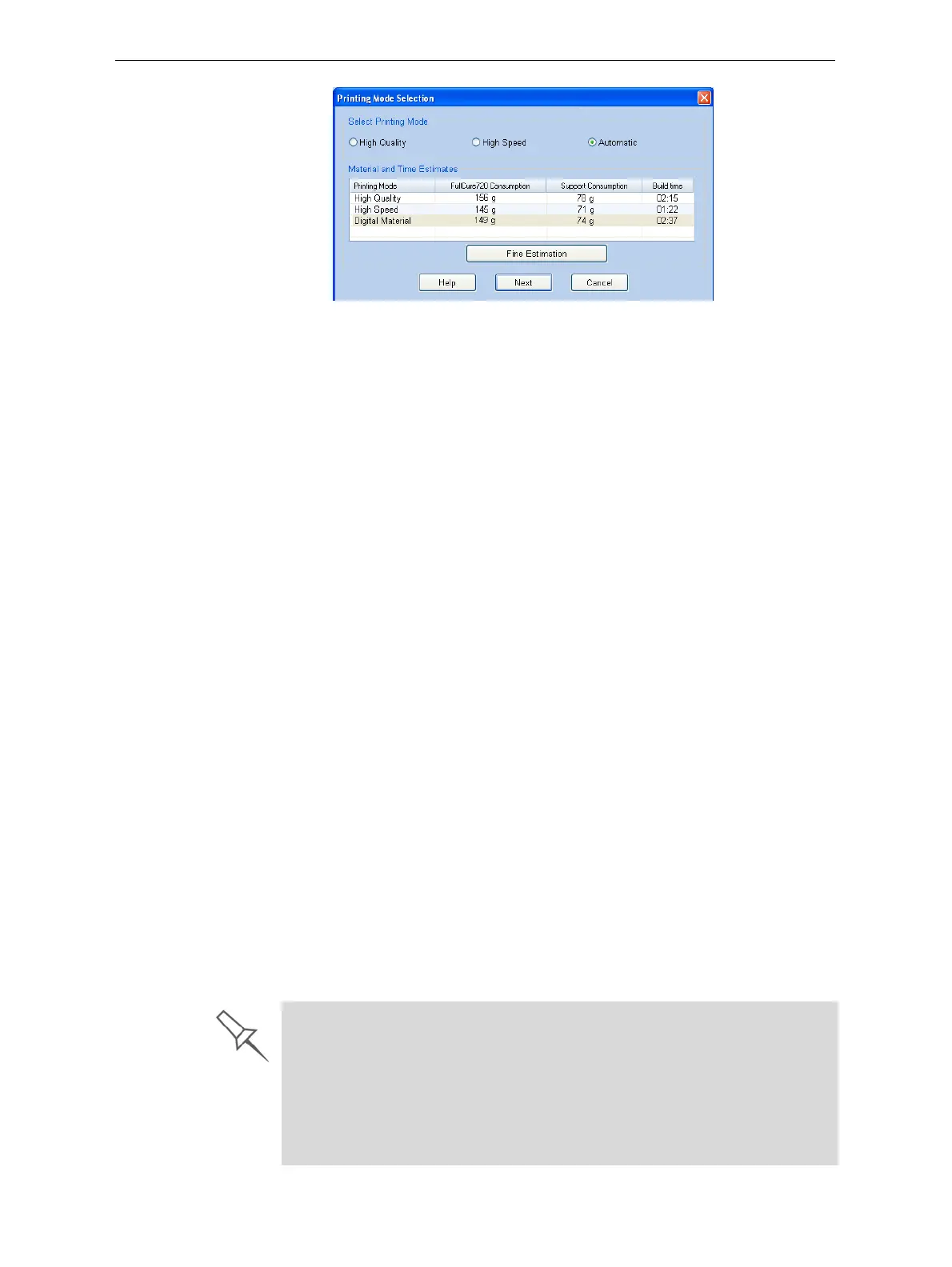
Figure 5-72: Printing Mode Selection dialog box
Note:The values displayed are the result of a quick calculation, and
represent a rough estimate of the materials and time input required to
print the job. For a more accurate calculation, click Fine Estimation.
• Ifthemaximumcombinedweightofmodelsonthebuildtray
exceeds135kg,awarningmessageappears.Ifso,youcanremove
orresizeoneormoremodelsbeforecontinuing.
Printing-Mode
Selection
2. Selecttheappropriateprintingmode.
• IfyourequirethejobtobeprintedinHighQualitymode,selectthis
option.
Note:The availability of High Quality mode depends on the material
selected.
• IfyourequirethejobtobeprintedinHighSpeedmode,selectthis
option.
• IfyoudonotrequirethejobtobeprintedeitherinHighQualityor
HighSpeedmode,select
Automatic.
ThissettingenablestheObjetsoftwaretodetermine(justbefore
printing)themostefficientwaytoprintthetray.DigitalMaterialmode
isusedifthisremovestheneedtoperform theMaterialReplacement
procedure.Otherwise,HighSpeedmodeisused.
Forexample,ifprintingthetrayrequiresonlyone
ofthemodel
materialsloadedintheprinter,onlythetwoprintheadsusingthat
materialareusedtoprintmodels—DigitalMaterialmode.(High
QualityandHighSpeedmodescallforprintingmodelmaterialwith
fourheads,whichwouldrequireyoutoperformtheMaterial
Replacementprocedure.)
Ontheotherhand,
ifprintingthetraycanbedoneusingfourprint
headswithoutrunningtheMaterialReplacementprocedure,High
Speedmodeisused.Thisispossibleifallprintheadsaresuppliedwith
onemodelmaterial,orifyouallowprintingwithanarbitrarymixture
ofsimilarmaterials(seebelow).
Model Quality When Digital Material Mode is Used
¾ Near-high-quality is achieved for most models.
¾
If
all
objects on the tray are inserted from
individual stl files
, they are
printed with the standard resolution of 600 dpi (dots per inch) along the
Y-axis—unless glossy finish is required (see “Surface Finish” on page 24).
¾ If there is an assembly on the tray, all of the models on the tray are
printed with a resolution of 300 dpi along the Y-axis.













 To Next Page