Using Objet Studio
5–60
DOC-06810 Rev. A
3. Tochoosefromawiderrangeofcommands:
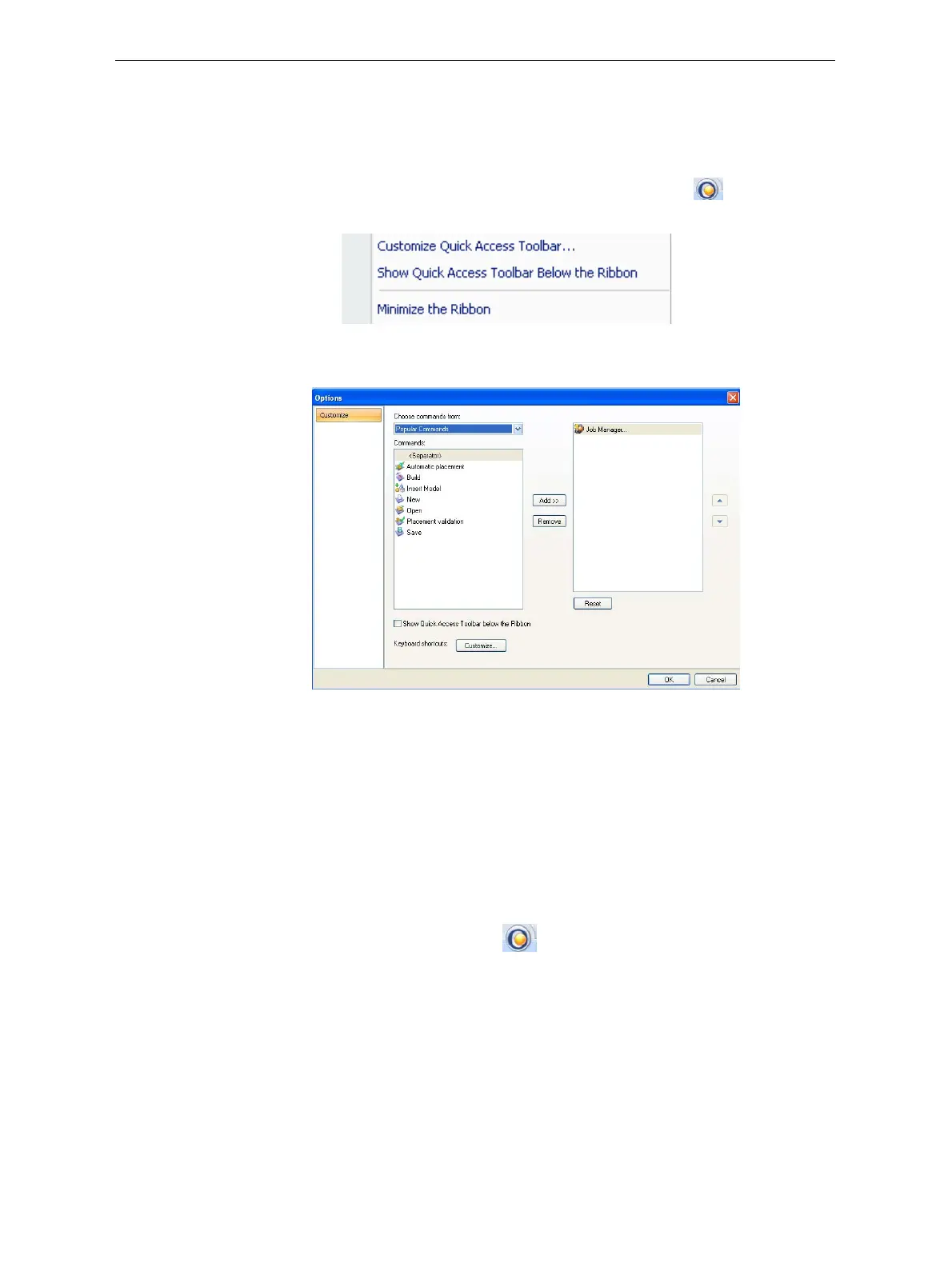
• FromtheCustomizeQuickAccessToolbarmenu(seefigure 5‐82on
page 59),select
More Commands.
or—
• Right‐clickontheObjetStudioCommandsicon ,orelsewhere
ontheribbon,andselect
Customize Quick Access Toolbar.
Figure 5-84: Right-click ribbon menu
TheOptionsdialogboxopens.
Figure 5-85: Quick Access Toobar Options dialog box
4. Openthedrop‐downlistandselecteitherPopular Commandsor
Commands not on the Ribbon.
5. Selectacommandandclick
Add.
6. Click
OK.
Hiding the
Ribbon
Tomakemoreroomfordisplayingthebuildtray,youcanhidetheObjet
Studioribbons.
To hide the ribbons:
1. Right‐clickanywhereontheribbonoronthemenubar,orintheObjet
StudioCommandsmenu .
2. SelectMinimize the Ribbon.
Theribbonsdisappear,butyoucantemporarilydisplaytheribbon
iconsbyclicking
Tray Settings orJob Manageronthemenubar.When
younextclickoutsideoftheribbon,itdisappearsagain.
To return the permanent ribbon display:
¾
RepeatthestepsabovetocancelMinimizetheRibbon.













 To Next Page