Operating & Maintaining the Objet1000 Plus 3D Printer
6–4
DOC-06810 Rev. A
Loading Model and Support Containers
Objet1000Plusprintersusefourcontainers ofModelmaterialandtwo
containersofSupportmaterial,eachweighing18kilogramswhenfull.A
graphicalrepresentationofthecontainersloadedandtheircurrentweight
appearsintheprinterinterface(seefigure 6‐3).
Important:IfyouneedtoreplacetheModelmaterialcurrently
installedwithanothertype,see“ChangingthePrintingMaterial”
onpage 12.Otherwise,makesuretoreplacetheModelcontainer
withonecontainingthesametypeofmaterial.
To load Model and Support material:
1. Onthesideoftheprinter,pullopenthedoorsofthestorage
compartment.
2. Ifyouarereplacingamaterialcontainer,disconnectitfromthefeed
tube.Then,graspthehandleandpullthecontainer outoftheprinter.
3. LoadModelandSupportcontainersintotheirrespective
compartments.
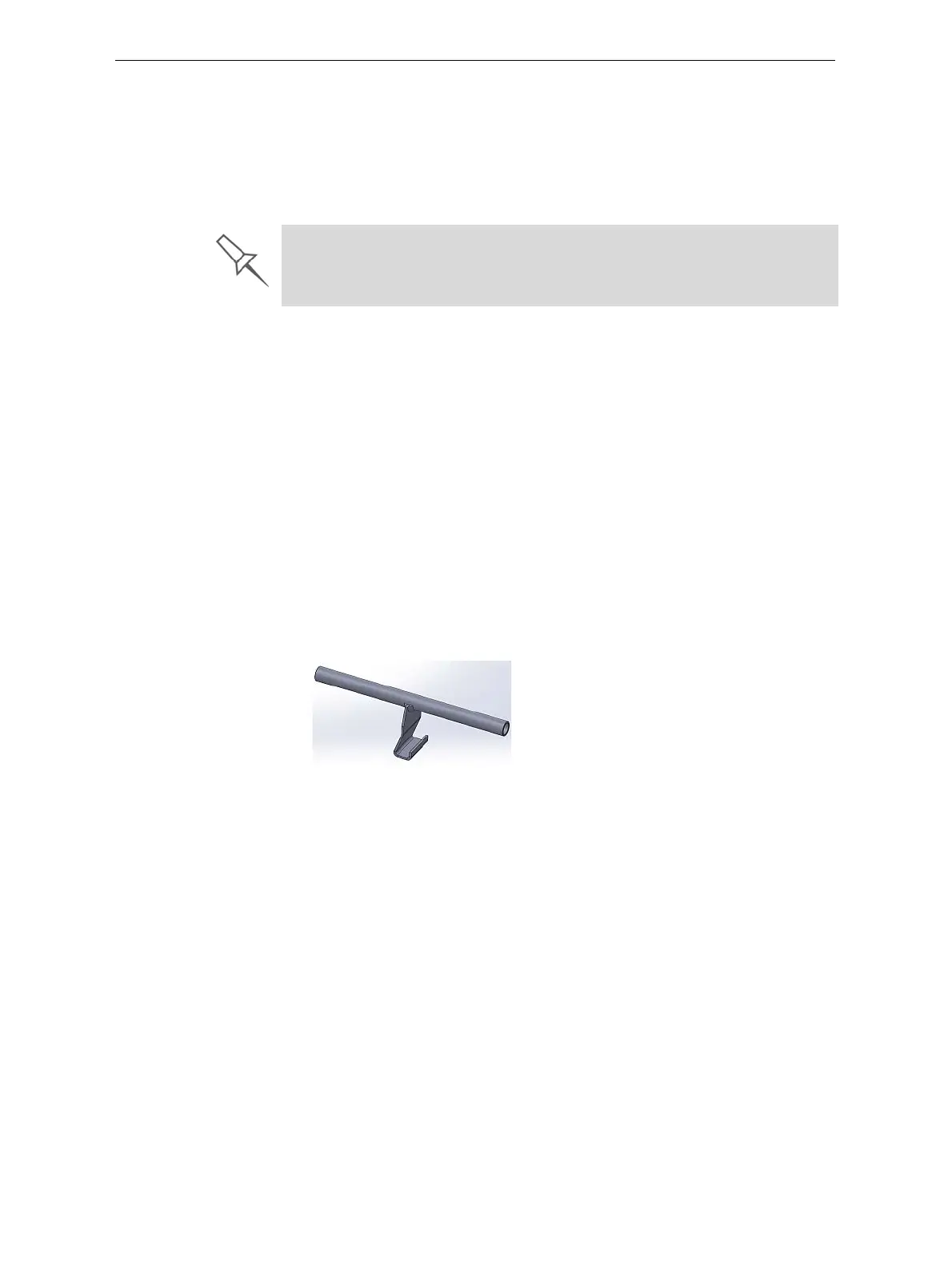
Liftthefullmaterial
containercarefully,usingbothhands.Itis
recommendedthatyouusealiftinghandlesimilartotheoneshown
here.
Figure 6-4: Material container lifting handle
4. Connectthematerialfeedtubetothecontainer.
Youshouldhearaclickingsoundwhentheconnectorissecurely
attachedtothecontainer.Makesurethattheconnectorissecure.
5. Checktheprinterinterfacetomakesurethatthenewcontaineris
detectedandthatitsweightisdisplayed(seefigure 6‐3).
6. Closethestorage‐compartmentdoor.
The printer uses RFID technology to automatically identify containers of
printing material. For this purpose, an RFID module is part of the printer
hardware. Tampering with this module will render the printer inoperable and
may void Stratasys warranties and service contracts.













 To Next Page