DOC-06810 Rev. A 6–3
Objet1000 Plus User Guide
2. Aftertheprinter‐controlcomputerboots,logintoWindowsand
launchtheprinter‐controlprogram:
• Ontheprinter‐computerdesktop,double‐clicktheObjetprinter
icon.
or—
• FromtheStartmenu,select(All) Programs > Objet > Objet1000.
3. Aftertheprinter‐servercomputerboots,launchtheObjetStudio
program.
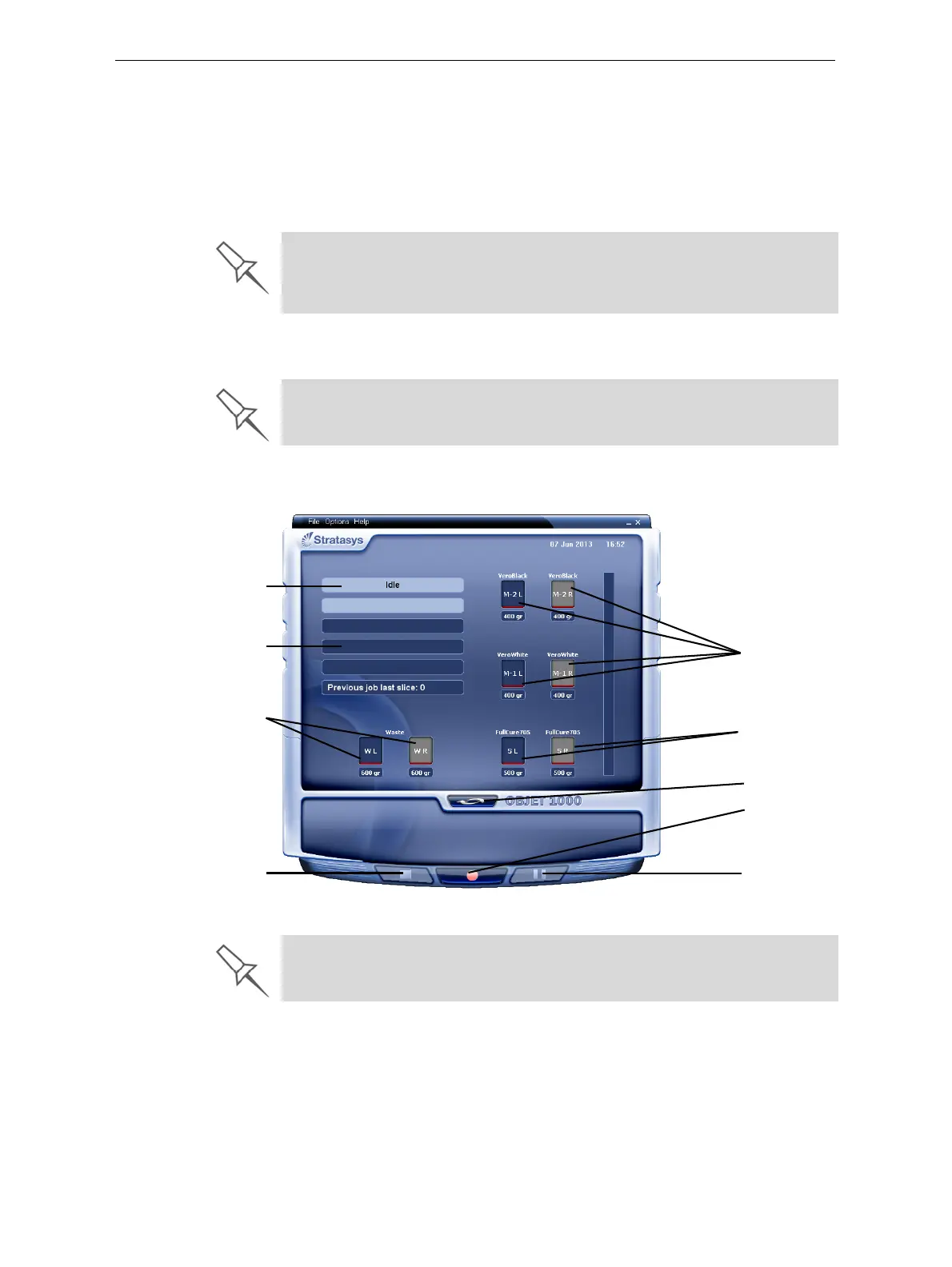
Theprinter‐controlcomputerdisplaysthemainprinterinterface.All
monitoringandcontrollingoftheprinterisdonefromthisinterface.
Figure 6-3: interface
A HASP plug containing a valid product activation key is required on the
printer computer. This is installed at the factory or during printer upgrade. If
the application does not open and a HASP message appears, contact your
dealer or Stratasys Customer Support.
To switch the keyboard, mouse and monitor between the printer-control
computer and the printer-server computer, press Scroll Lock twice, then
press Enter.
Printer mode
Current activity
Display
toggle button
Pause button
Stop button
Online/offline
button
Model material
containers
(left/right)
Support material
containers
(left/right)
Waste
containers
(left/right)
One monitor displays both the computer running Objet Studio and the
printer server computer. Make sure that the printer interface is displayed.




 To Next Page