DOC-06810 Rev. A 5–55
Objet1000 Plus User Guide
“Hollow”—
Filling Models
with Support
Material
Manyobjectsplacedonthetrayfromstlfilesare“solid.”Thismeansthat,
whenprinted,themodelwillbecompletelyfilledwithmodelmaterial.
Often,especiallywithlargeobjects,thisisunnecessary.Instead,themodel
canbefilledwithsupportmaterial,whichislesscostly.Itisalsoadvisable
to
fillmodelswithsupportmaterialwhenpreparingthemforinvestment
casting,sincethismaterialburnsoffmorequicklyduringtheprocessof
makingthecast.
ObjetStudioenablesyoutoprintobjectsonthetraywithanoutershellof
modelmaterialandacenterfilledwithsupportmaterial.Whenusing
this
feature,called“Hollow,”thethicknessoftheshellshouldbenolessthan
0.5millimeters.
To use the Hollow feature:
1. Selectamodelonthetray.
or—
• OntheModelToolbar,click .
or—
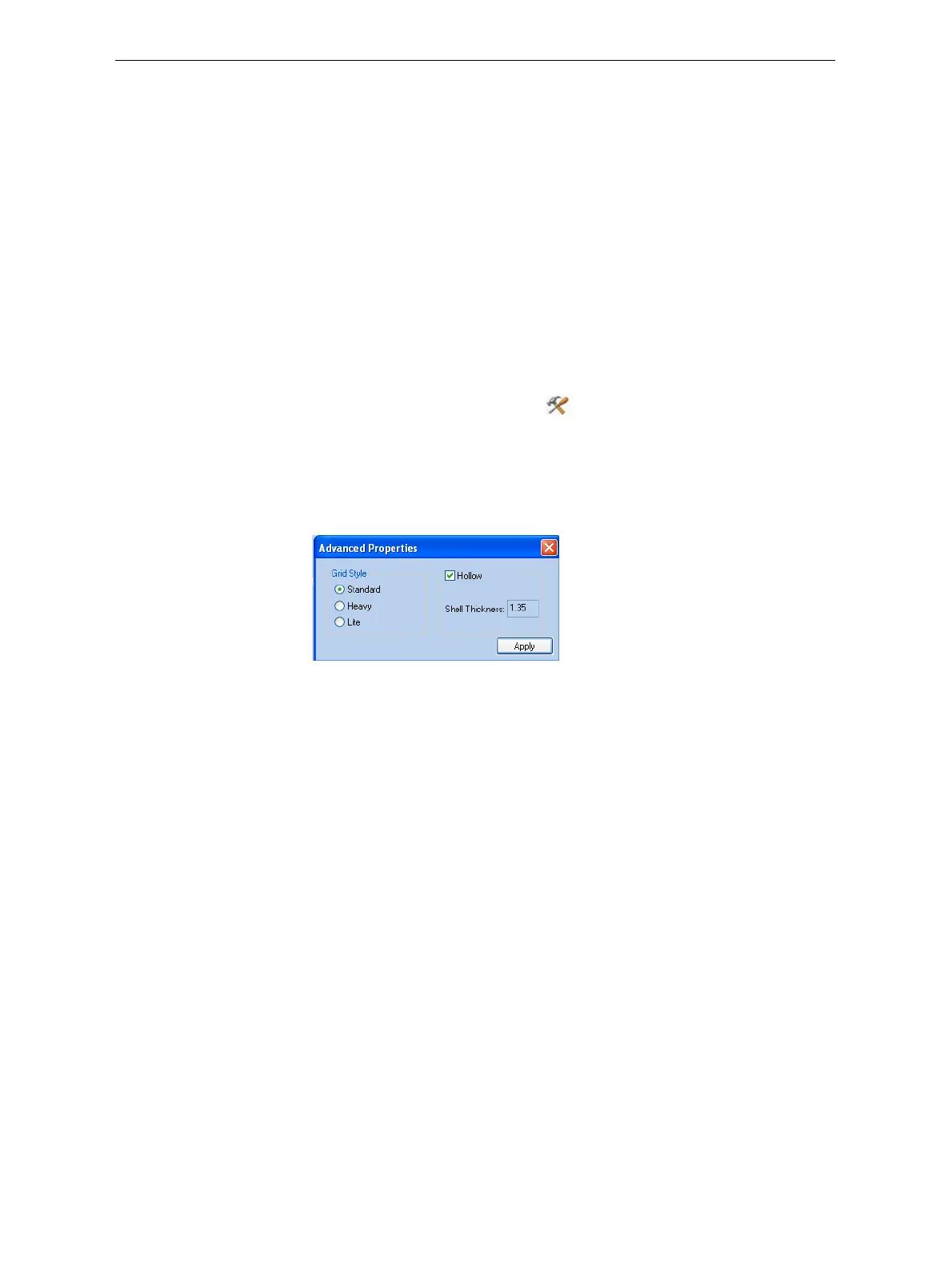
• Fromtheright‐clickcontextmenu,selectAdvanced Properties.
TheAdvancedPropertiesdialogboxopens.
2. Select
Hollow.
Figure 5-77: Advanced Properties dialog box
3. Settheshellthickness,inmillimeters.
4. Click
Apply.
Note: There is no change in the display of objects in Objet Studio when
Hollow is selected.
To inspect, change or cancel the Hollow setting:
1. Selectamodelonthetray.
2. AccesstheAdvancedPropertiesdialogbox,asabove.
3. IfyouchangeorcanceltheHollowsetting,click
Apply.













 To Next Page