Using Objet Studio
5–26
DOC-06810 Rev. A
Positioning Objects on the Build Tray
Toproducemodelsefficientlyandwiththerequiredfinish,itisimportant
tocarefullypositionobjectsonthebuildtray.ObjetStudiosupportsthe
automaticpositioningofobjects.However,youshouldchecktomakesure
thattheobjectsareorientatedoptimallyforyourneeds,accordingtothe
considerationsexplainedin“Model
Orientation”onpage 28.
Twothingsthataffectthepositioningofobjectsonthebuildtrayare
orientationandplacement.YoucanletObjetStudiodeterminetheoptimum
orientationandposition,oryoucancontrolthem.
Automatic
Orientation
Bydefault,ObjetStudioautomaticallyorientsobjects,whenplacedonthe
buildtray,fortheshortestprintingtime.(Youcanlaterchangethe
orientationmanually.)However,youcancancelautomaticorientation
whenplacinganobjectonthebuildtray.
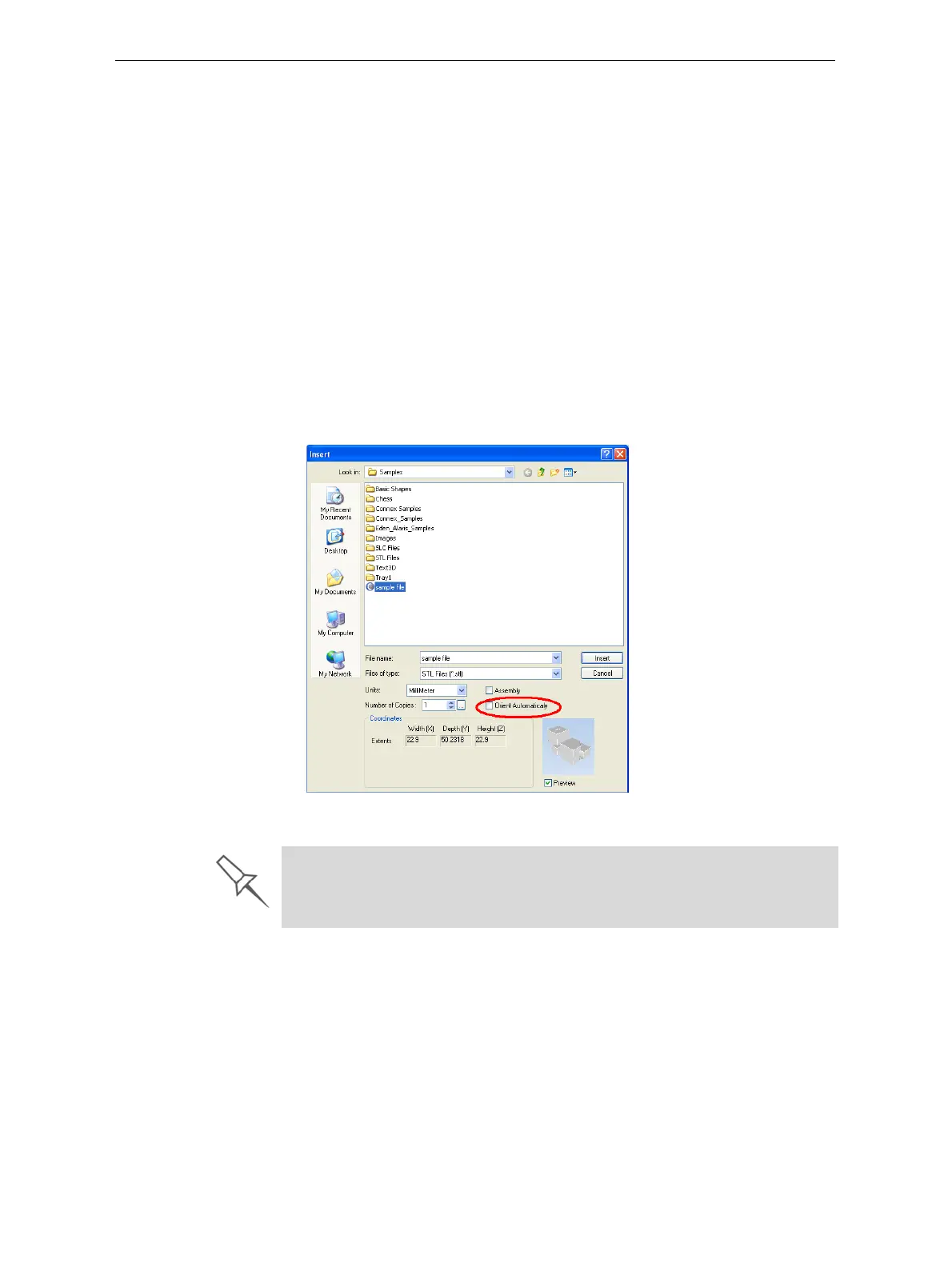
To place an object on the build tray without automatic orientation:
¾
IntheInsertdialogbox,makesureOrientAutomaticallyisnotselected.
Figure 5-33: Orient Automatically option disabled
You can change the default setting, so that automatic orientation is not
applied unless you select the Orient Automatically check box each time you
place an object on the build tray. To do this, see “Default Settings” on
page 65.













 To Next Page