Operating & Maintaining the Objet1000 Plus 3D Printer
6–16
DOC-06810 Rev. A
Advanced
Settings
TheAdvancedSettingsdialogboxenablesyoutoconfiguretheMaterial
Replacementwizardforspecialpurposes.Ifnecessary,click
Advanced
Settings
intheMaterialReplacementOptionsscreenbeforeclickingNext.
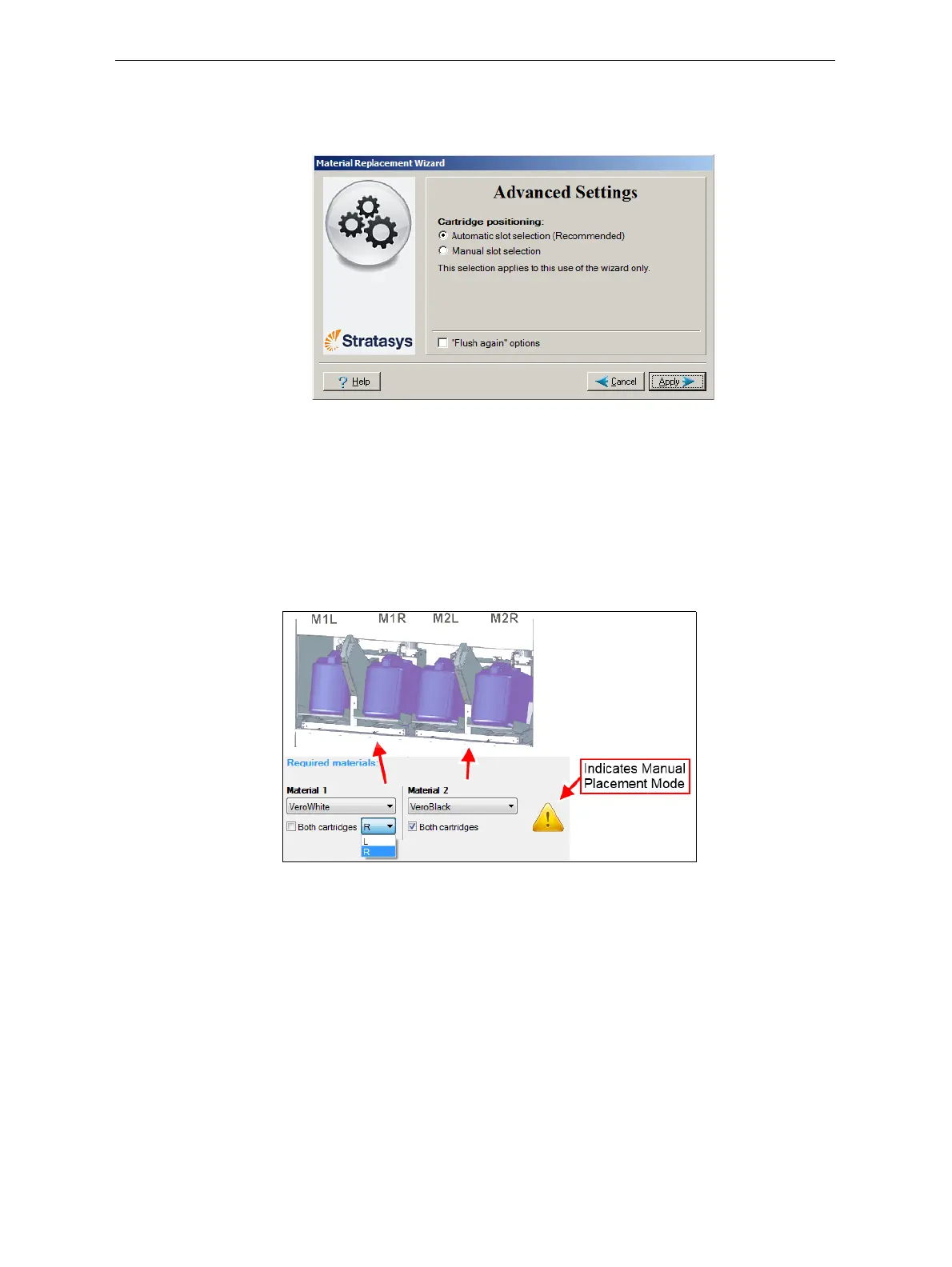
Figure 6-13: Advanced Replacement settings
Positioning Bydefault,Automaticslotselectiondeterminesthebestpositioningforthe
materialcontainers,basedonmaterialscurrentlyinthesystem.This
ensuresminimumflushingofmaterialscurrentlyloaded.Ifthereisa
specialneedtoloadmaterialcontainersincertaindocksintheprinter,
select
Manual slot selection.
Afterclicking
Apply,theMaterialReplacementOptionsscreenappears,but
now,eachmaterialselectionboxcorrespondstooneofthecontainer
positionsintheprinter.
Figure 6-14: Manual container positioning
Flush Again TheflushingcycleyouselectintheMaterialReplacementOptionsscreen
determineshowthoroughlytoflushoutmaterialcurrentlyinthesystem.
AfterselectingtheEconomycycleandcompletingthewizard,youmight
decidethatyourequireamorethoroughflushing,toensureaccurate
modelcolor.Or,youmaynotice
thatprintedmodelsarenotsatisfactory
becausetheycontaintracesofthepreviousmaterial.Ifso,youcanflushout
morematerial,sothatthenextmodelswillbeprintedwithpurematerial.
Afterselectingthe“flushagain”optionandclicking
Apply,theMaterial
ReplacementOptionsscreenappears,whereyouselecttheaffected
material(s)tobeflushed.
Note: Select only the materials you need to flush.













 To Next Page