DOC-06810 Rev. A 6–15
Objet1000 Plus User Guide
9. Replacematerialcontainers,asnecessary,accordingtotheinstructions
inthewizardscreen.
10. ClickStart.
11. Readthewarningmessage, andclick
OK.
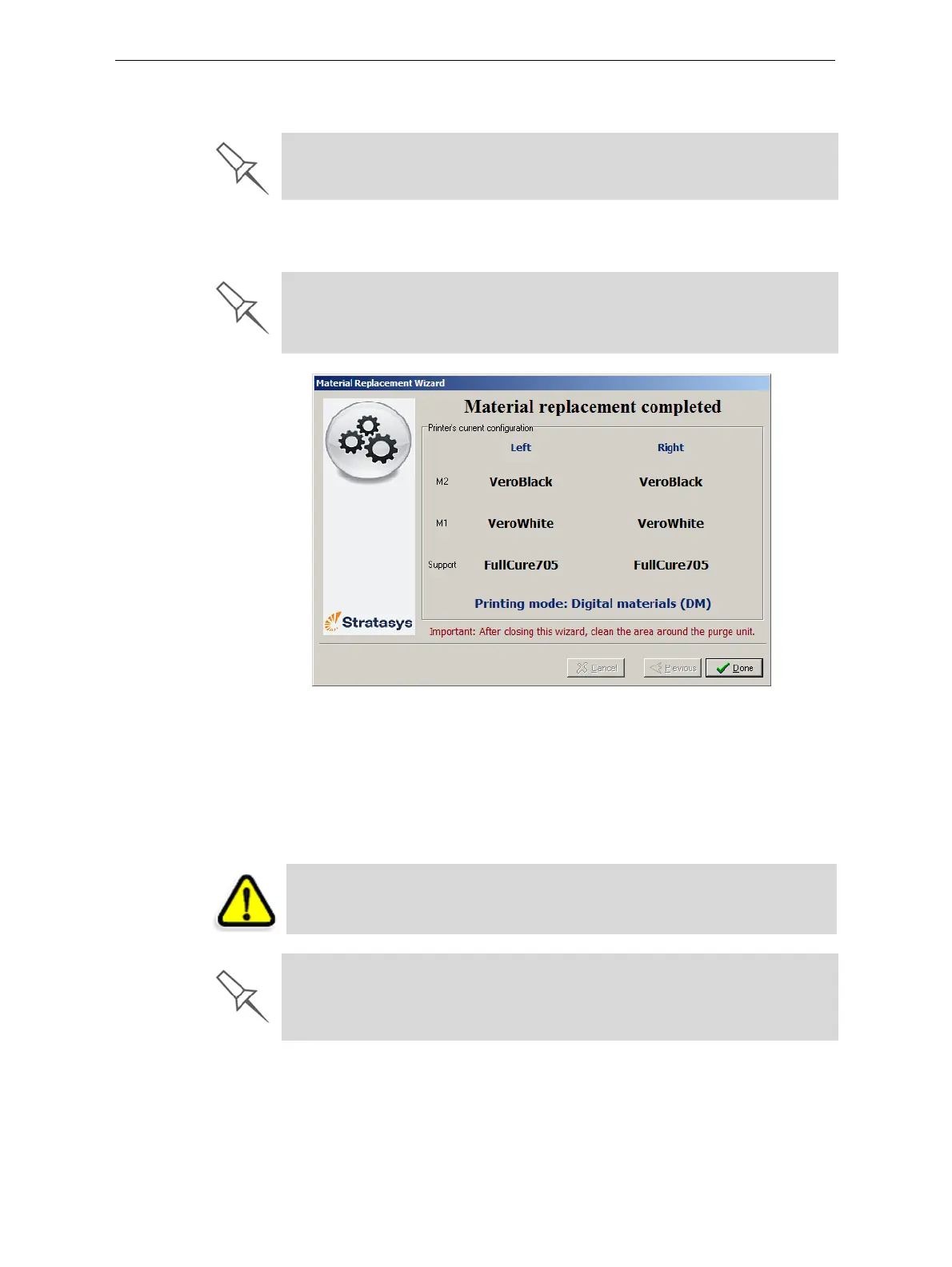
Figure 6-12: Final wizard screen
12. ClickDonetoclosethewizard.
Theprinter‐controlapplicationisautomaticallyupdated,andthe
interfacedisplaysthenewmaterial(s).TheObjetStudioapplication(on
theprinter‐servercomputer)isalsoupdatedanddisplaysthenew
material(s).
13. Inspecttheareaaroundthepurgeunitandcleanit,ifnecessary.
Make sure to securely attach the cap to partially used material containers when
not loaded in the printer. If not properly capped, exposure to UV light could
cause polymerization (curing) of the material, making it unsuitable for printing.
If you continue, you must complete the material replacement process
before you can produce models. To replace material containers at another
time, click Cancel. If you continue (by clicking OK) and you do not complete
the process, you will need to run the wizard again before producing models.
CAUTION: Dispose of all material containers in accordance with all
applicable laws and regulations.
Empty material containers can be used as printer-waste containers.













 To Next Page