Operating & Maintaining the Objet1000 Plus 3D Printer
6–14
DOC-06810 Rev. A
enablescontinuousprintinguntiltheprintjobiscompleted.Whenone
containeremptiesandtheotheroneisbeingused,youcanreplacethe
emptycontainerwithanewone.
7. IntheFlushingcyclesectionofthewizardscreen,choosehow
thoroughlyyouwanttoflushoutmaterialcurrentlyinthe
system.
• Economy.Thiscyclecanbeusedwhenreplacingalight‐colored
Modelmaterialwithadarkermaterial(suchasTangoBlack™or
VeroBlack™),oriftheexactcoloroftheprintedmodelsis
unimportant.
Thewizardflushesthesystemwiththeminimumamountof
materialneededtoensurethatmodelshave
themechanical
propertiesofthenewmaterial.
• Full.Usethiscyclewhentheprintedmodelsmusthavetheexact
colorofthenewmaterial.
Thewizardthoroughlyflushesthefeedtubesandprintheads
neededforprinting,basedonyourselectionsintheprevious
screens.
8. Click
Nexttobeginthematerialreplacementprocessintheprinter.
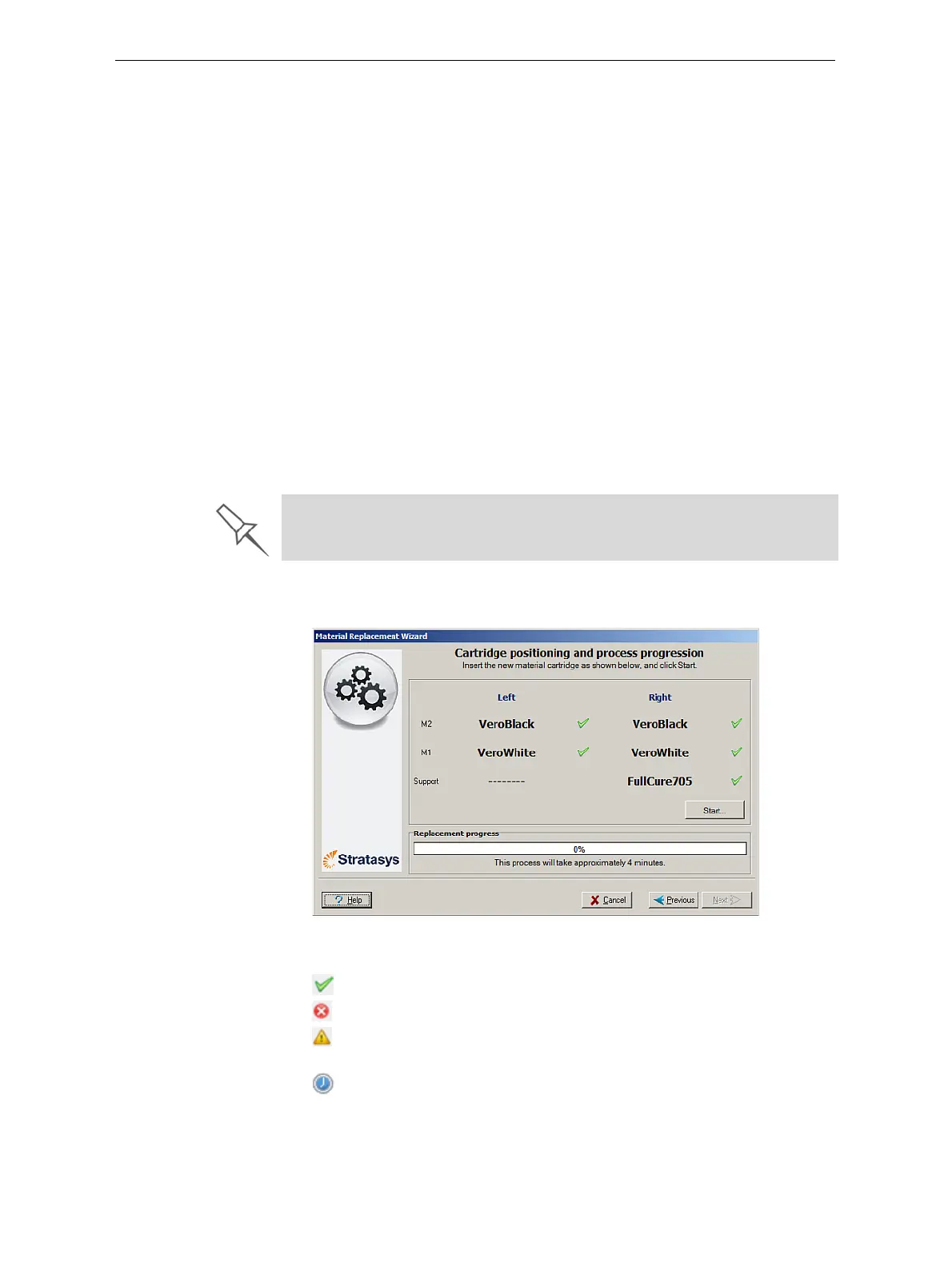
Thepositioningscreenappears,showingyouthenewlocationofthe
containersinthematerialscompartments.
Figure 6-11: Container placement
Symbols:
Thecorrectcontainerisinthisposition.
Nocontainer(ortheincorrectcontainer)isinthisposition.
Thecontainerinthispositionhasinsufficientweighttocomplete
thematerialreplacementprocess.
Theexpirationdateofthecontainerinthispositionhaspassed.
There are additional settings that you can select for special purposes (see
Advanced Settings on page 16). If necessary, click
Advanced Settings
before clicking
Next.













 To Next Page