DOC-06810 Rev. A 6–13
Objet1000 Plus User Guide
3. Iftheprinterdoorsarenotclosed,ascreenappears,promptingyouto
closethem.Confirmthisandclick
Next.
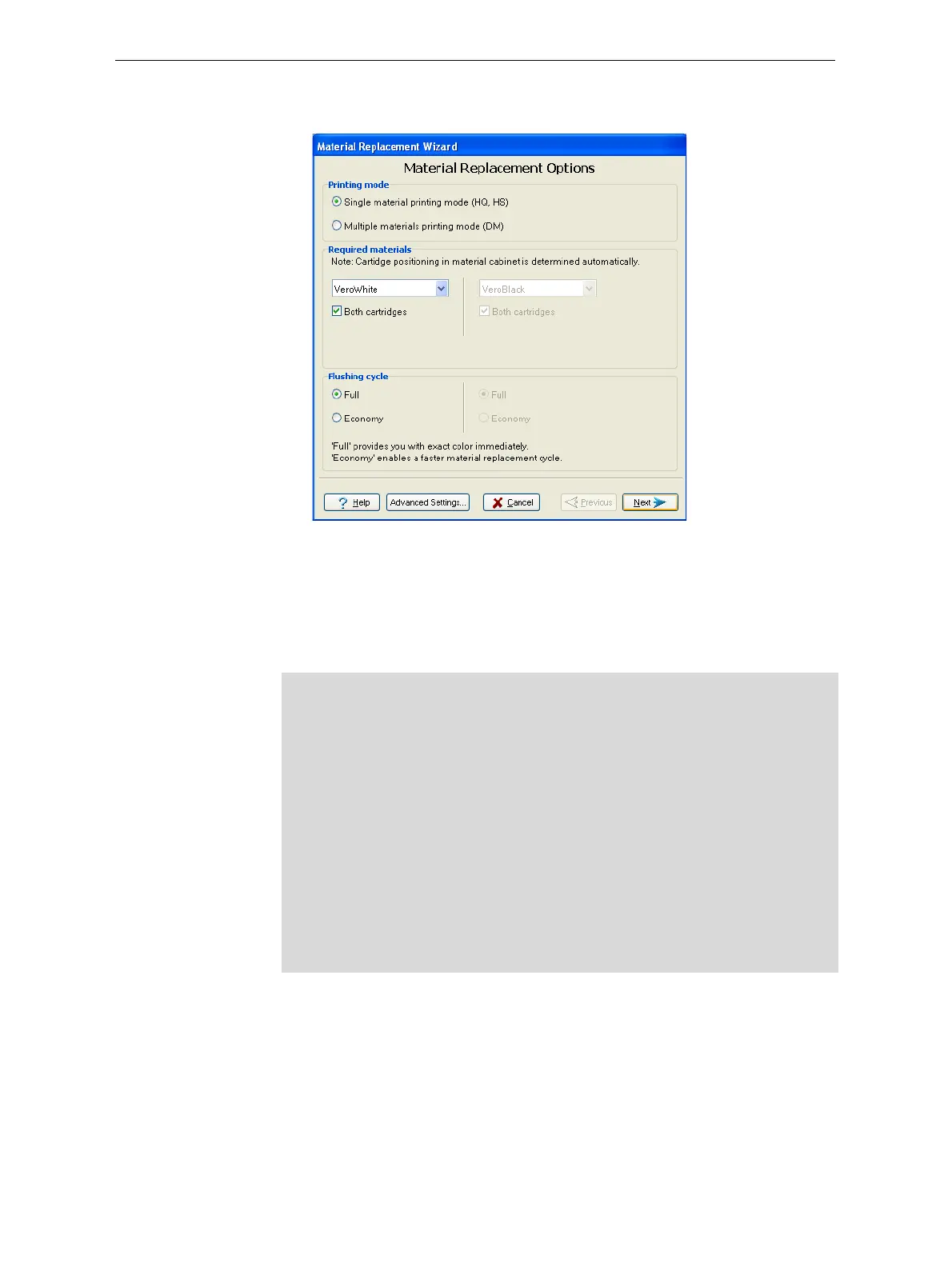
Figure 6-10: Material Replacement options
IntheMaterialReplacementOptionsscreen,youselectthesettingsthat
determinehowthewizardreplacesmaterialcurrentlyinthesystem
withnewlyloadedmaterial.
4. ChoosewhetheryouwanttoproducemodelsinSingleMaterialmode
orinDigitalMaterial(“multiple‐materials”)mode.
5. IntheRequiredmaterialssectionofthewizardscreen,selectoneormore
replacementmaterials.
6. SelectBoth cartridgesifyouneedtoloadtworeplacementcontainers.
Loadingonereplacementcontainerismoreeconomicalbecauseit
potentiallyrequireslessflushingofmaterialcurrentlyinthesystem.
However,whenonecontainerisnotsufficient,loadingtwocontainers
¾ Single Material mode
Fourprintheadsareusedtoprint,usingoneModelmaterial.
ThismodeisrequiredtoproducebuildtrayswiththeHighQuality
setting,andtoproducetrayswiththeHighSpeedsetting,usingonly
oneModelmaterial.
¾ Digital Material mode
EachoftheModelmaterialsloadedisusedintwooftheprintheads.
IfonlyoneoftheModelmaterialsisrequiredforprinting, models
areproducedusingtwoprintheads.Thismakesitunnecessaryto
replacetheotherModelmaterial.
IfModel‐materialsubstitutionisallowed,theprinterproducestrays
withtheHighSpeedsettingusingamixtureofModelmaterials(see
“ModelMaterialSubstitution”onpage 5‐51).













 To Next Page