DOC-06810 Rev. A 6–9
Objet1000 Plus User Guide
Printing
Indicators
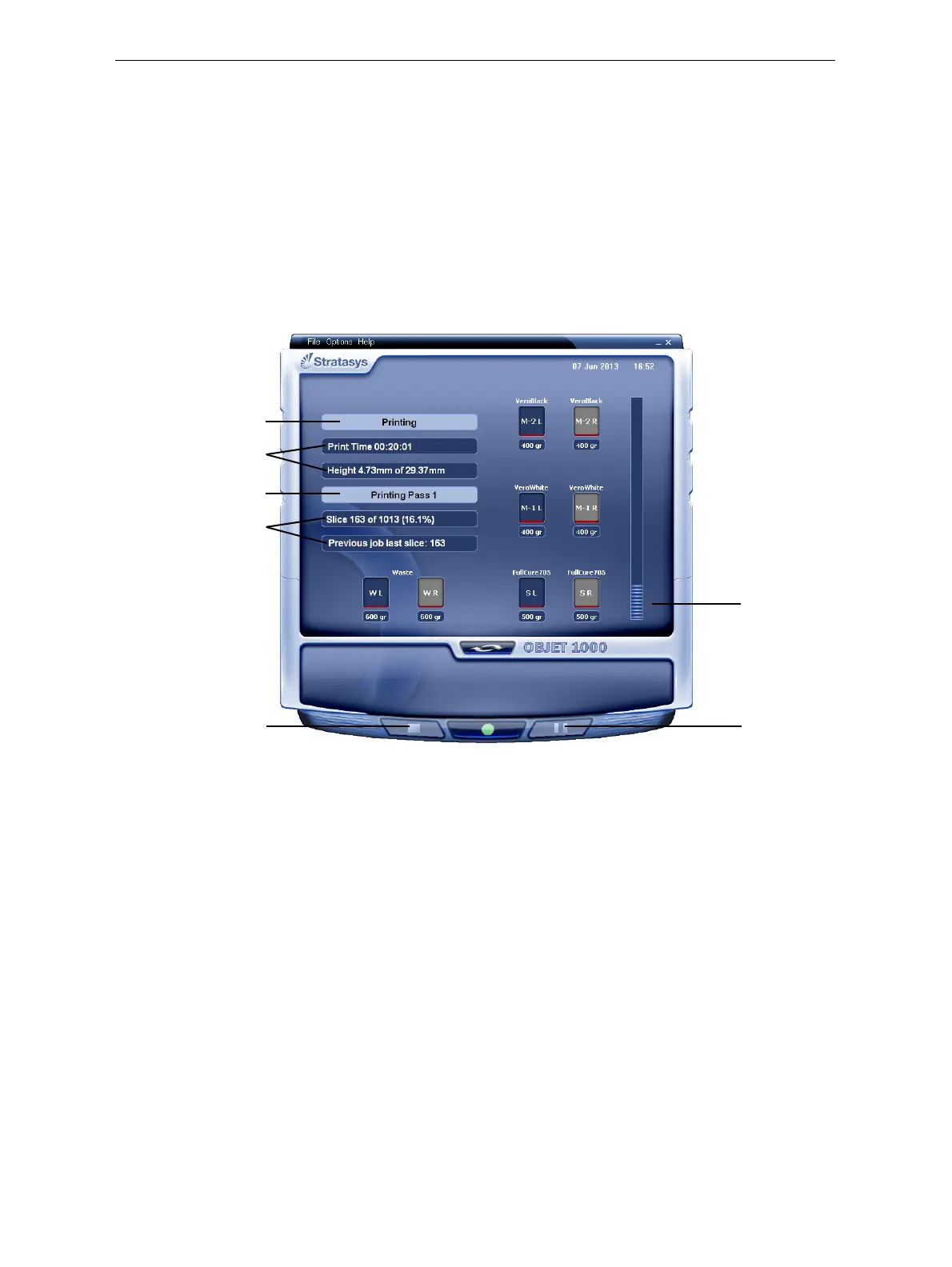
TheprinterinterfacescreenchangeswhenyousendaprintjobfromObjet
Studiototheprinter,andtheprinterisonline(seefigure 6‐6):
• ThemodechangesfromPre‐printtoPrinting.
• Thespecificactivitybeingperformedisshowninthe“currentactivity”
field.
• Currentjob‐printinginformationisdisplayed.
• Theprintingprogressbarisdisplayed.
• TheStopandPausebuttonsareenabled.
Whentheweightofacontainerdropsbelow100grams,thedisplayofthe
materiallevelintheprinterinterfaceisred.
Figure 6-6: Printer interface during printing
Progress bar
Pause button
Stop button
Printer mode
Job information
Job information
Current activity













 To Next Page