DOC-06810 Rev. A 2–5
Objet1000 Plus User Guide
Safety Guidelines
Thefollowinggeneralguidelines,togetherwiththeinstructionsprovided
throughoutthisuserguide,ensureusersafetywhileoperatingand
maintainingthesystem.Ifthesystemisnotoperatedasspecified,the
userʹssafetymaybecompromised.
Printer
Installation
¾ Installationandremovaloftheprintershouldonlybedonebyqualified
servicepersonnel.
¾ ConnecttheprinterandtheUPSunittotheelectricoutletusinga
powercordthatissafety‐certified.
¾ Neverconnectthepowerplugtoanoutletthatdoesnothaveaground
(earth)wire,andneverdisconnecttheground.Doingsomightexpose
theoperatortoseriousdangerfromelectricshock.
FI:Laiteonliitettäväsuojakoskettimillavarustettuunpistorasiaan.
NO:Apparatetmåtilkoplesjordetstikkontakt.
SE:Apparatenskallanslutastilljordatuttag.
¾ Leaveaminimumof100centimeters(40inches)betweenventilation
openingsandwa llsorotherobjects.
Printer
Operation
¾ TheprintershouldonlybeoperatedbypersonstrainedbyaStratasys
customer‐supportrepresentative.
¾ Allpersonneloperatingormaintainingtheprintershouldknowthe
locationoffirstaidandemergencyequipmentandhowtouseit.Never
blockaccesstothisequipment.
¾ Keepfingersandotherbodypartsclearoftheprintercoverwhen
closingit.
¾ Neverattempttoopenthefrontdoorsoftheprinterwhileitisworking.
¾ Neveroverridetheinterlocksafetyswitch.
¾ Iftheinterlocksafetyswitcheverfails,donotusetheprinter.
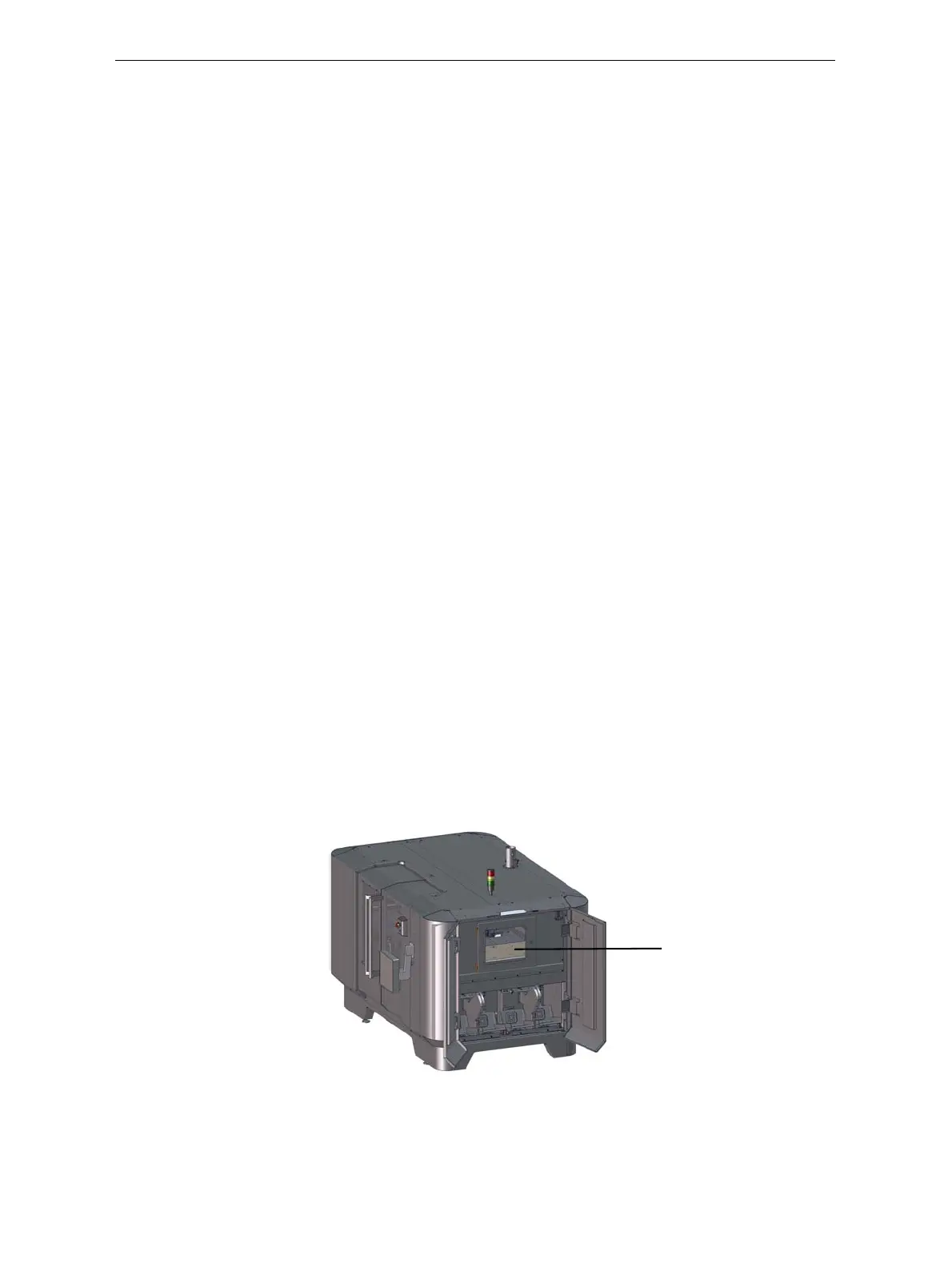
¾ Neverattempttoopentheservicewindowontherightsideofthe
printer.Thiswindowshouldalwaysremainlocked,exceptwhenthe
printerisservicedbyauthorizedpersonnel.Donotoperatetheprinter
ifitisopen.
Figure 2-3: Service window on right side of printer
¾ Severalpartsoftheprinterremainextremelyhotevenafterithas
stoppedoperating.AvoidtouchingtheUVlampsandtheprintblock.
Service window













 To Next Page