DOC-06810 Rev. A 6–57
Objet1000 Plus User Guide
10. ConnectthecablefromthesensortotheUVmeter.
11. TurnontheUVmeter,andwaituntil“000.0”appearsonthedisplay.
12. Inthewizardscreen,confirmthatthesensorispositionedcorrectly,
andclick
Next.
Whenyouclick
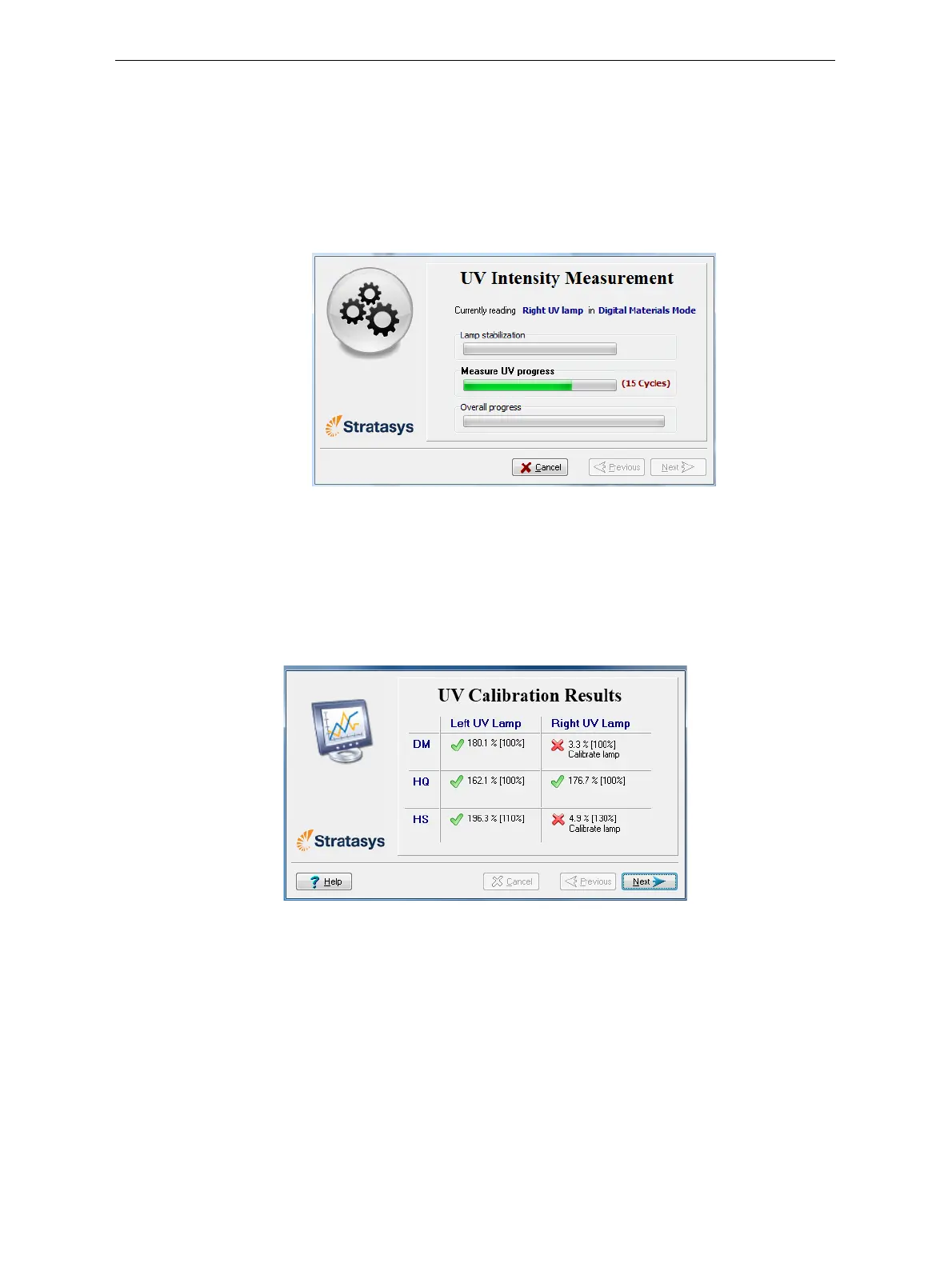
Next,theUVlampspowerupandstabilize.(Thistakes
severalminutes.)Then,theprintblockpassesoverthesensorandthe
wizardcomparesthemeasuredradiationto therecommendedlevel.
Figure 6-88: UV measurement progress
13. Whenpromptedbythewizard,zero(reset)theUVmeterandenterthe
reading(measurement).
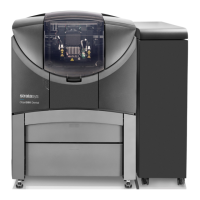
IftheUVlevelmeasuredisnotacceptable,thewizardcalibratestheUV
lampbyadjustingthecurrentsuppliedtoit,andthentestsitagain.
WhenallUVtestshavefinished,theresultsaredisplayed,showing
the
conditionofthelampsaftercalibration.
Figure 6-89: Results and condition of UV lamps after calibration



 To Next Page