DOC-06810 Rev. A 5–15
Objet1000 Plus User Guide
STL file loading
preference
Ifthereareidenticallynamedstlfilesinmorethanonelocation,youneed
toensurethatthecorrectcomponentstlfilesarelinkedtotheobjtffile.For
example,ifthereareidenticallynamedstlfilesononedriveandonaflash
drive(thiscanoccurifyou
copytheoriginalfilestoaworkingfolder),you
cansetthedefaultlocationfromwhichfilesareloaded.
To set the Load Order:
1. FromtheToolsmenu,selectOptions.
or—
IntheObjetStudioCommandsmenu ,click
Options.
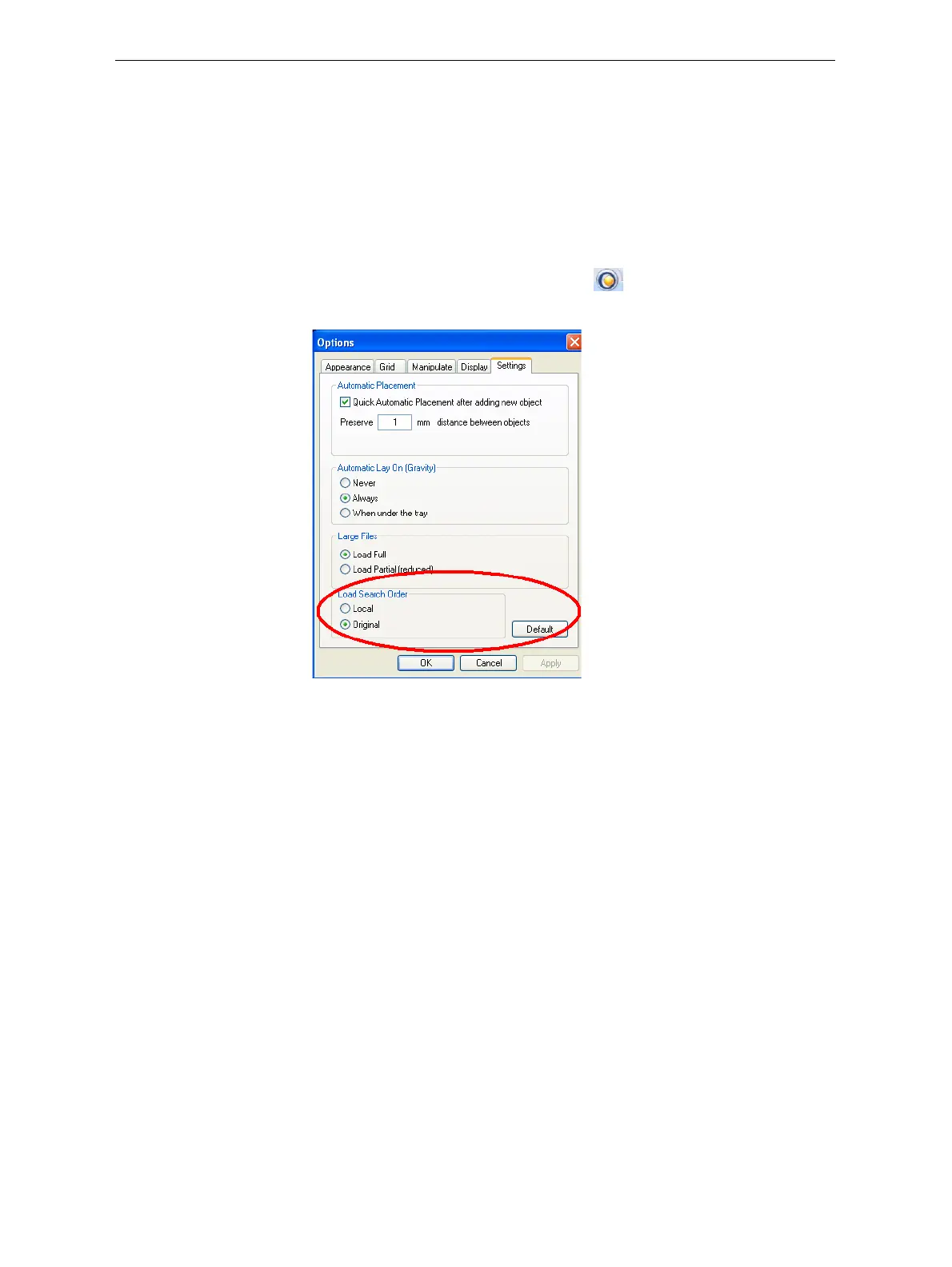
2. IntheOptionsdialogbox,displaytheSettingstab.
Figure 5-16: Options dialog box, Settings tab
3. UnderLoadSearchOrder,selectanoption:
• Local—toloadfilesfromthelocationwheretheywerelastsaved.
• Original—toloadfilesintheiroriginallocation.
4. Click
OK.













 To Next Page