DOC-06810 Rev. A 6–7
Objet1000 Plus User Guide
Whenprintingbegins,ObjetStudiosendssevenslicestothe printer‐control
application.ThisisthestandardbufferbetweenObjetStudioandthe
printer.Aseachsliceisprinted,anothersliceissenttotheprinter.
Dependingonthesizeofthemodel(s)tobeproduced,printingcantake
betweenseveral
hourstoseveraldays.AslongasthereisenoughModel
andSupportmaterialinthesupplycontainers,printingproceeds
automaticallyuntilthejobisfinished.
TheObjet1000PlusprinterusesoneortwoModel‐materialcontainersand
oneSupport‐materialcontainertoproducemodels.Ifadditionalcontainers
areinstalledand
theyarenotneededforthecurrentprintjob,theprinter
interfaceindicateswhicharebeingused:
• Bluecontainer—usedfortheprintjob
• Graycontainer—notusedfortheprintjob
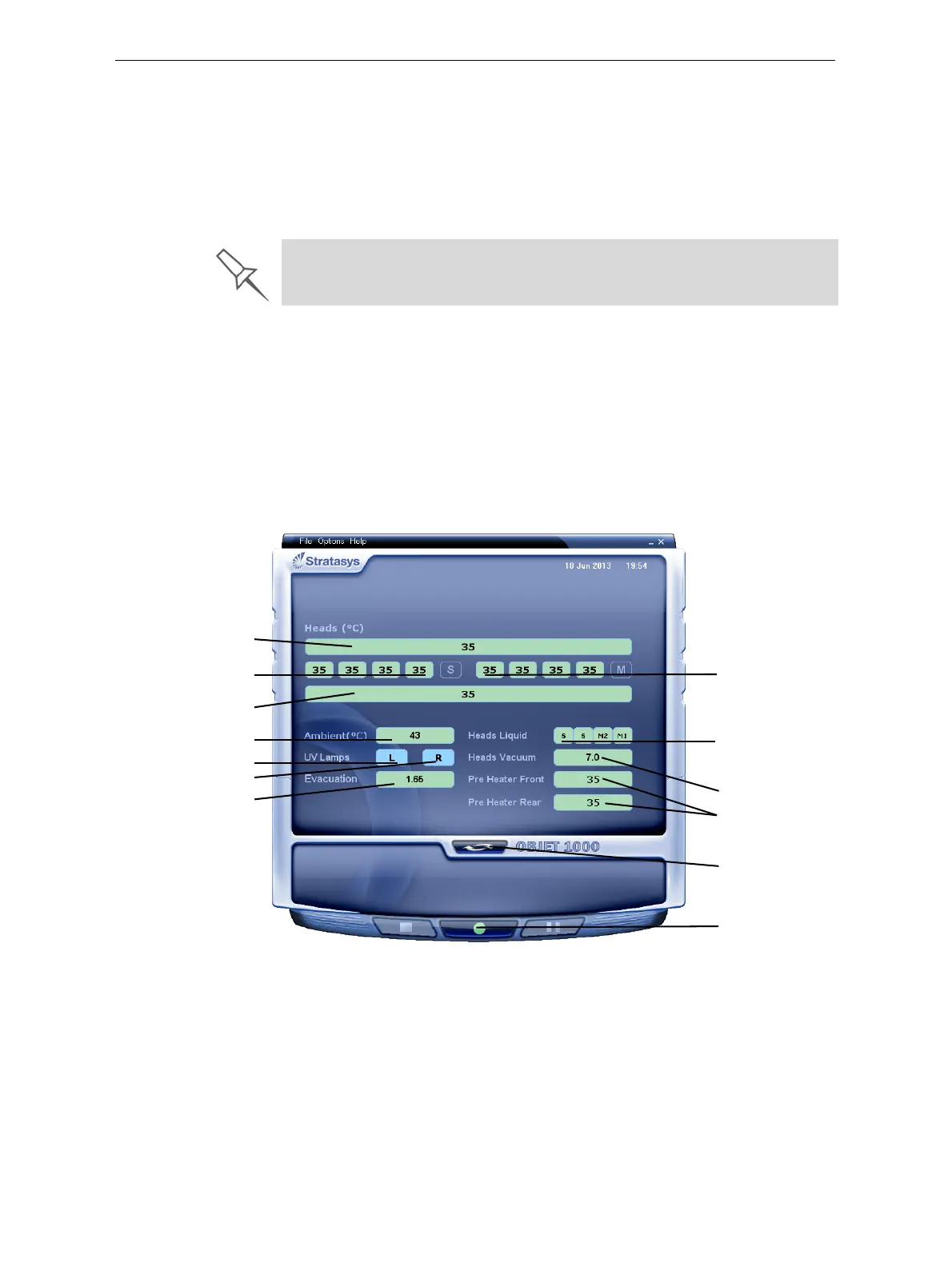
Youcanmonitorprinterstatusindicatorsbyswitchingtheprinterinterface
display.Todothis,clickthedisplaytogglebuttonintheprinterinterface
screen.
Figure 6-5: Printer indicators
During printing, the server computer must remain on and it must
communicate with the Objet printer. Do not log-off Windows until printing is
finished.
Temperature
in front of
print block
Temperature
behind
print block
Chamber temp.
Display
toggle button
Printer set to
online mode
(green)
Temp. of each
Support head
Exhaust Air Flow
Left UV lamp
Right UV lamp
Temp. of each
Model head
Support/Model
material in print-
block reservoir
System
vacuum level
Temp. of material
pre-heaters













 To Next Page