Operating & Maintaining the Objet1000 Plus 3D Printer
6–46
DOC-06810 Rev. A
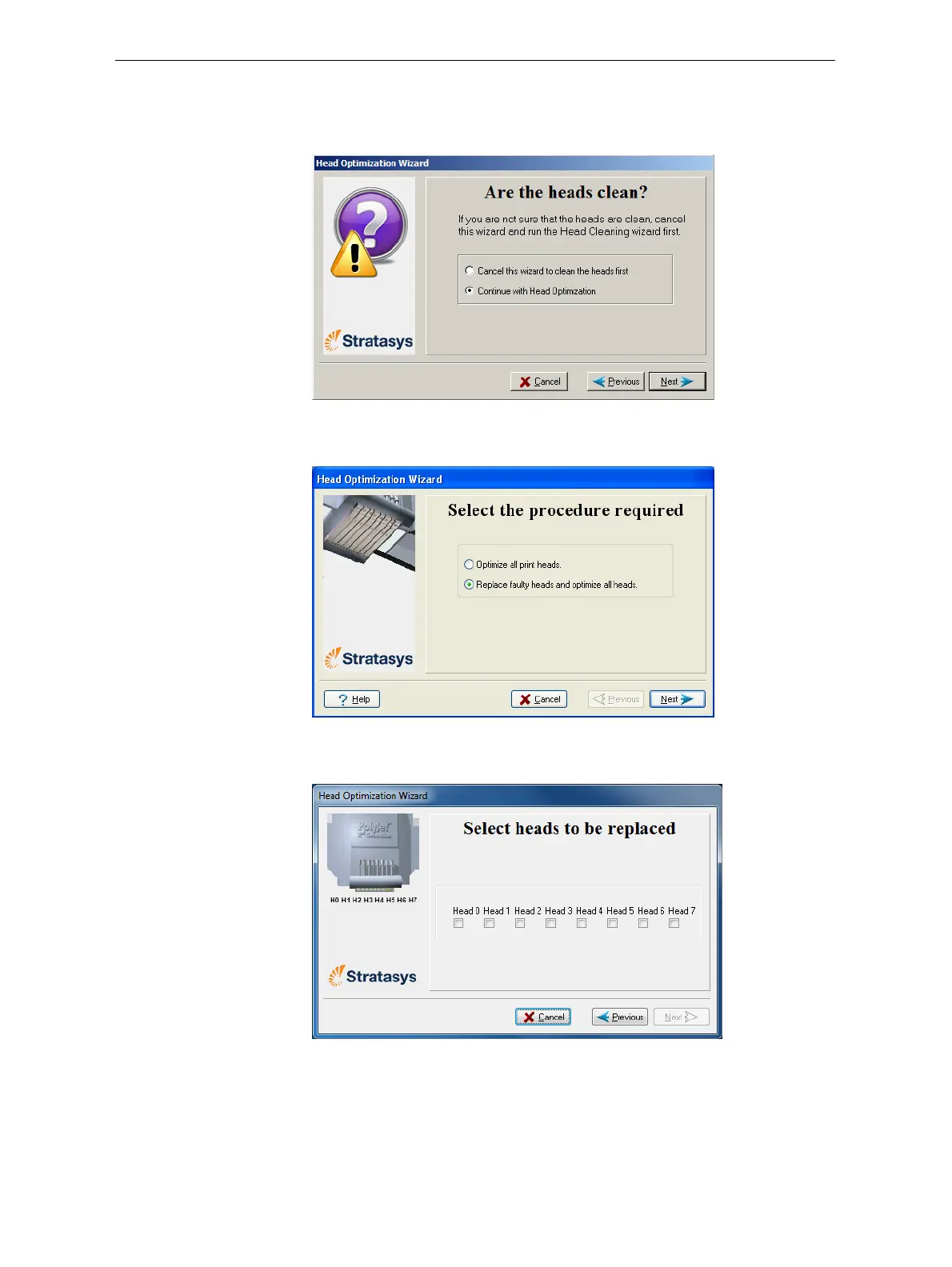
5. Inthefollowingscreen,selectContinue with Head optimizationifyou
haverecentlycleanedtheprintheads.Otherwise,cancelthewizard
andruntheCleaningwizard.
Figure 6-63: Clean print heads screen
6. Inthefollowingscreen,selectReplacefaultyheadsandclickNext.
Figure 6-64: Procedure selection screen
Preparing the
Print Block
7. Selecttheprinthead(s)needingreplacementandclickNext.
Figure 6-65: Head selection screen













 To Next Page