Setup Information
100
TX Delay Field
The TX Delay field identifies the delay, in ms, of TX audio. When TX Ethernet packets arrive, the PTT relay is closed and TX
audio is delayed for the specified time. This provides the ability to overcome timing issues involving repeater attack time or
trunking (clear to talk) delays.
The range for this field is 0 to 2000ms.
RX Delay Field
The RX Delay field identifies the amount of time, in ms, RX audio is recorded and stored. RX audio is constantly recorded by
the IP-223 and when a LAM or COR triggered detect occurs, the IP-223 goes back the specified time of delay to start
generating Ethernet packets. This provides the ability to prevent lost first syllables using LAM or COR.
The range for this field is 0 to 1000ms.
Squelch Tail Delay
The Squelch Tail Delay field identifies the amount of time, in ms, the RX audio is muted after PTT occurs. This provides the
ability to overcome squelch tail ping-pong in crosspatch modes by muting the radio RX input after PTT occurs.
The range for this field is 0 to 5000ms.
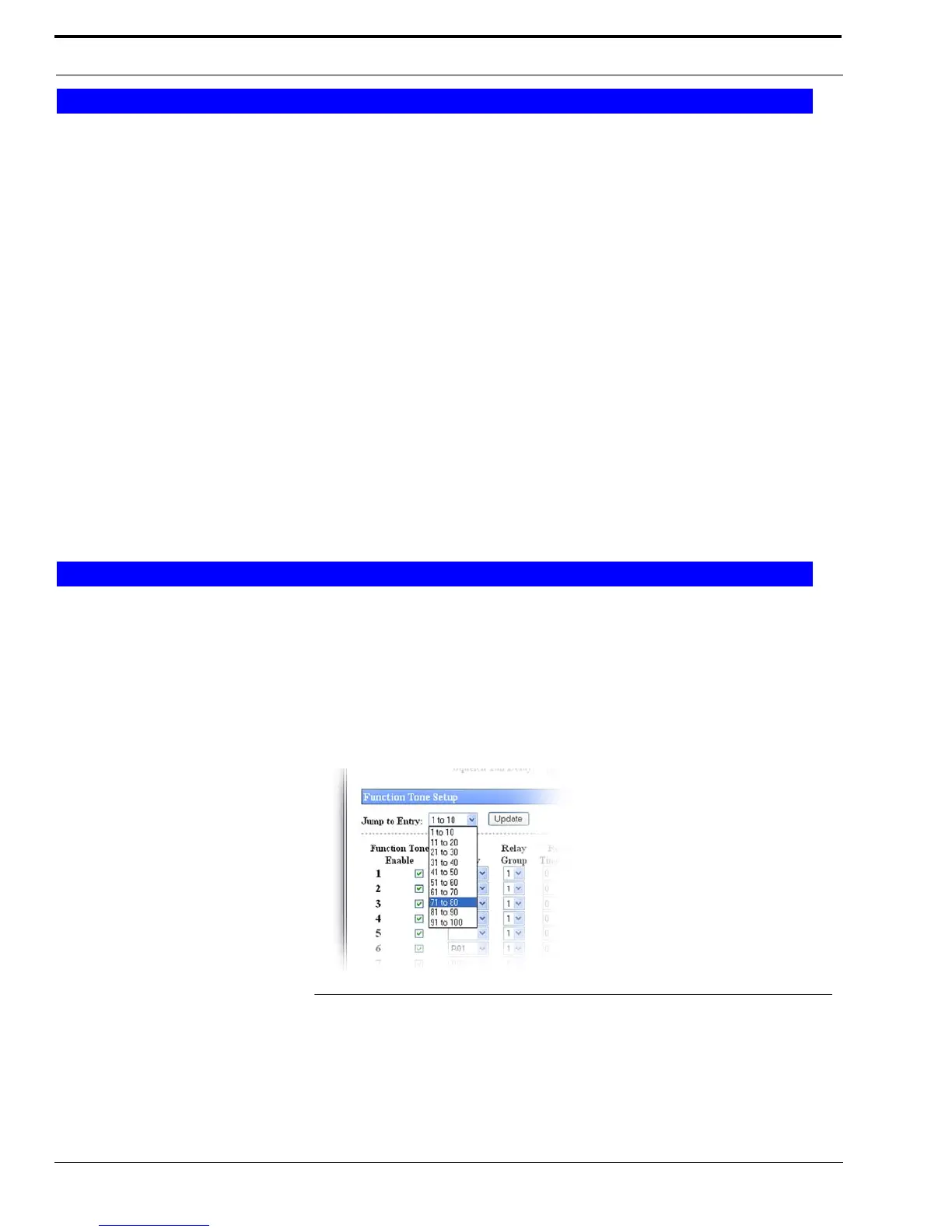
Jump To Entry Drop Down Menu
The Jump To Entry drop down menu allows you to select function tones (in groups of 10) to view and modify.
1. From the Jump To drop down menu, select the group of 10 function tones you want to view.
2. Click Update.
The function tones you select appears.
Update Button
The Update button searches and displays the selection you choose from the Jump To drop down list.
Delay Setup
Function Tone Setup
FIGURE 52. Jump to Entry—Tetra Function Tone Setup



 To Next Page