65
Per Line Setup Window
Per Line Setup Window
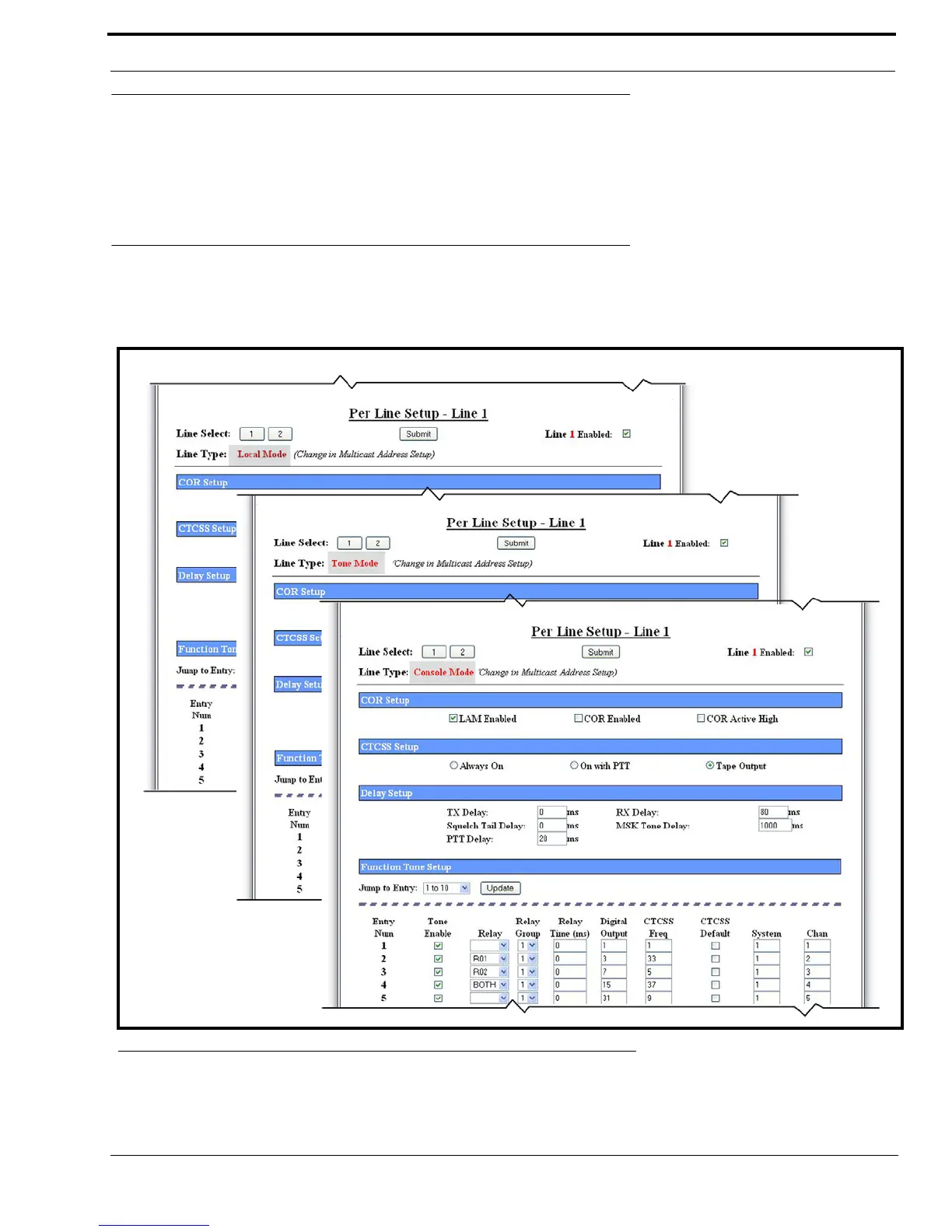
The Per Line Setup window, shown in Figure 29, is used to view and set the parameters for the line type selected on the
Multicast Setup window. The details on the window apply to the line number displayed at the top of the window. The selected
line type enables the appropriate fields necessary to set up the line.
Per Line Setup Window—Local, Tone, and Console Mode
The Per Line Setup window for Local, Tone, or Console Mode configuration, shown in Figure 29, appears when Local,
Tone or Console is selected from the Line Type drop down menu on the Multicast Address Setup window.
FIGURE 29. Per Line Setup—Local, Tone, and Console Modes, View 1



 To Next Page