Setup Information
108
Account Setup Window
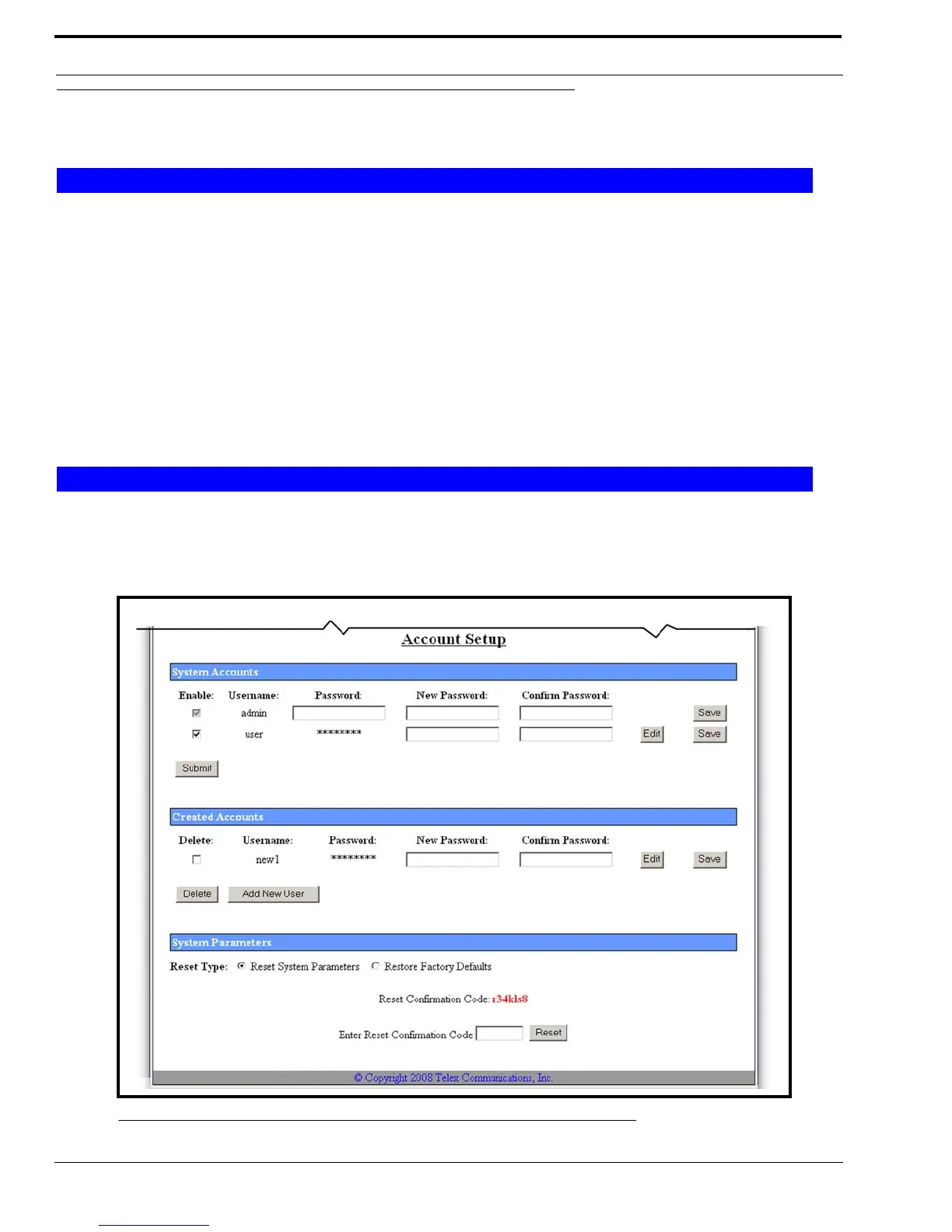
The Account Setup window, shown in Figure 58, allows you to manage system and user accounts.
By default, the IP-223 comes with two (2) system accounts created: admin and user. Upon first use, there are no passwords
set for either account. You can change the passwords for both of the accounts, if desired. These are the only system accounts
allowed.
Admin System Account
The Admin System account has privileges to change, modify or delete anything within the IP-223 software configuration. The
account rights are not configurable, except for the password.
User System Account
The User System account is used to manage the system user account password. The system user account is in edit mode when
the username field is highlighted yellow.
Created Accounts are user-defined accounts that may have different defined permissions to selected areas of the IP-223
configuration software.
Up to five (5) accounts can be created.
System Accounts
Created Accounts
FIGURE 58. Account Setup



 To Next Page