Setup Information
124
Clone Console Window
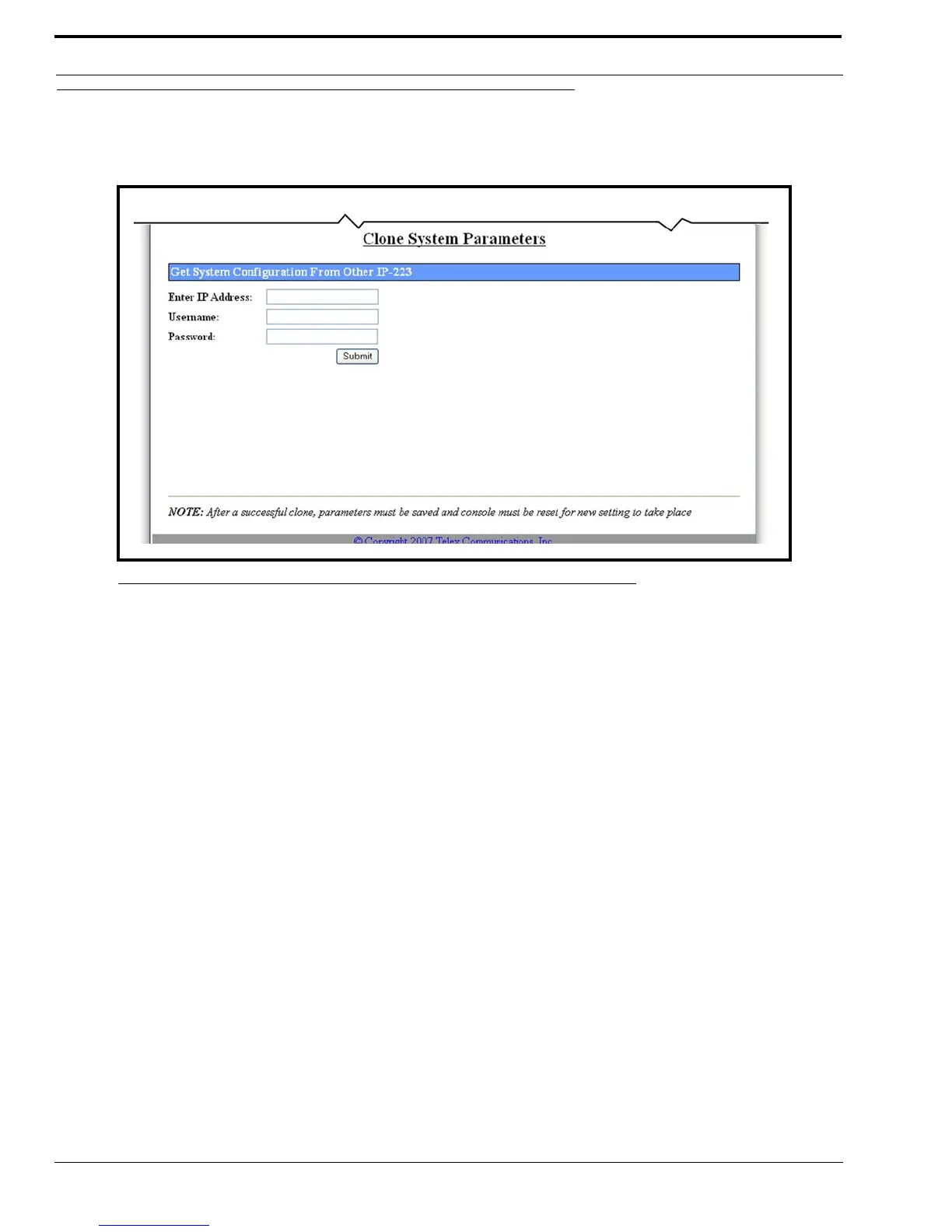
The Clone System Parameters window, shown in Figure 68, provides the ability to copy the setup information, other than the
serial number, base IP Address Subnet Mask from one IP-223 unit to another IP-223 unit.
To copy configuration data from one IP-223 unit to another IP-223 unit, do the following:
1. Click Clone Console.
The Retrieve Configuration Data from Remote IP-223 window appears.
2. In the Enter IP Address field, enter the IP Address of the remote IP-223 the configuration data is to be copied from.
3. Enter the username and password of the remote IP-223.
4. Click Submit.
The setup information, other than the serial number, base IP Address, and mask address is sent to the IP-223 for
storage.
5. Click Save to EEPROM.
The Save Setup Parameters window appears.
6. Click Save Parameters.
The entries are saved to permanent memory.
FIGURE 68. Clone System Parameters



 To Next Page