75
Per Line Setup Window—Local, Tone, and Console Mode
PTT + R1 Radio Button - Local, Tone, and Console Modes
The PTT + R1 radio button, if selected, indicates both the PTT relay and the R1 relay close at the same time.
PTT + R2 Radio Button - Local, Tone, and Console Modes
The PTT + R2 radio button, if selected, indicates the PTT relay and the R2 relay close at the same time.
PTT + BOTH Radio Button - Local, Tone, and Console Modes
The PTT + BOTH radio button, if selected, indicates the PTT relay, the R1 relay and the R2 relay close at the same time.
PTT Timeout Field - Local, Tone, and Console Modes
The PTT Timeout field is used to indicate how long, in seconds, to allow PTT to be active when no audio is transmitted. If a
time is entered in the field, PTT activity times out after the designated amount of time has lapsed. This feature is useful in cases
where the line goes offhook for an indefinite period of time due to a stuck PTT key.
The range for this field is 0 to 1800 sec.
Disabled is 0.
Serial Port Mode Drop Down Menu - Local, Tone, and Console Modes
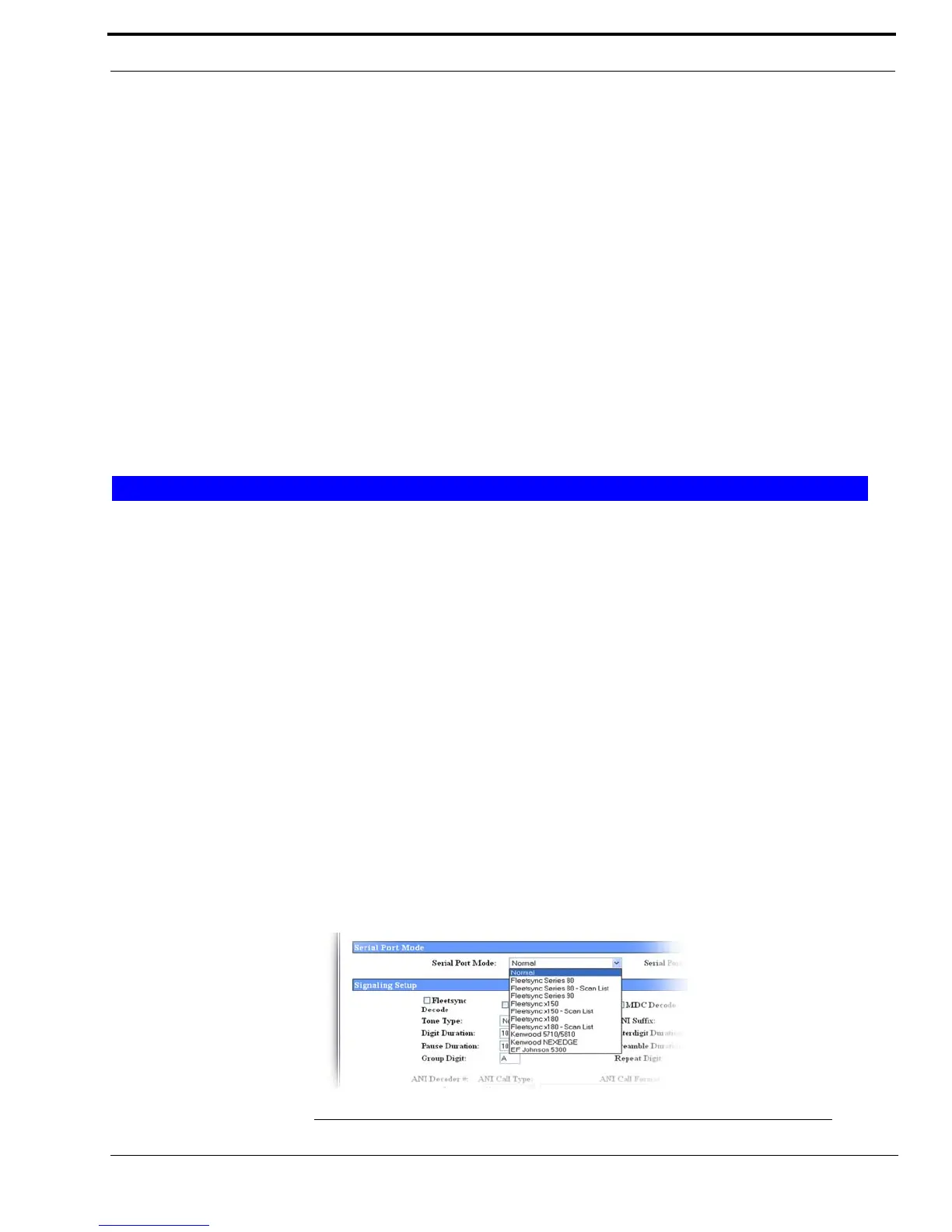
The Serial Port Mode drop down menu, shown in Figure 33, is used to identify the specific radio interface for the serial port
configuration. Selecting an item with a Scan List suffix enables a frequency scan list update function. The freq scan list
function synchronizes the console scan list with the radio's scan list.
By default, the serial port in Tone or Console mode is Normal.
NOTE: Once this mode is changed and parameters saved, the system automatically resets.
Available selections for this field are:
Serial Port Mode
Normal FleetSync Series 150 - Scan List
FleetSync Series 80 FleetSync Series 180
FleetSync Series 80 - Scan List FleetSync Series 180 - Scan List
FleetSync Series 90 Kenwood 5710 and /5810
FleetSync Series 150 Kenwood NEXEDGE
EF Johnson 5300
FIGURE 33. Serial Port Drop Down Menu - Local Mode



 To Next Page