Setup Information
78
FleetSync Encode Check Box - Local and Tone Modes
The FleetSync Encode check box is used to enable FleetSync Over-the-Air encode. All outbound FleetSync messages are
generated by the IP-223 instead of the radio.
MDC Decode Check Box - Local and Tone Modes
The MDC Decode check box is used to enable OTA (Over-the-Air) MDC-1200 decode. All inbound MDC-1200 messages
are decoded by the IP-223 instead of the radio.
MDC Encode Check Box - Local and Tone Modes
The MDC Encode check box is used to enable OTA encode. All outbound MDC-1200 messages are generated by the IP-223
instead of the radio. Motorola encode features supported by the IP-223 include PTT ID, call alert, select call, radio check,
remote monitor and radio disable/enable.
Tone Type Drop Down Menu
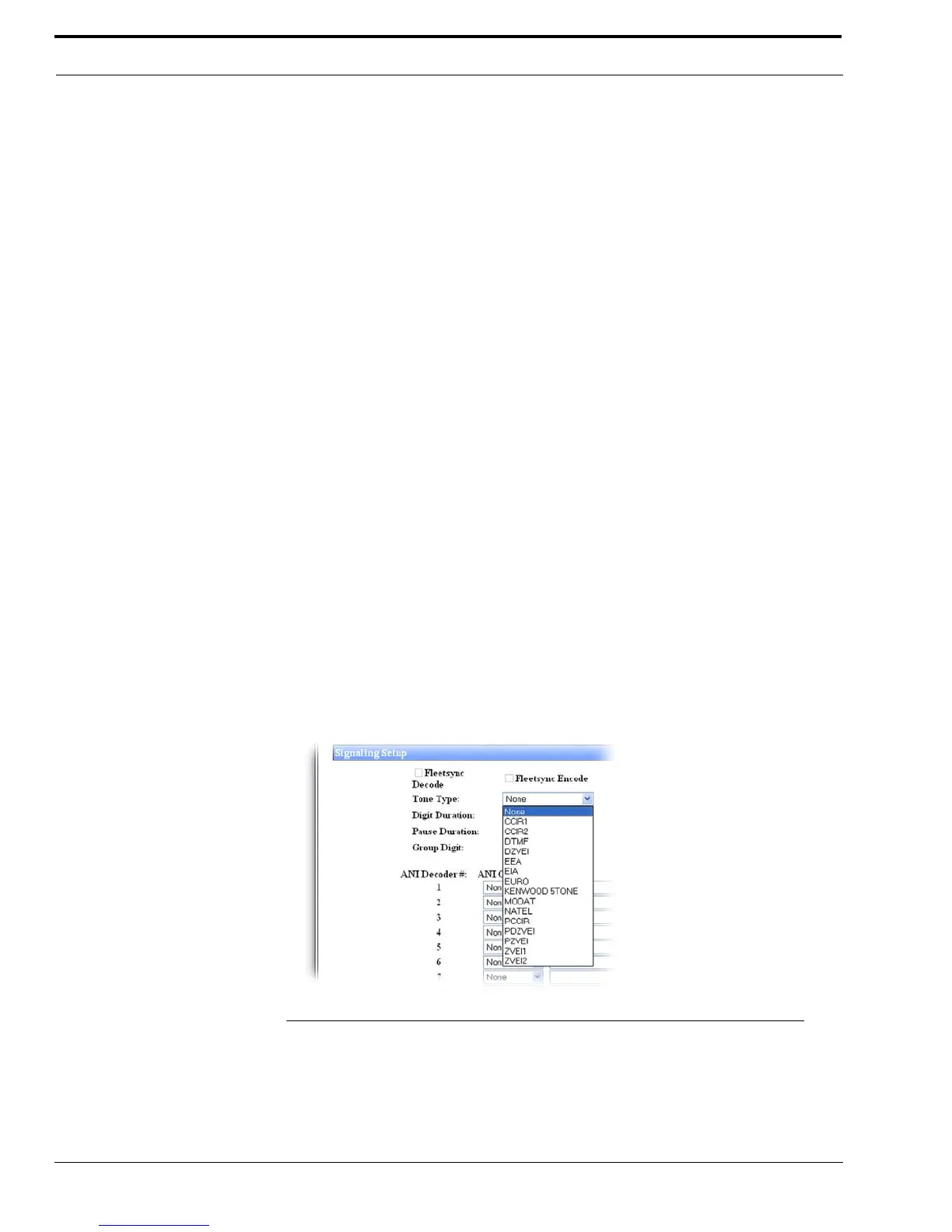
The Tone Type drop down menu, shown in Figure 36, identifies the signaling type used when receiving a call.
Available selections for this field are:
None KENWOOD 5TONE
CCIR1 MODAT
CCIR2 NATEL
DTMF PCCIR
DZVEI PDZVEI
EEA PZVEI
EIA ZVEI1
EURO ZVE12
FIGURE 36. Tone Type Drop Down Menu



 To Next Page