Setup Information
68
PTT Delay Field - Local Mode
The PTT Delay field identifies the delay, in ms, before closing the PTT relay. When TX Ethernet packets arrive, the PTT relay
closure is delayed for the specified time. This delay provides the ability to allow for digital output channel changes before
keying the radio.
The range for this field is 20 to 2000ms.
Default is 20ms.
Jump To Entry Drop Down Menu
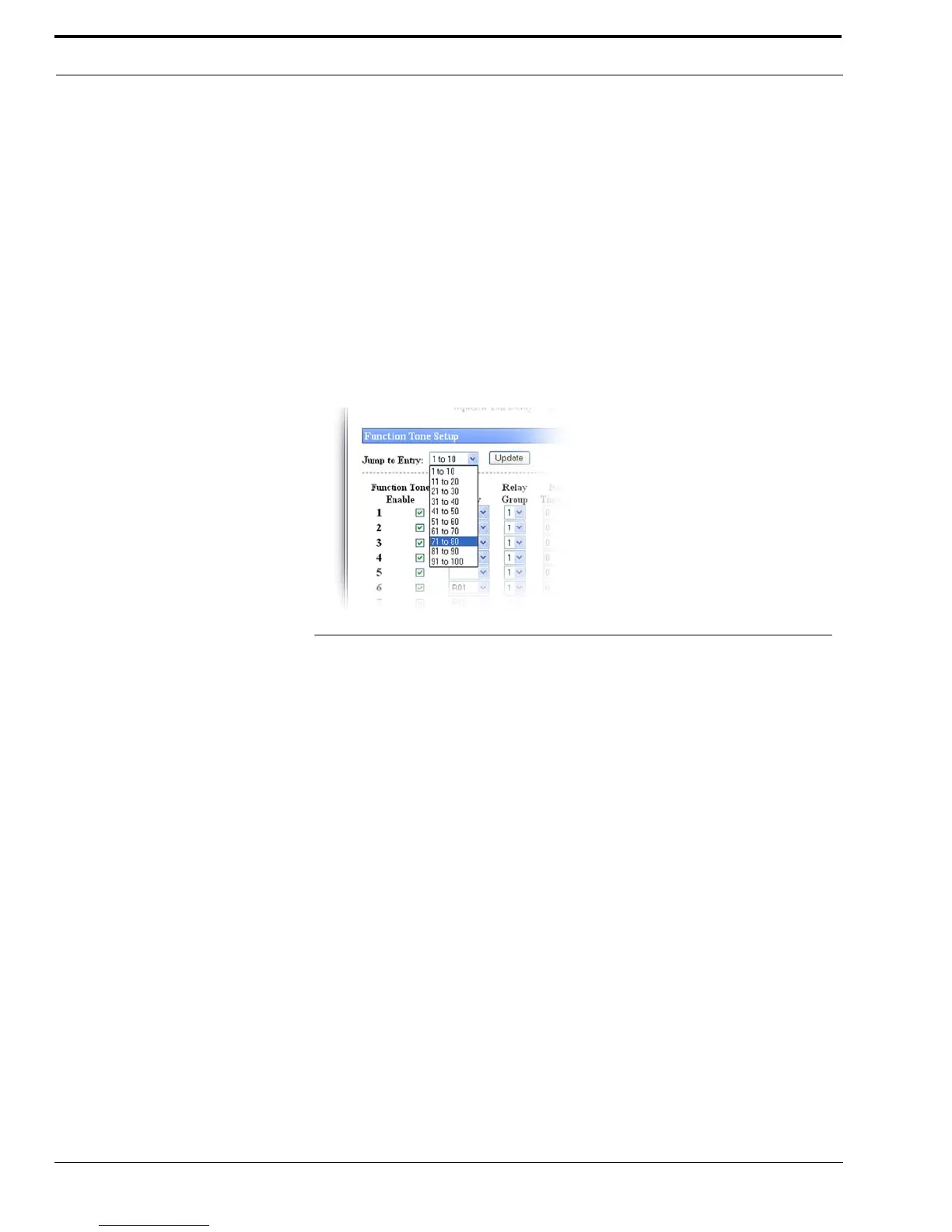
The Jump To Entry drop down menu allows you to select function tones (in groups of 10) to view and modify.
1. From the Jump To drop down menu, select the group of 10 function tones you want to view.
2. Click Update.
The function tones you select appear.
Go Button
The Go button is used to navigate to the page in the Jump to Entry drop down menu.
Update Button
The Update button, when selected, searches and displays the selection you chose from the Jump To drop down menu.
Tone Enable Check Box
The Tone Enable check box, if selected, indicates the function tone is active. The standard function tones and their
frequencies are the default entries. These entries are shown in Table 14 on page 140.
The frequency for the tone is set on the Tone Frequency and Durations window described on page 138.
NOTE: At least one (1) function tone must be selected.
FIGURE 30. Jump to Entry Drop Down Menu—Function Tone Setup



 To Next Page