93
Per Line Setup—iDEN Mode
Squelch Tail Delay Field
The Squelch Tail Delay field identifies the amount of time, in ms, the RX audio is muted after PTT occurs. This provides the
ability to overcome squelch tail ping-pong in crosspatch modes by muting the radio RX input after PTT occurs.
The range for this field is 0 to 5000ms.
Jump To Entry Drop Down Menu
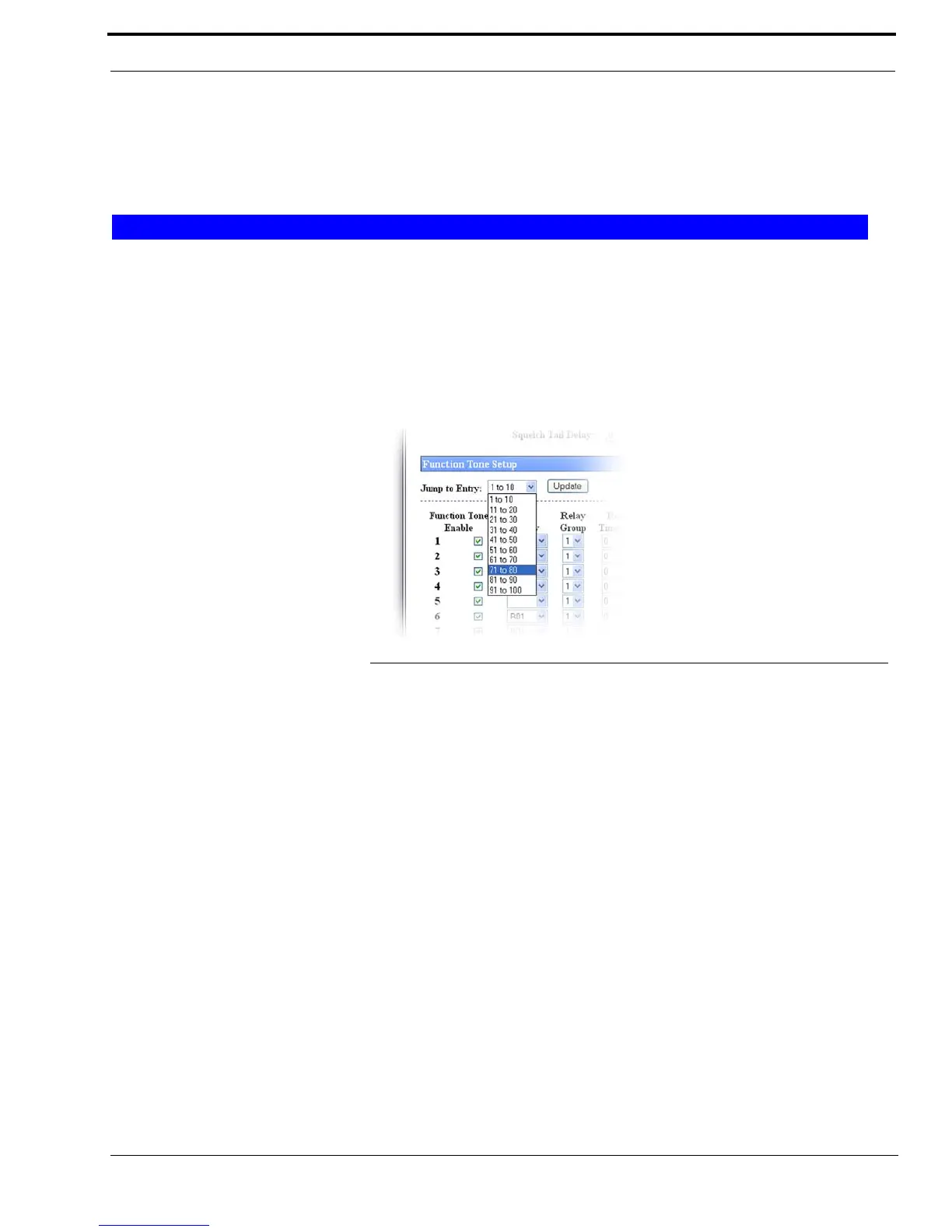
The Jump To Entry drop down menu allows you to select function tones (in groups of 10) to view and modify.
1. From the Jump To drop down menu, select the group of 10 function tones you want to view.
2. Click Update.
The function tones you select appear.
Go Button
The Go button is used to navigate to the page in the Jump to Entry Drop Down Menu.
Update Button
The Update button searches and displays the selection you choose from the Jump To drop down menu.
Function Tone Enable Check Box
The Function Tone Enable check box, if selected, indicates the function tone is active. The standard function tones and their
frequencies are the default entries. See Table 14 on page 140. The frequency for the tone is set on the Tone Frequency and
Durations window described on page 138.
NOTE: At least one (1) function tone must be selected.
Function Tone Setup
FIGURE 47. Jump to Entry—iDEN Function Tone Setup



 To Next Page