69
Per Line Setup Window—Local, Tone, and Console Mode
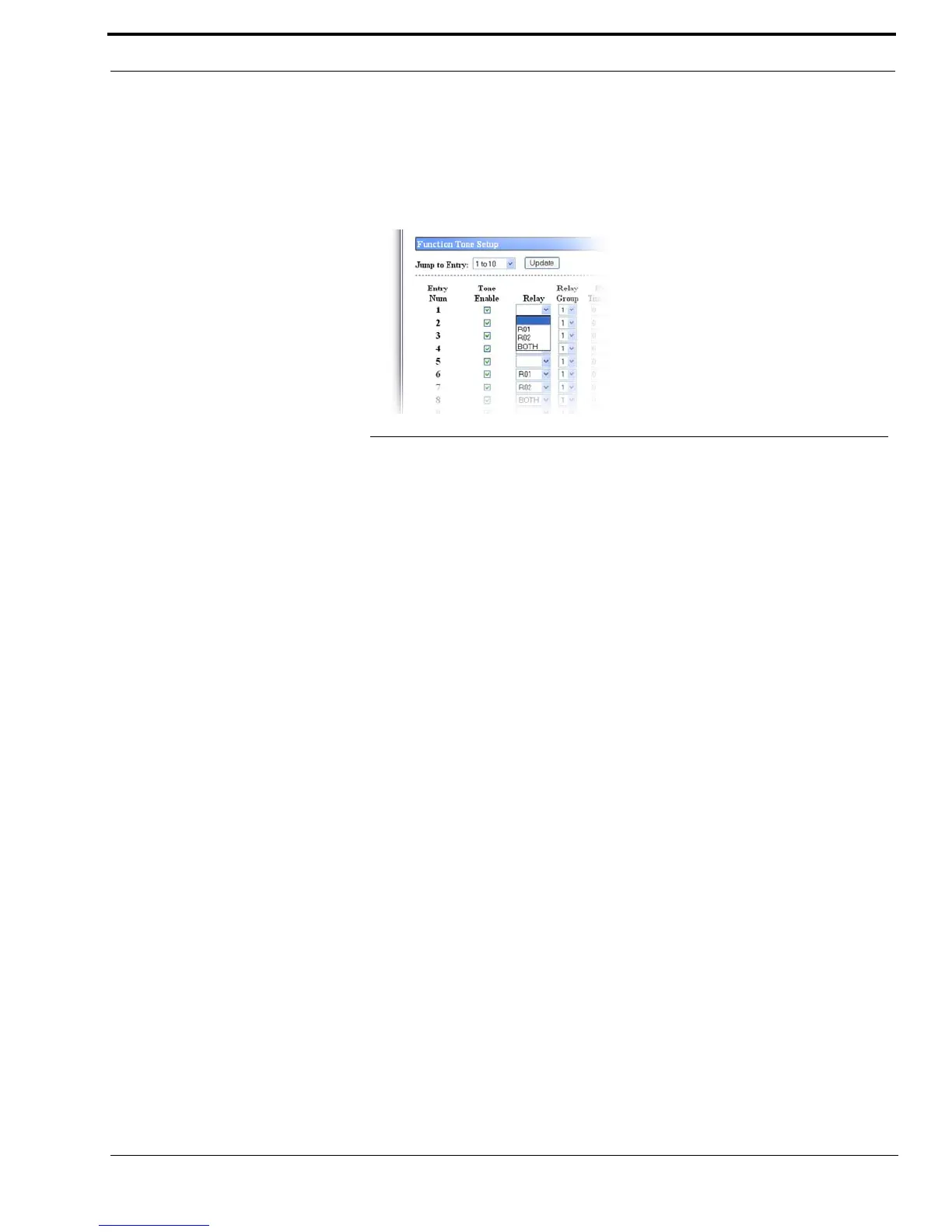
Relay Drop Down Menu - Local, Tone, and Console Modes
The Relay drop down menu, shown in Figure 31, identifies the relay(s), if any, closed immediately upon receipt of the
function tone.
Available selections are no selection, R01, R02, or BOTH.
Relay Group Drop Down Menu - Local, Tone, and Console Modes
The Relay Group drop down menu identifies if a relay is grouped into separate functions. This allows more than one (1) relay
to be activated at any particular time by being in separate groups.
EXAMPLE: When F1 has R1 selected as its relay, and F2 has R2 selected as its relay, setting the two (2) Relay
Group numbers to the same value allows multiple relays with different functions. In this scenario, the
relays for F1 and F2 are interlocked.
When the Relay Group assigned to F1 and F2 are different, R2 does not activate when F1 is received.
Furthermore, when there is no relay selected for a function tone, but the assigned relay group is used by
another relay group, when the function tone is received, all relays in the group are activated. This allows
relay R1 and R2 to be assigned to different groups and use other function tones within the same relay
group to activate them.
Available selections are 1 and 2.
Relay Time (ms) Field - Local, Tone, and Console Modes
The Relay Time (ms) field identifies the selected relay(s) activate on when the function tone is received, or the selected
relay(s) is activated for a specified period of time when the function tone is received.
To program the relay(s) to activate on when the function tone is received, do the following:
> Enter a 0 in the field.
To set the duration the relay(s) is activated, do the following:
> Enter the desired amount of time, in ms.
The range for this field is 0 to 32000ms.
FIGURE 31. Relay Drop Down Menu—Per Line Setup



 To Next Page