Setup Information
92
Per Line Setup—iDEN Mode
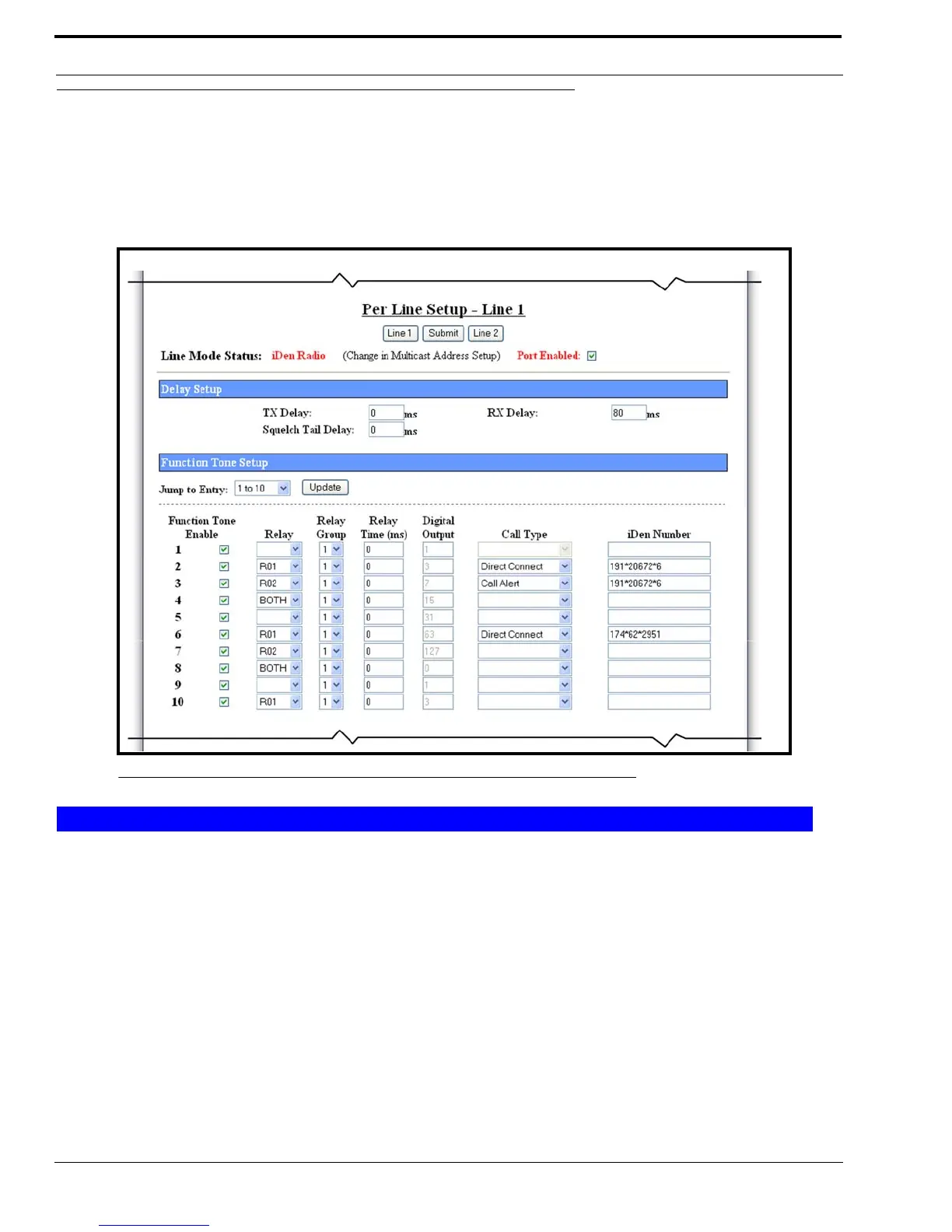
The Per Line Setup window for iDEN Radio configuration, shown in Figure 46, appears when iDEN is selected from the
Line Type drop down menu on the Multicast Address Setup window.
REFERENCE: For more information on iDEN operation and field programming, download the NI-223 manual (804165)
from www.telex.com/radiodispatch.
TX Delay Field
The TX Delay field identifies the delay, in ms, of TX audio. When TX Ethernet packets arrive, the PTT relay is closed and TX
audio is delayed for the specified time. This provides the ability to overcome timing issues involving repeater attack time or
trunking (clear to talk) delays.
The range for this field is 0 to 2000ms.
RX Delay Field
The RX Delay field identifies the amount of time, in ms, RX audio is recorded and stored. RX audio is constantly recorded by
the IP-223 and when a LAM or COR, triggered detect occurs, the IP-223 goes back the specified time of delay to start
generating Ethernet packets. This provides the ability to prevent lost first syllables using LAM or COR.
The range for this field is 0 to 1000ms.
FIGURE 46. Per Line Setup—iDEN Radio Mode, View 1
Delay Setup



 To Next Page