Setup Information
120
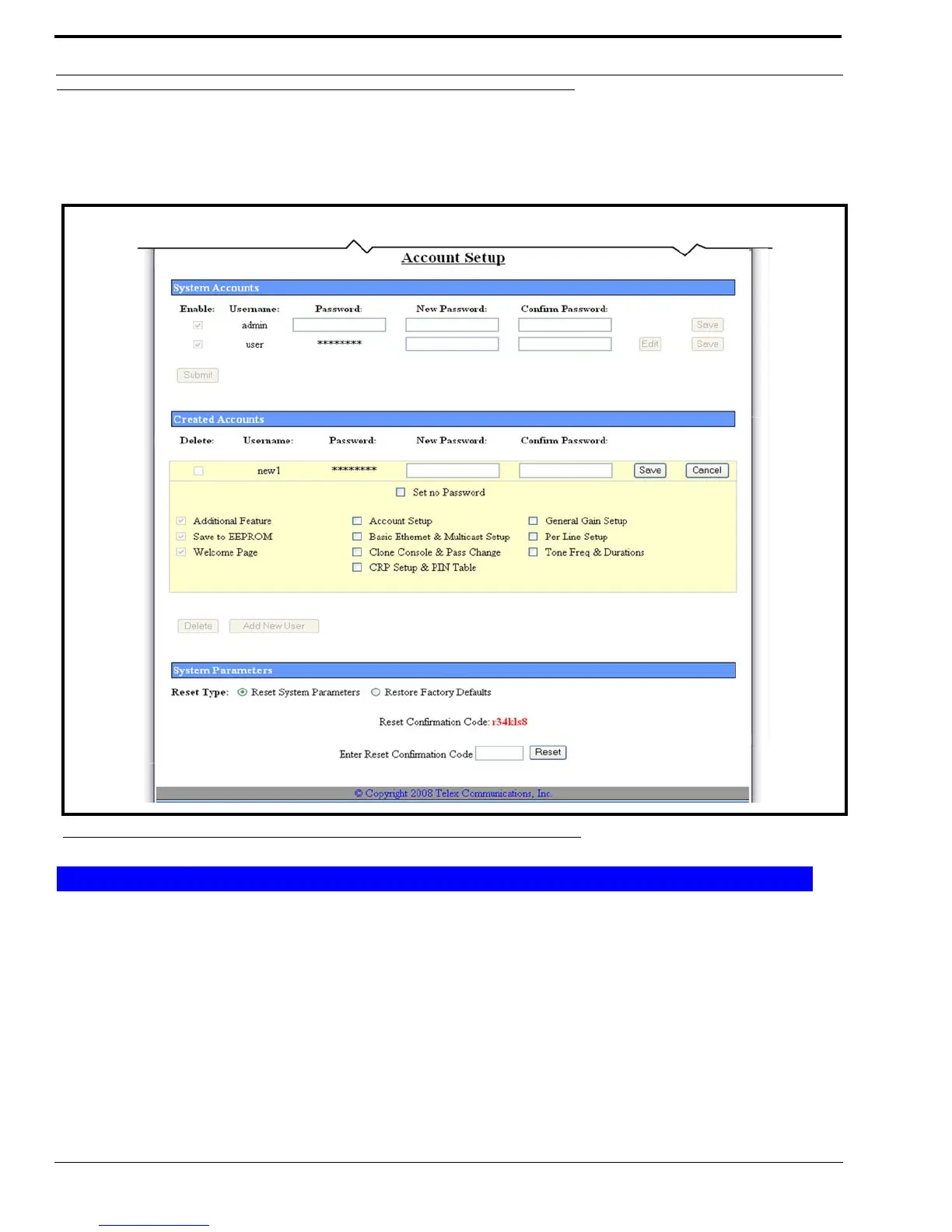
Edit Created Accounts Window
The Edit Created Account window, shown in Figure 65, is used to edit permissions granted to a user account.
NOTE: The Edit button is not active until an account has been created.
To edit a created account, do the following:
1. From the Edit Create Accounts window, select or clear check boxes to grant or remove permissions.
Permissions change based on selections.
NOTE: For check box descriptions see “Set Permissions” on page 117.
2. Click Save.
The message, shown in Figure 62 appears.
OR
Click Cancel to discard changes.
FIGURE 65. Edit Created Account
Created Accounts



 To Next Page