39
Setting the IP Address Information
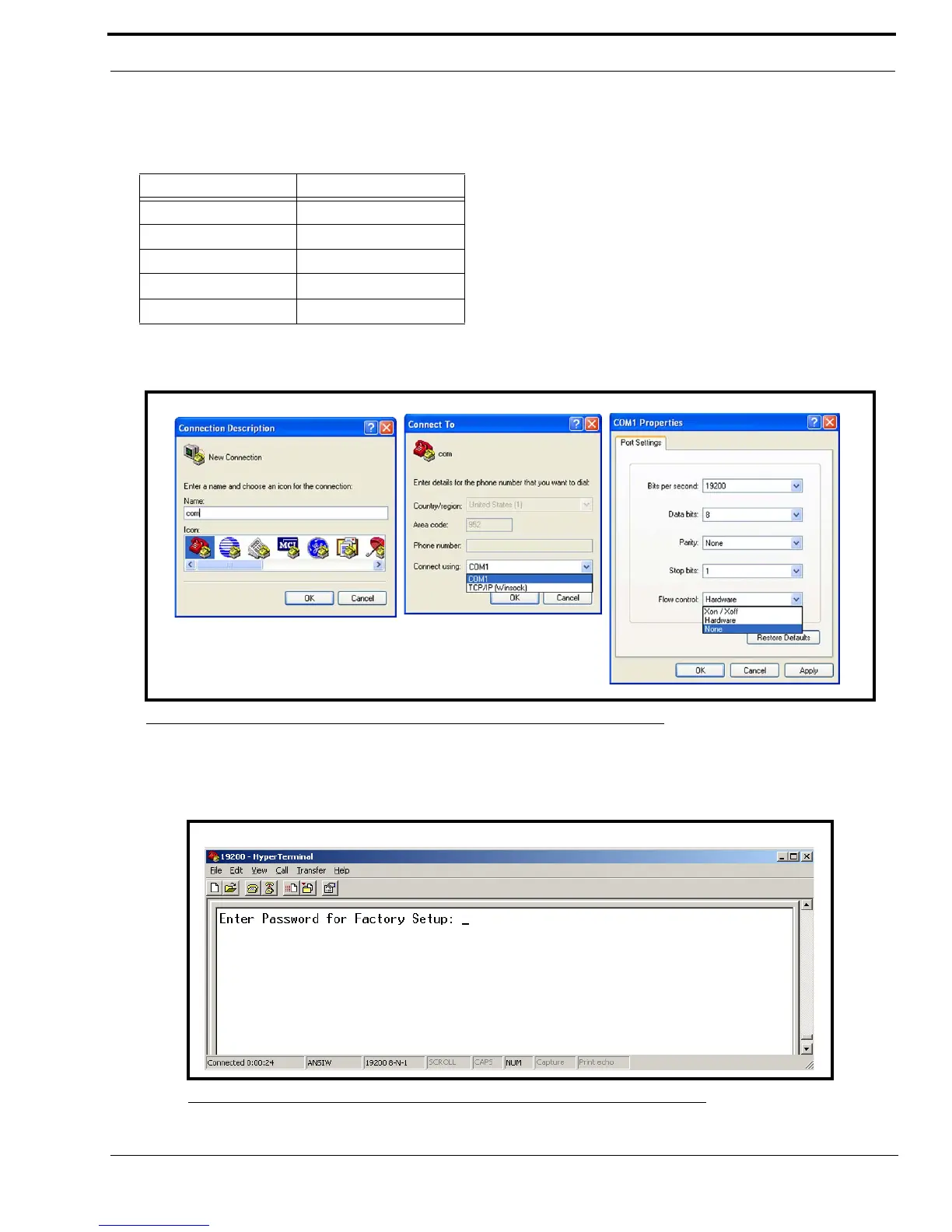
11. From the Flow Control drop down menu, select None
NOTE: These parameters may be different than the defaults depending on the selected Serial Port Parameters, see
“Serial Port Parameters Drop Down Menu” on page 87.
12. Click OK.
The Main HyperTerminal window appears.
13. In the main HyperTerminal window, enter an uppercase S.
14. Press enter.
Enter Password for Factory Setup appears.
15. Enter technobabble for the factory setup password.
Drop down menu Default Setting
Bits per second field: 19200
Data bits field: 8
Parity field: None
Stop bits field: 1
Flow control field: None
FIGURE 10. Com Terminal Setup Windows
FIGURE 11. HyperTerminal Window Password



 To Next Page