EasyManua.ls Logo

Tescom TC-3000C - Display Screen

Default Icon
255 pages
Print Icon
To Next Page IconTo Next Page
To Previous Page IconTo Previous Page
Loading...
3.1 Overview
30
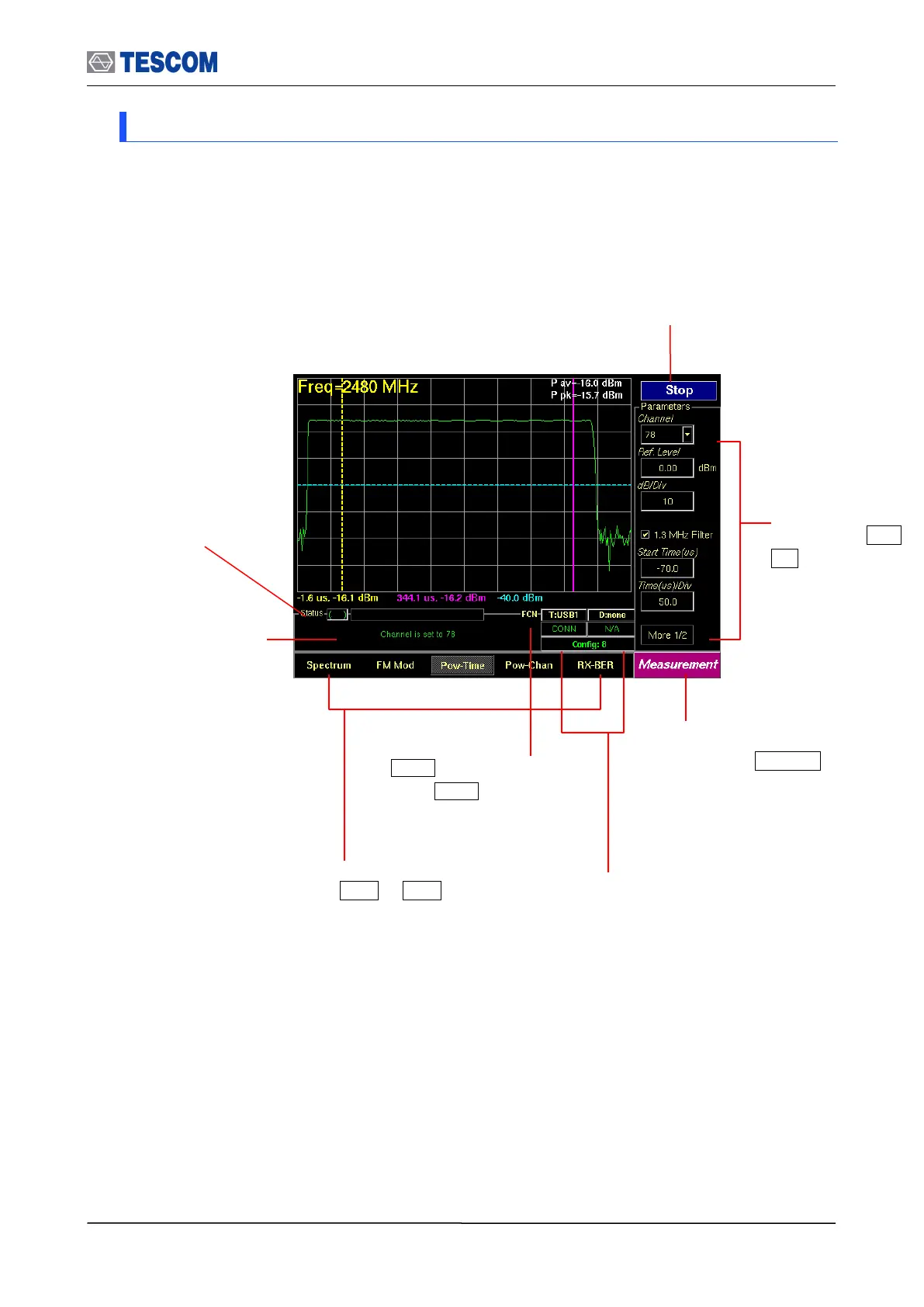
3.1.8 Display Screen
Submenus related
to soft keys, F1 ~
F8
Status window: Some
messages are displayed
to help you to understand
current status easily.
FCN Key Indicator:
When FCN key is pressed
the indicator is brightened.
mode
Test progress
Indicator:
This progressive bar
indicates the status of
test proceeding.
Screen menus related to
soft keys, M1 ~ M5
Main function menu related
to hard key, MENU . This
menu always displays the
selected function.
Start/Stop: When this menu is pressed
the tests will run once. When pressed
again while the tests are running, the
testing will stop.
Link Status Indicator: It presents link
status, a HCI type that is connected to
Host and the number of current
configuration.

Table of Contents

Related product manuals