3.10 Configuration of the TC-3000C
74
method on how to access test screens and set up parameters are same as General Bluetooth
DUT testing.
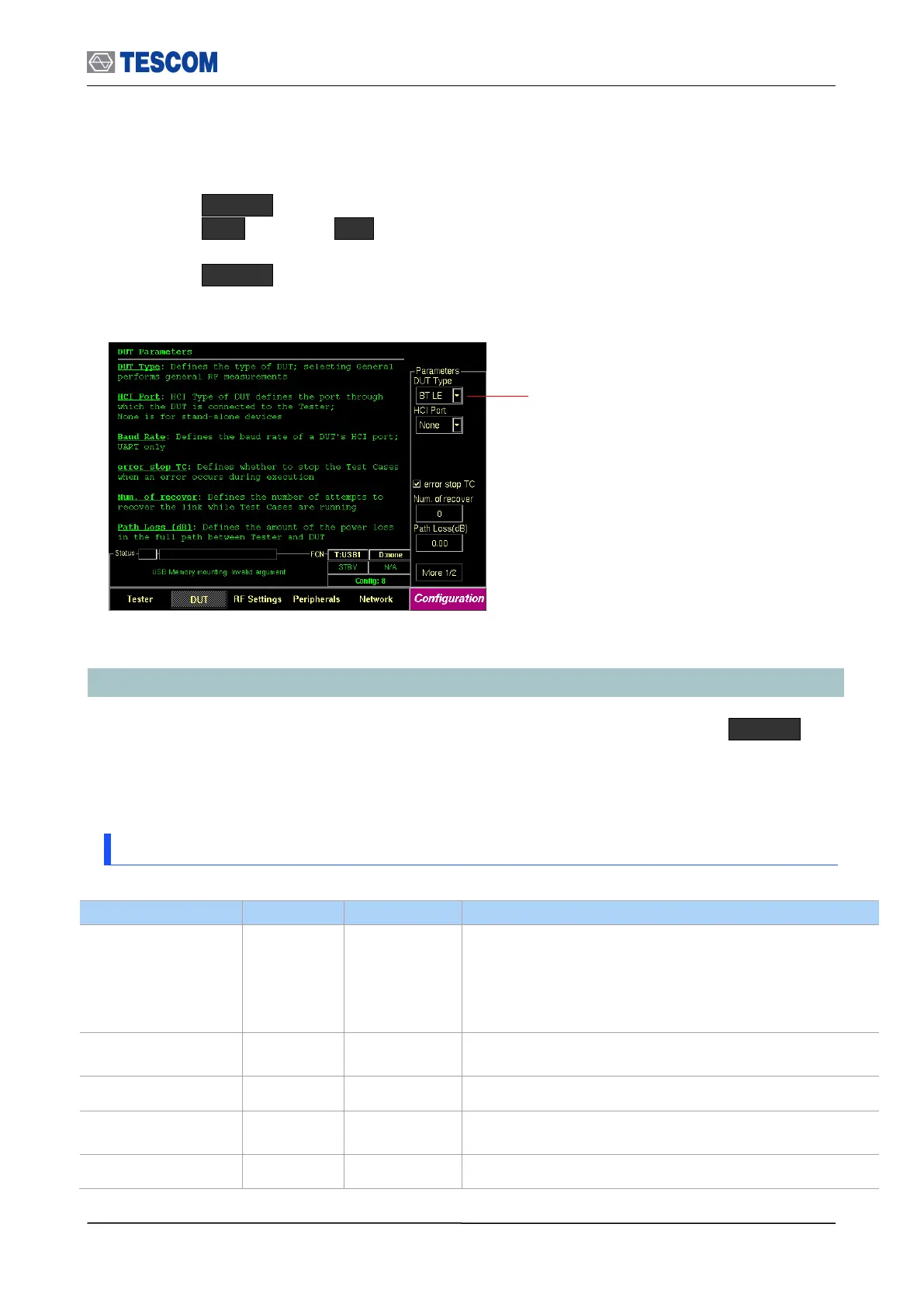
1) Press MENU key and select the configuration screen.
2) Press M2 (DUT) F2 (DUT Type) .
3) Select “BT LE” from the list.
4) Press MENU key and select a test screen.
3.10 Configuration of the TC-3000C
The TC-3000C is configured in the Configuration function accessed by pressing MENU key.
The configuration screens are used to configure the DUT, the TC-3000C and RF conditions.
The table below represents the configuration parameters for DUT and TC-3000C.
3.10.1 Tester
Timeout of HCI commands execution
Defines a period of time when a Host will wait events from
a Host controller after sending a command. It normally
doesn’t need any modification. If DUT, however, has slow
HCI port then increase the value as much as it is
necessary.
Link Supervision Timeout – used for monitoring of link loss
Modulation Index is the index of FSK modulation
Defines whether to activate DUT before starting
measurement or not
Defines the format of Test Cases report file; [txt] or [csv]



 To Next Page