3.4 Operation Procedure (Host Analyzer)
44
3.4 Operation Procedure (Host Analyzer)
3.4.1 Step 2. Creating Connection to DUT
Higher protocol data can be recorded in the Host Analyzer screen. In this screen, TC-3000C
also uses upper layer protocols; L2CAP, RFCOMM (AVDTP), SDP, and Profiles (AVRCP) to
make a connection to a DUT.
1. Selecting the Host Analyzer Screen: Host Analyzer screen can be accessed by pressing
the Menu hard key. Press Menu Rotary Knob or Select “Host
Analyzer” from the pop-up menu on the screen Press ENT .
“ 3.2 Basic Operation Procedure” should be performed before following steps
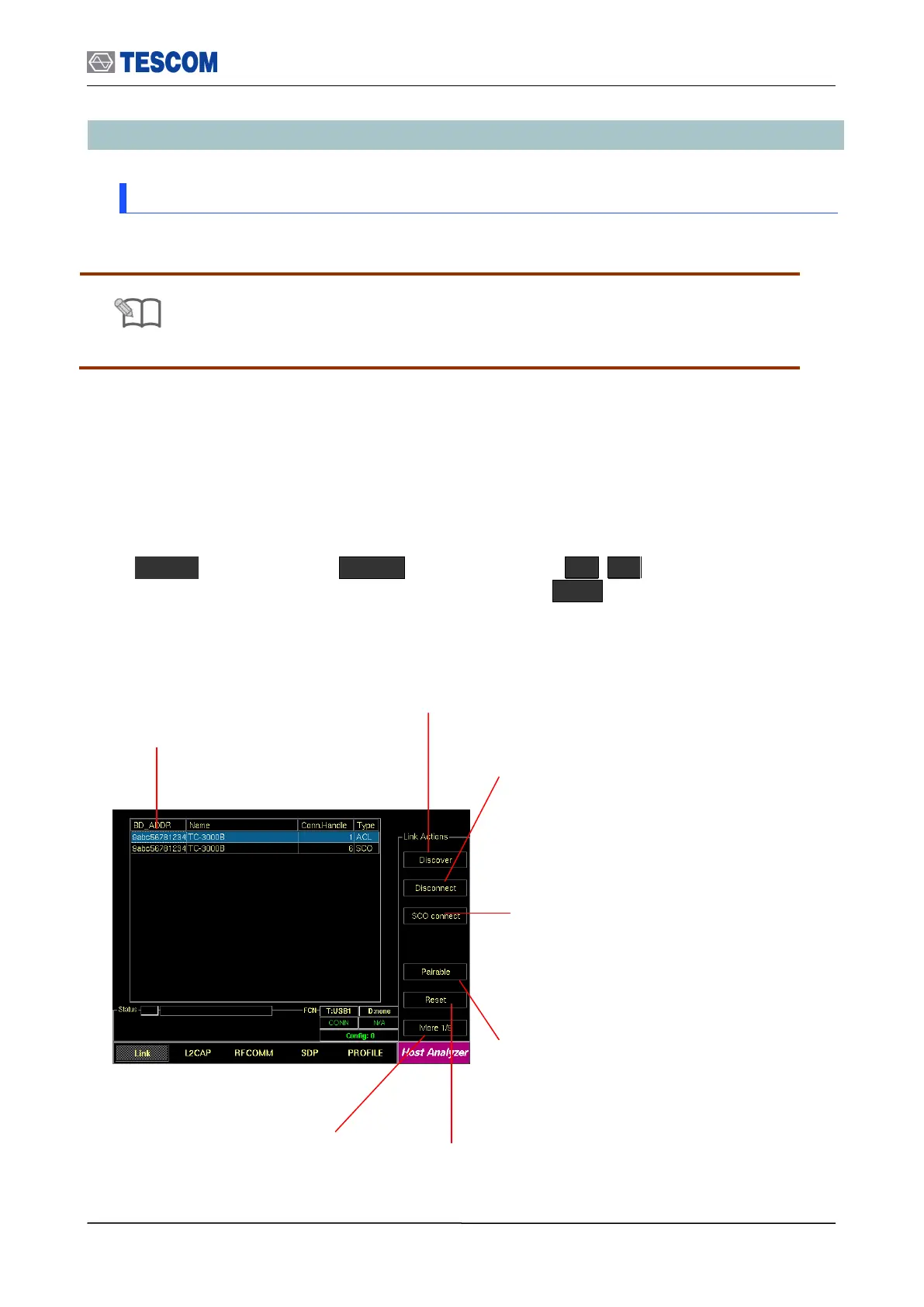
Show Devices Found: This
window display details about the
found devices.
Discover: Searches for all Bluetooth
devices that are in range and in
Inquiry Scan Mode through the Inquiry
procedure.
Connect/Disconnect: Creating connection to
highlighted DUT on the screen through the Page
procedure or disconnecting. This menu is
displayed when a DUT is discovered and listed on
the screen. If the highlighted DUT is connected,
this menu is changed to “Disconnect”.
SCO connect: Create SCO connection
to a highlighted DUT on the screen.
Pairable: Enables the TC-3000C to be
responder in scanning and pairing
procedure.
Reset: Resets the TC-3000C. In case
DUT is connected to the TC-3000C with
HCI, the DUT is reset simultaneously.
Change submenus: For setting
up Inquiry, Page, and test mode
parameters.



 To Next Page