3.7 Operation Procedure (Audio Analyzer)
64
3.7.3 Step 4. Measuring Audio Characteristics of DUT
1. Audio Test: The following parameters are displayed in the Audio Test screen during
the test: Audio Frequency, Fundamental Power, RMS, SINAD, ICF (Initial Carrier
Frequency Tolerance) and Distortion.
[Typical Mono Headset test configuration]
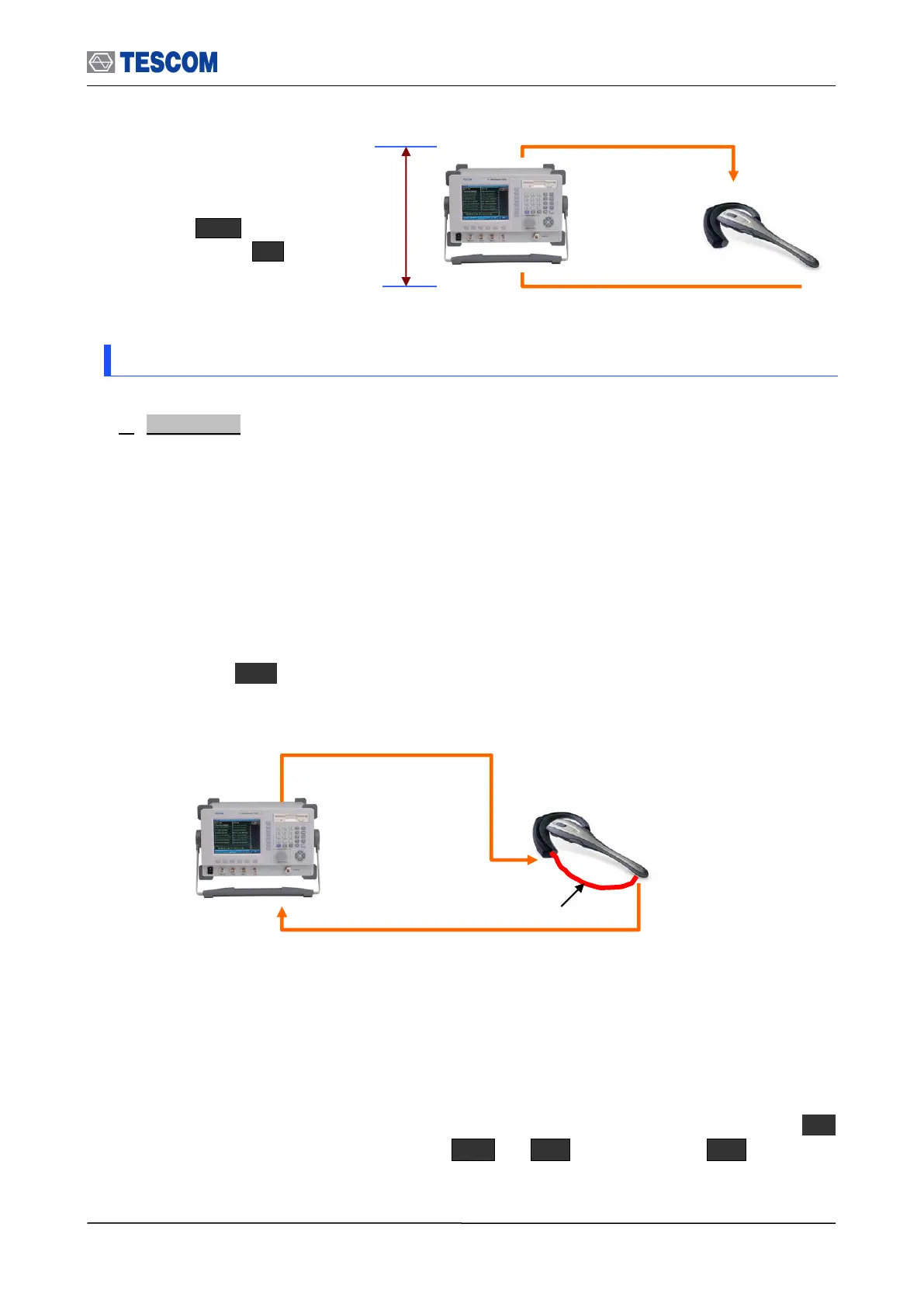
TC-3000C sends an internally generated 1 kHz or 400 Hz tone to Headset speaker as a
diagram below. The tone signal is transmitted from the speaker to the microphone through
a sound tube. (In case of mobile phone, it is transmitted via internal audio path between
the speaker and the microphone). The TC-3000C receives the tone signal from DUT and
the audio spectrum and distortion of the signal are computed. To access the Audio Test
screen, press M2 soft key.
[Typical Stereo Headset test configuration]
TC-3000C sends an internally generated 1 kHz and 400 Hz tone to left and right of
Headset speaker as a diagram below. The tone signal is transmitted from the speaker to
the Base Band IN 1 or 2 port of TC-3000C through the audio cable connected to the
microphone. The TC-3000C receives the tone signal from DUT and the audio spectrum
and distortion of the signal are computed. To access the Audio Test screen, press M2
soft key. Before starting the test, .press M2 F8 “More 2/2” F4 and make
sure if “Audio Inport” is set correctly.
Time Delay: You can specify
this value in the Delay (s) menu.
Press F8 for “More 2/3”
menu Press F4 .
Send the 1 kHz or 400Hz tone
received from the Sound Tube to TC-
3000C.
Send 1 kHz or 400 Hz tone to DUT Speaker



 To Next Page