2.6 Cleaning, Storage and Shipment
87
4.1.3 TC-3000C Initial Set Up
Before perform the tests, TC-3000C should be initialized as follow procedure.
In the signal generator mode, the cable loss is ignored (Path Loss = 0).
1) Power on
2) Allow 2 hour warm-up time for the TC-3000C
3) Press MENU key Select “Configuration” from pop-up menu
4) Press M2 (DUT)
5) Press F2 (DUT Type) Select “General” from pop-up menu
6) Press F7 (Path Loss) Set “Path Loss” by the cable loss. (Typically, RG400
cable loss is 1dB/m)
7) Press M3 (RF Settings)
8) Press F4 (AGC) Select “ON”
9) Press F3 (Rx Attenuator) Select “30dB”
4.2 Signal Generator
4.2.1 Frequency Accuracy
Specification: 2496 MHz
1 ppm
Equipment: Frequency Counter, HP53181A
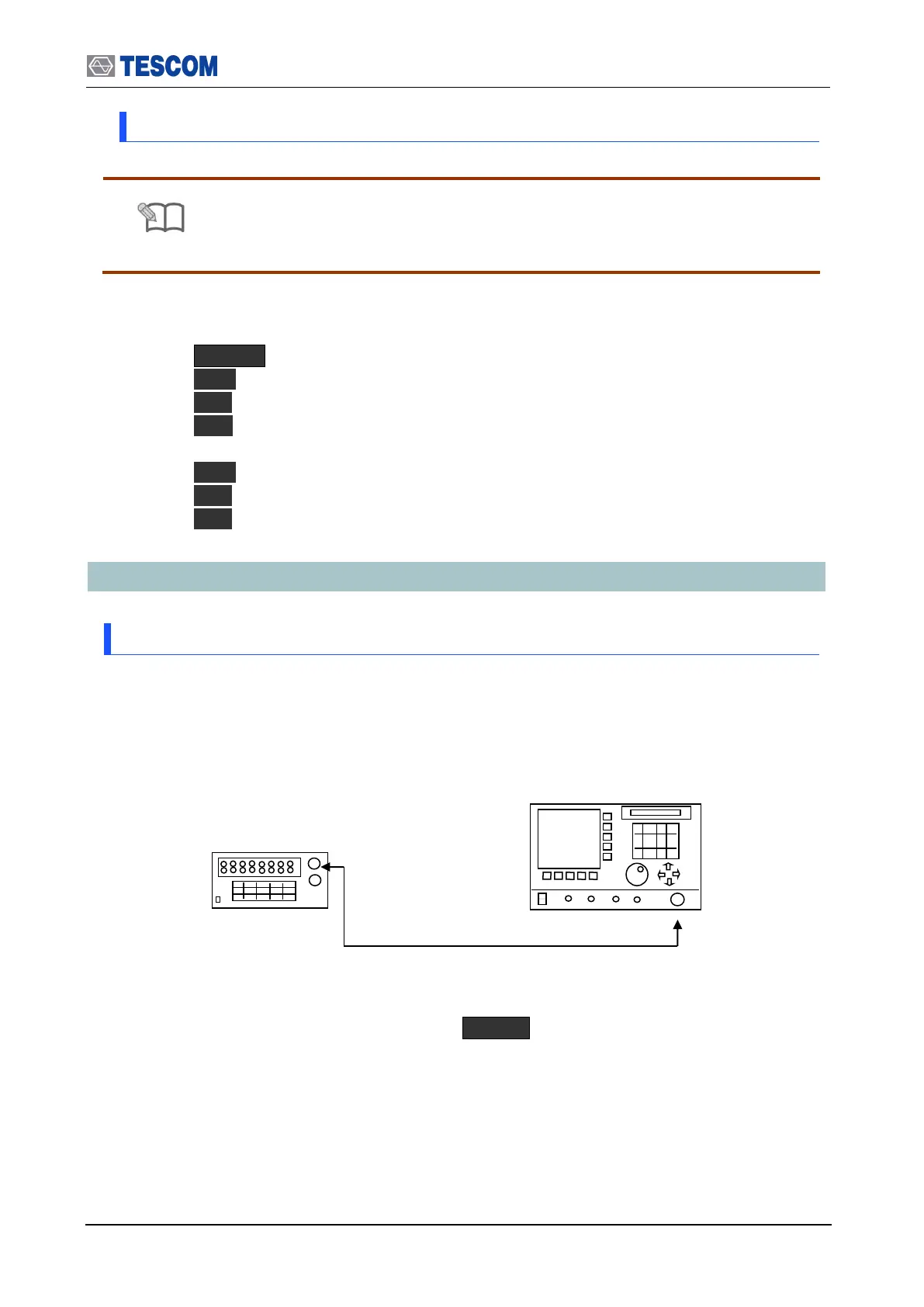
1. Test Setup : Connect equipment as shown in the figure below
[Figure 5] Carrier frequency accuracy test
2. Set controls of TC-3000C as follows :
Set TC-3000C to “Signal Generator” mode. ( MENU Select “SigGen”)
- Frequency: 2496 MHz
- Power: 0dBm
- Bit Patten: 0
- FM Deviation: 0
3. Press “Start” to begin the test and read the frequency from the frequency counter.



 To Next Page