3.5 Operation Procedure (Measurement/Measurement2)
56
3.5.3 Step 5. Setting Up Test Mode and Parameters
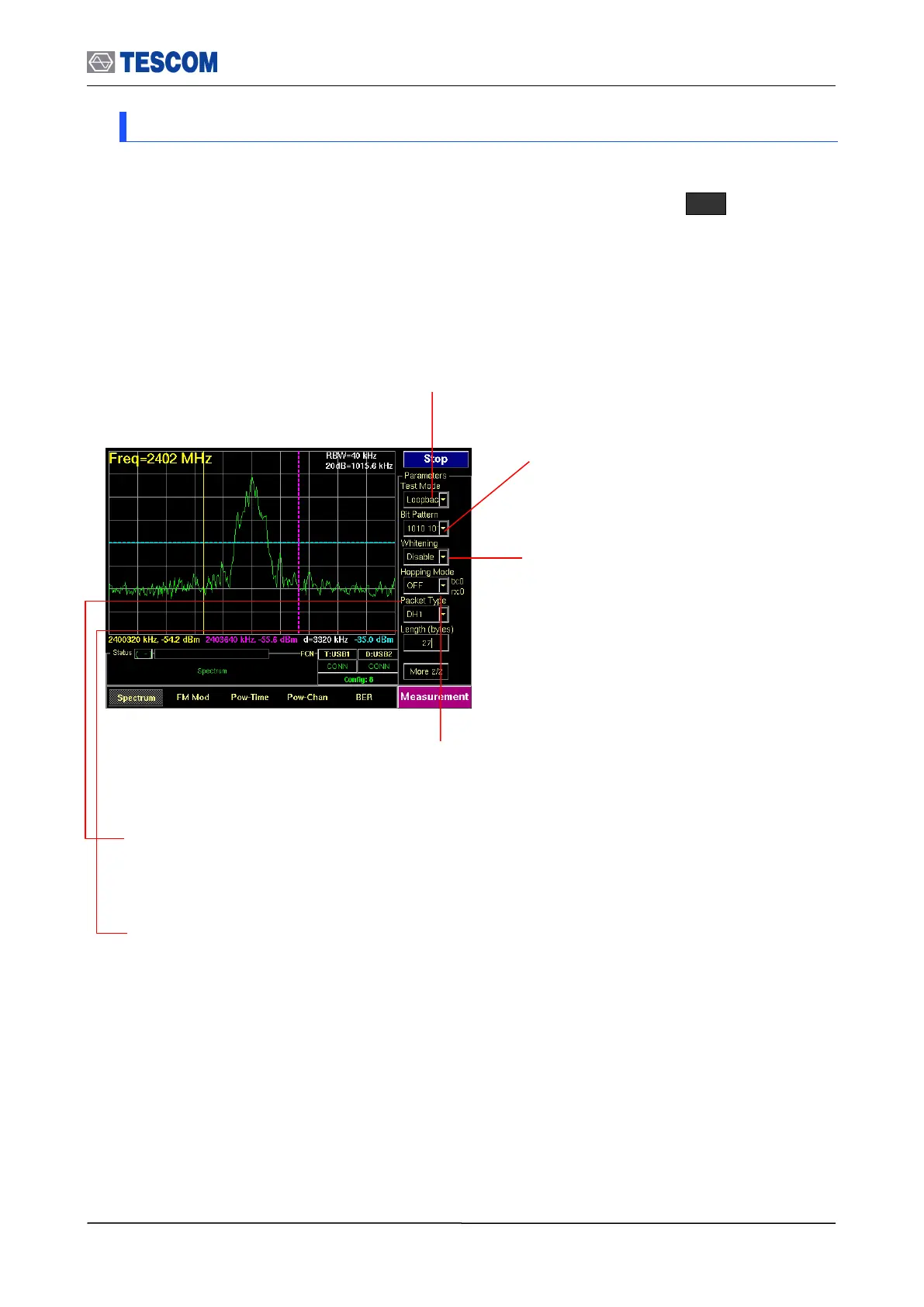
The Test Parameters let you configure Test mode, Bit pattern, Whitening, Hopping mode,
Packet Type, and Packet length. This menus can be accessed by pressing F8 in every
measurement screen.
Bit Pattern: Select the bit pattern being
transmitted. Supported patterns are 0000
0000, 11111111, 10101010, 11110000, and
PRBS9.
Whitening: Enable or disable whitening. In
transmitter test mode, the packets exchanged
between TC-3000C and DUT are not scrambled
with the whitening sequence. This parameter is
ignored in transmitter test mode.
Hopping Mode: Choose to make measurement on a specific channel or in Bluetooth frequency hopping
mode. The “Off” require specifying Tx and Rx channel.
Packet Type: Select a Bluetooth specific single or multi slot packet. The following packet types are
available: DM1, DH1, HV1, HV2, HV3, AUX1, DM3, DH3, DM5, DH5, EV3, EV4, EV5, 2-DH1, 3-DH1, 2-
DH3, 3-DH3, 2-DH5, 3-DH5, 2-EV3, 3-EV3, 2-EV5, 3-EV5. For the transmitter test mode, only packets
without FEC should be used; i.e. HV3, DH1, DH3, DH5 and AUX1 packets.
Length: the length of packets can be adjusted from 1 to 27 for 1slot packets, 1 to 183 for 3 slot
packets and 1 to 339 for 5 slot packets.
Test Mode: You can choose Loopback or Transmitter or Null Packet. Null Packet mode is used to test DUTs
that have no test mode support. In this mode, the TC-3000C uses the packets without payloads and
measurements are not performed in accordance with the Bluetooth Test specification and some test cases
can’t be carried out. A NULL packet has no payload but can be used for power, initial frequency, and
spectrum without having to activate test mode.



 To Next Page