3.4 Operation Procedure (Host Analyzer)
48
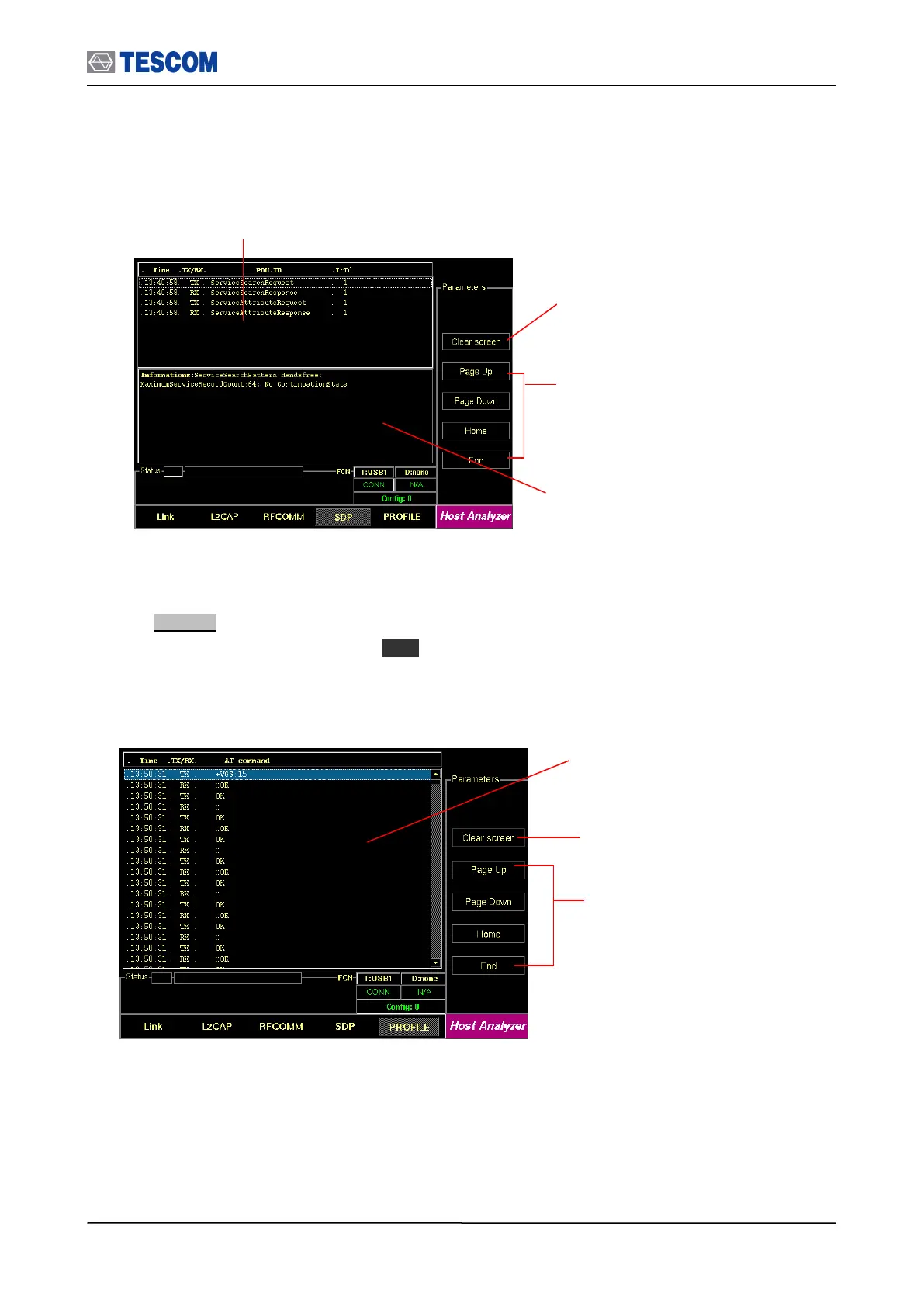
4. Profiles : This screen shows AT Commands transmitted between the TC-3000C and the DUT .
To access Profile screen, press M5 soft key.
Cursor movement functions: For
easy scrolling the messages
Parameters window: This window shows
detail parameters about the highlighted SDP
message.
Clear screen: Clears all messages
SDP Messages: This window displays the SDP
messages exchanged between the TC-3000C
and the DUT.
Cursor movement functions: For
easy scrolling the messages
Clear screen: Clears all messages
Profile Messages: This window displays
the Profile messages exchanged
between the TC-3000C and the DUT.



 To Next Page