EasyManua.ls Logo

Tescom TC-3000C - Page 98

Default Icon
255 pages
Print Icon
To Next Page IconTo Next Page
To Previous Page IconTo Previous Page
Loading...
5.2 Getting Started
98
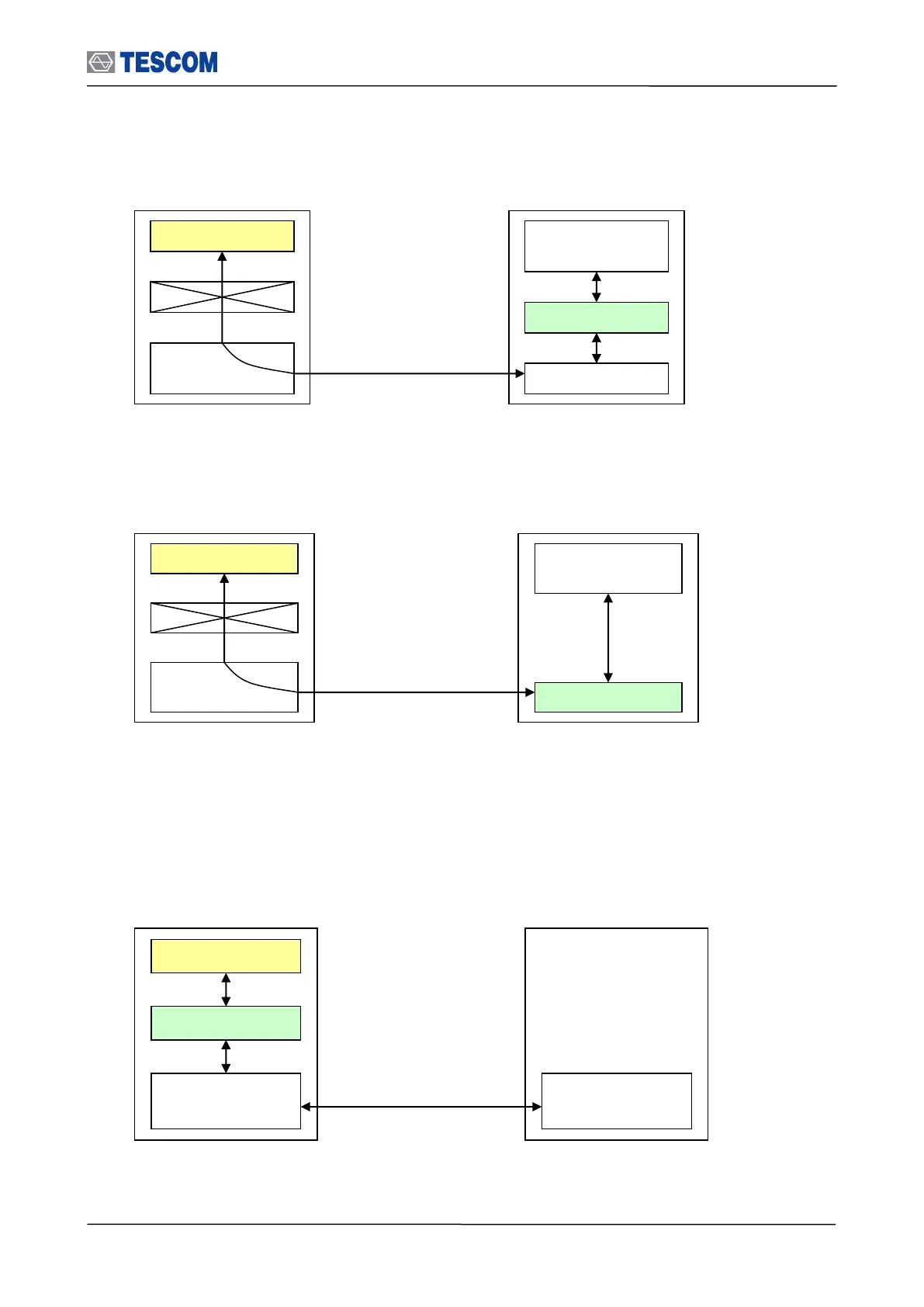
Remote control diagram using USB (Host Controller)
Remote control diagram using RS-232C (Host Controller)
Another is to send RS-232C commands. At present, you can utilize the command through
only RS-232C(Host) port. In this case, you don’t have any limitation to control several TC-
3000Cs at the same time contrary to DLL.
Remote control diagram using RS-232C (Host)
In order to successfully perform the remote control, the following configuration settings need to be done.
Windows
Applition
Host Controller
Host
Linux
Application
USB
(Host Controller)
USB
Call Functions
Host(DLL)
USB Driver
TC-3000C
Remote PC(User)
Windows
Applition
Host Controller
Host
Linux
Application
RS-232C
(Host Controller)
RS-232C
Call Functions
Host(DLL)
TC-3000C
Remote PC(User)
Windows
Applition
Host Controller
Host
Linux
Application
RS-232C
RS-232C
Command/Response
TC-3000C
Remote PC(User)

Table of Contents

Related product manuals