Chapter 3 ’Web Browser Interface’ — Advanced Settings
110 Amethyst III DTV Smart Switch
User Manual
This section explains how to configure the relays through the Web
Graphical User Interface. It is supposed that the relays have been set
beforehand to ‘
in configuration
’ through the
Equipment Setup
application or through the front panel.
For electrical specifications and layout of the relays, refer to section
Section ’Free Voltage Contacts (Relays)’
on page 202.
1.
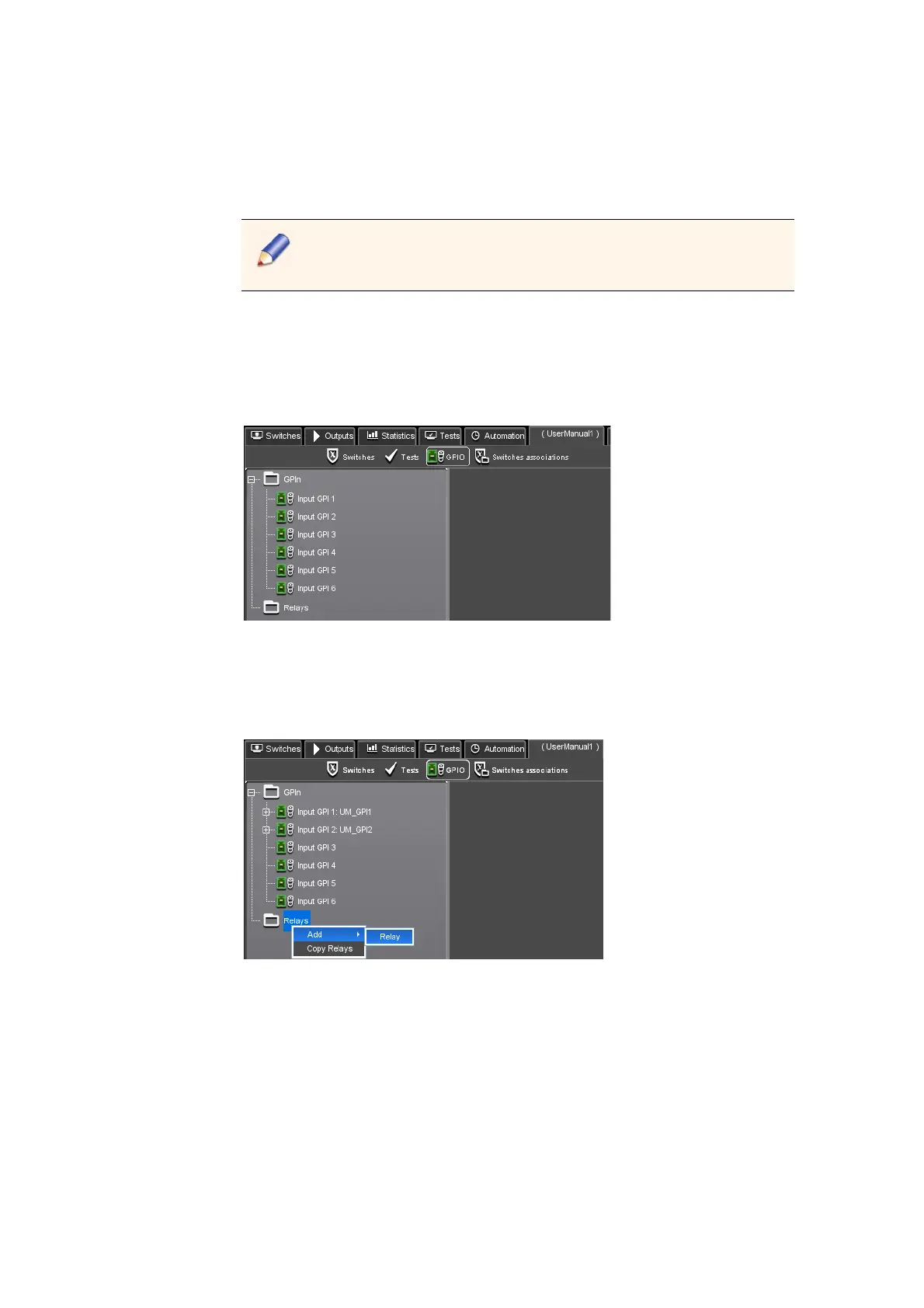
Select the configuration tab then go to the GPIO view. By default, no
relay is declared. Only a Relays node is displayed in the tree on the left
area of the view.
Figure 3-61. GPIO view - No relay is declared
2.
Right-click the Relays node then select the Add I Relay command to
declare a relay.
Figure 3-62. Declaring a relay
3.
Select the relay number from the Relay drop-down list and define the
type from the Type drop-down list. The type depends on the relay
number.
For Relay 1, Power and Switch are available.
For Relay 2, Error and Switch are available.
For Relay 3, Warning and Switch are available.
For Relay 4, only Switch is available.



 To Next Page