Chapter 3 ’Web Browser Interface’ — Interface Description
124 Amethyst III DTV Smart Switch
User Manual
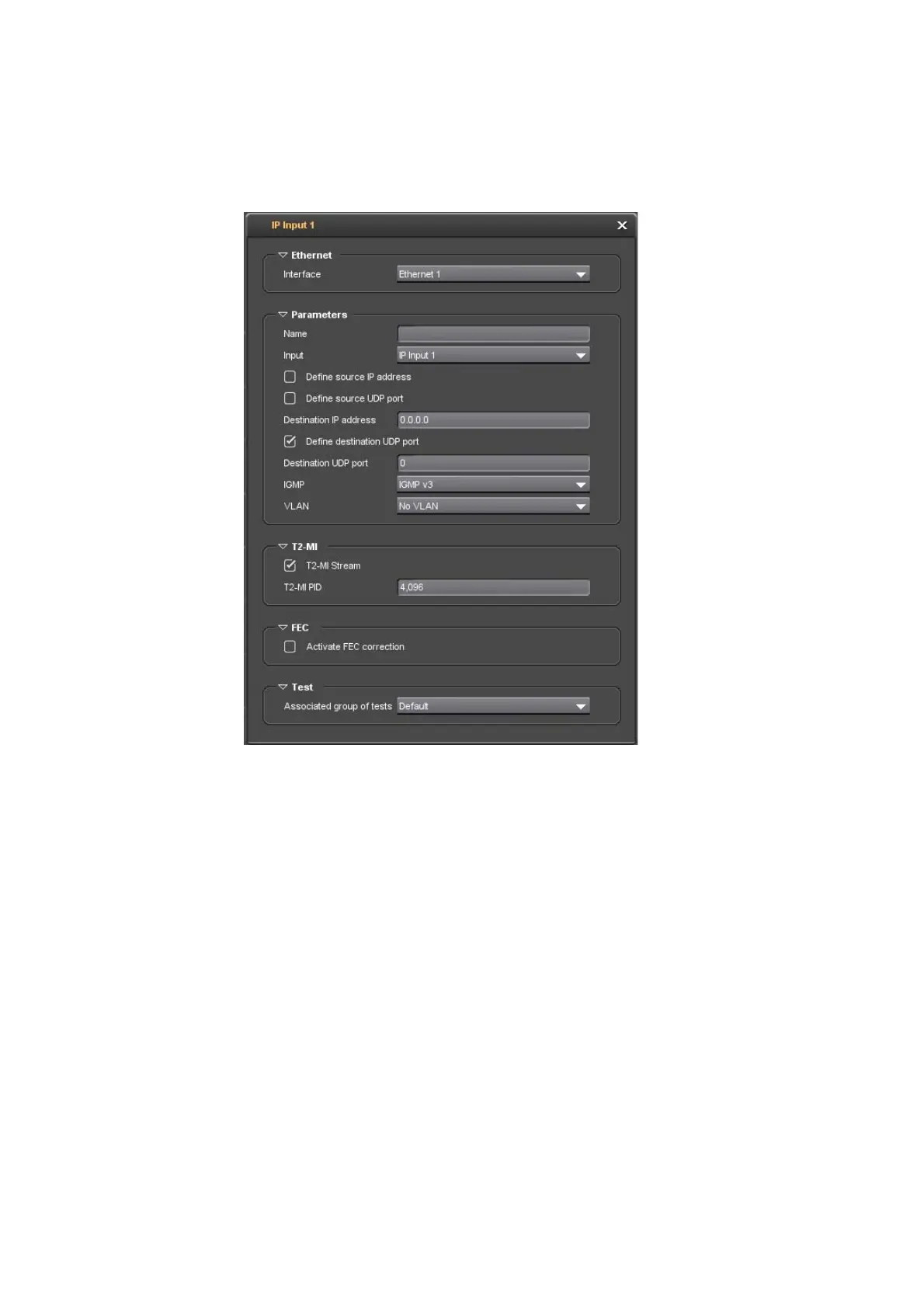
IP Input Item
Figure 3-75. IP input dialog box
The following parameters shall be set:
Ethernet Area
Interface: select an Ethernet port from the drop-down list.
Parameters Area
Name: enter a name for the input, at your convenience. This name is
used in the Switches tab for a better readability.
Input: select an input from the drop-down list.
Define source IP address: check the box to enable the option. If
enabled, the Source IP address shall be set.
Define source UDP port: check the box to enable the option. If enabled,
the Source UDP port shall be set.
Destination IP address: set the destination IP address.
Define destination UDP port: check the box to enable the option. If
enabled, the Destination UDP port shall be set.



 To Next Page