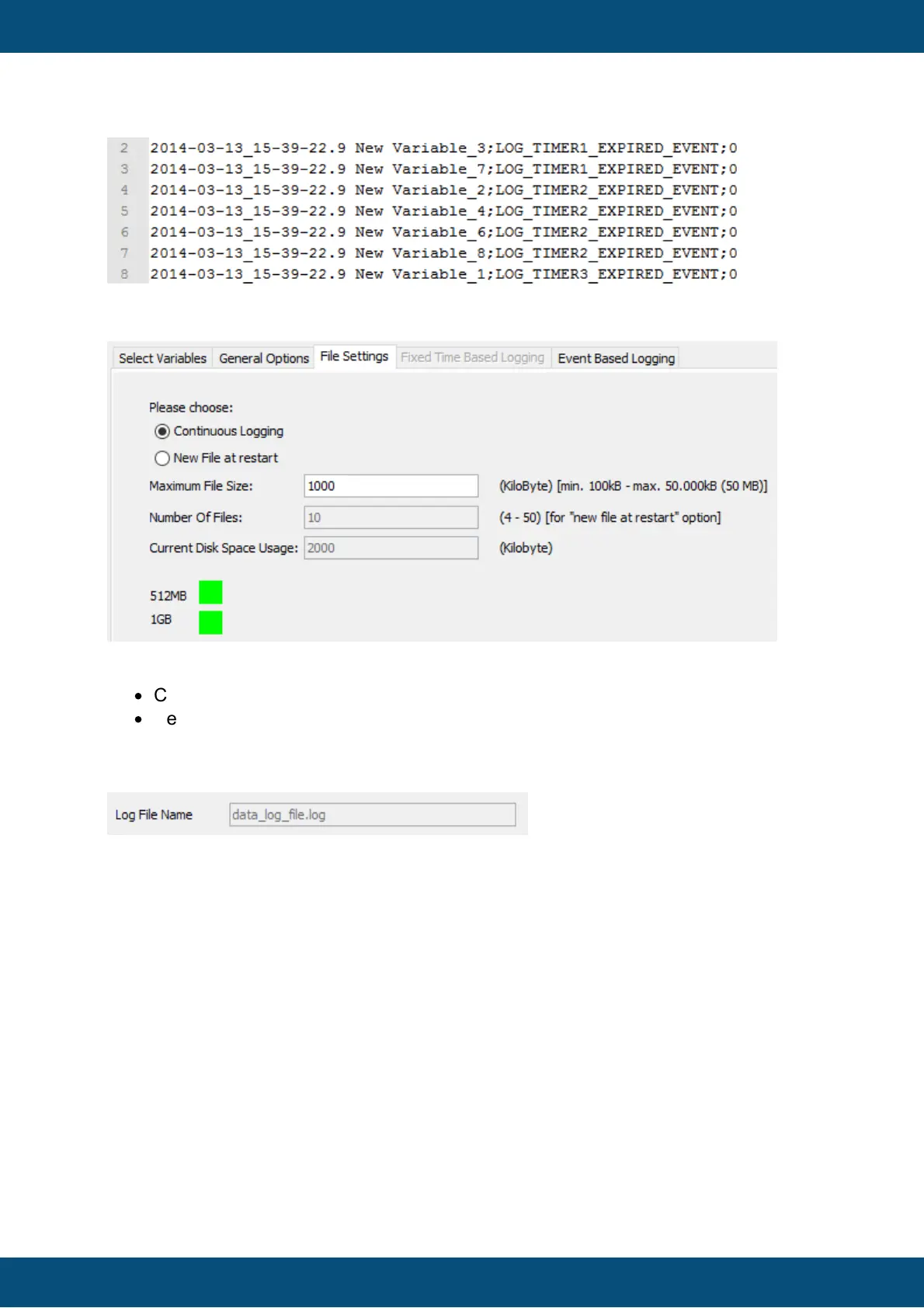
It is possible to select between two options that will effect the creation of new log files:
·
Continuous Logging
·
New File at Restart
The user can select one of the options by clicking one of the radio buttons with the
respective labeling. When selecting continues logging only two files are created. You can
see this at the log file name it changed to
"data_log_file.log". When the filesize
is reached one backup is created and a new "data_log_file.log" is created. When using the
"New File at restart" a circular buffer is used for the variable logging. It is based on
maximum file size and number of files.
To define the maximum file size of one logging file, enter the size in kilobytes right besides
the label Maximum File Size. A Size of 0 will stop logging when no more disk space is
available. Default value is set to 1000 kilobyte. During runtime it is possible to adjust the
maximum file size with the variable @LogMaximumLogFileSize. Please note that this
variable is also checked at runtime. You can only set the file size between the
range of 100 kilobyte up to 50000 kilobyte. Please also note that this variable is
remanent. That means that the value on the device always overwrites the value
coming from the project. To reinitialize all variables please re-install the runtime on
the device.
"Continuous Logging" and "New File at restart". Both options have main impact on the file
based ringbuffer of the logging mechanism. For both options you can set the maximum
filesize. If you do that the maximum filesize on the device is calculated. The image above



 To Next Page