·
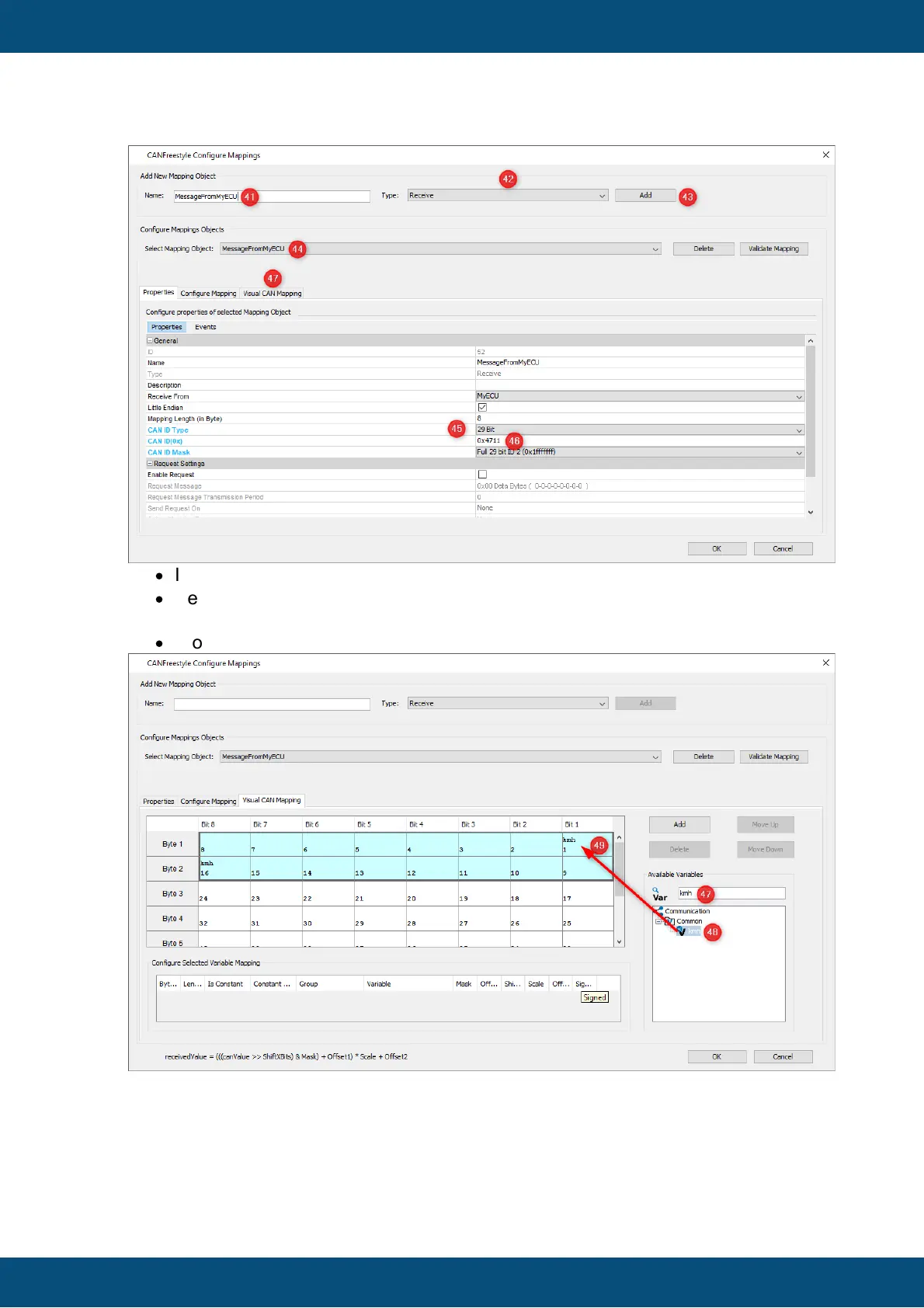
In the search field on the right (47) type the name of the variable, kmh.
·
Select the variable (23) and drag & drop it into Bit 1, Byte 1 of the CAN mapping
(49).
·
Close the window by clicking OK button.
Now you have created a CAN message with CAN ID 0x4711 (Hex) that transmits 4 Byte
of data. The data is used as value for variable kmh.
Whenever this message is received, the value of kmh variable is updated. Because the
meter references the kmh variable, the meter needle will immediately show the received



 To Next Page