value. It's important to remember that the message length has to be the same for the
display and the ECU. If only parts of the message are needed, use a constant with mask
set to 0 to extend the message.
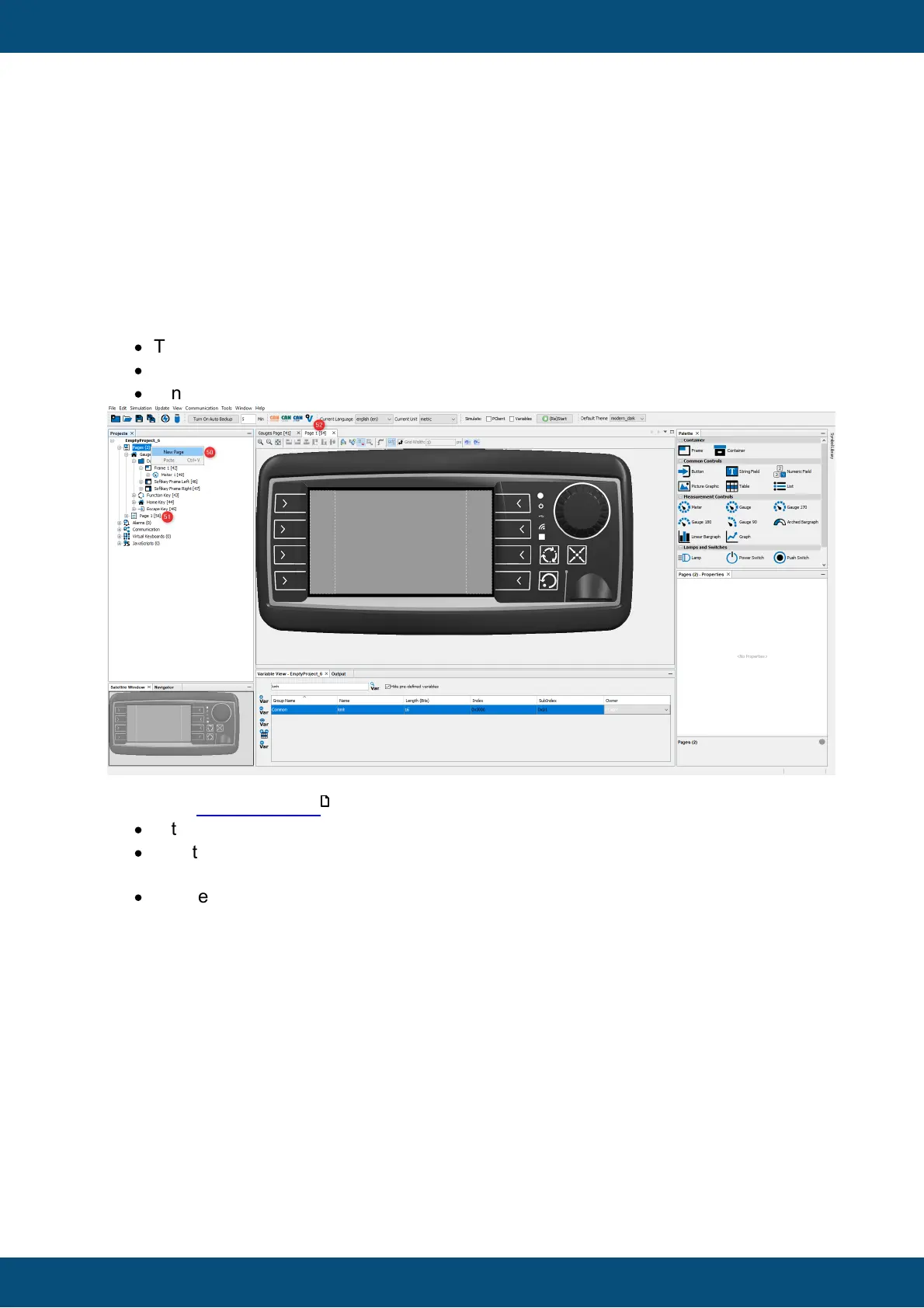
In a next step a new page is added. Further the navigation between the two pages is
defined.
·
To create a new page use the right click context menu and choose New Page (50).
·
A new page with name Page 1 is created (51).
·
A new editor tab is opened showing the new page Page 1 (52).
As you did in the first page :
·
In the Properties window of the page change the name into Configuration (53).
·
Add the training background 2 image from the Image Library and add it as a
background image for the frame (54).
·
The new page now has the selected background picture (55).



 To Next Page