·
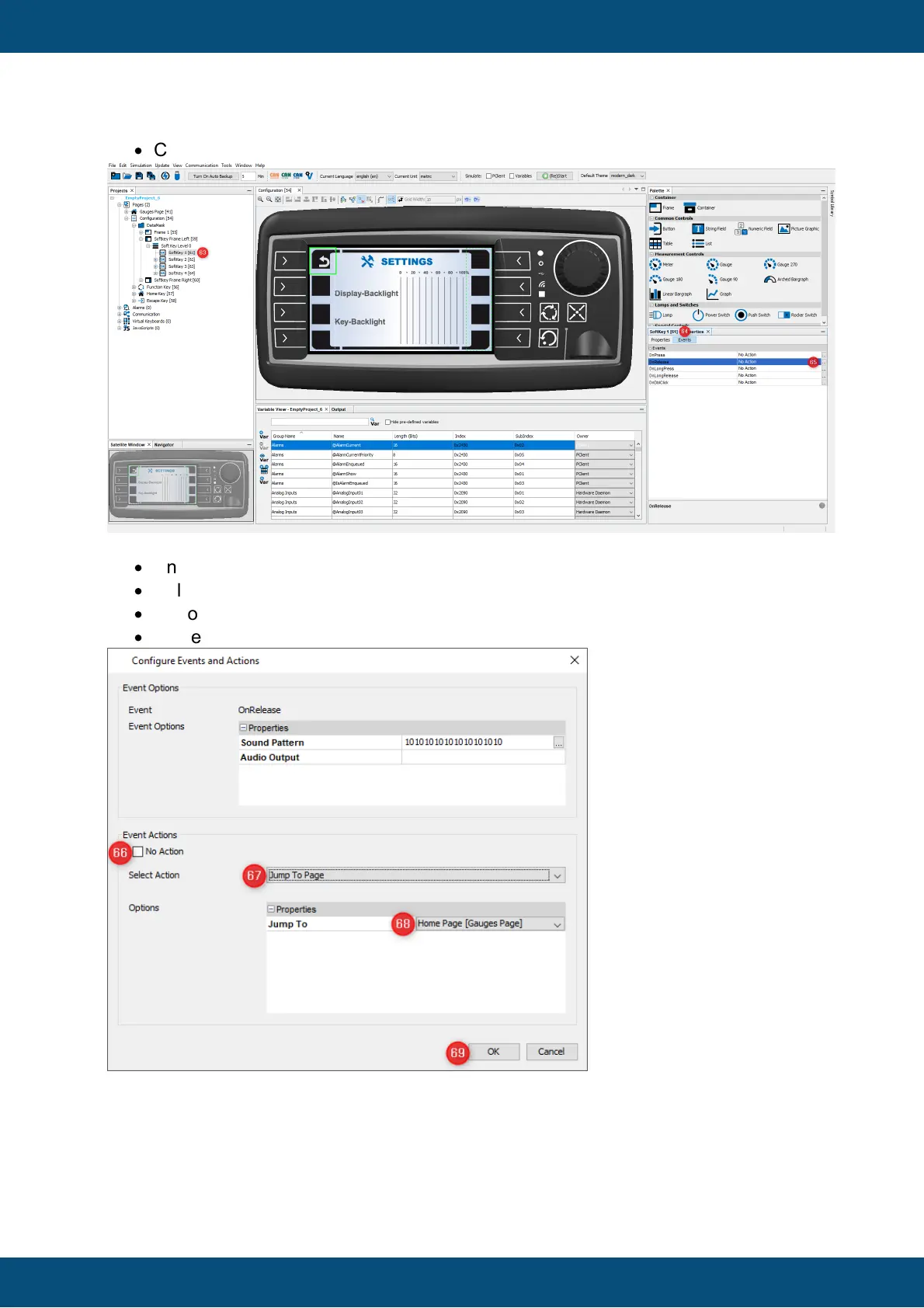
Click the "..." icon of the OnRelease event (65).
The Configure Events and Actions dialog opens.
·
Un-check No Action (66).
·
Select Jump To Page (67).
·
Choose the Gauges page (67).
·
Close window by clicking OK button (69).
That's all for the page switch from the Configuration Page to the Gauges page.
We added two images, one for press and one for non-pressed state of the softkey. Further
we defined the jump to page action for the softkey on the OnRelease event.



 To Next Page