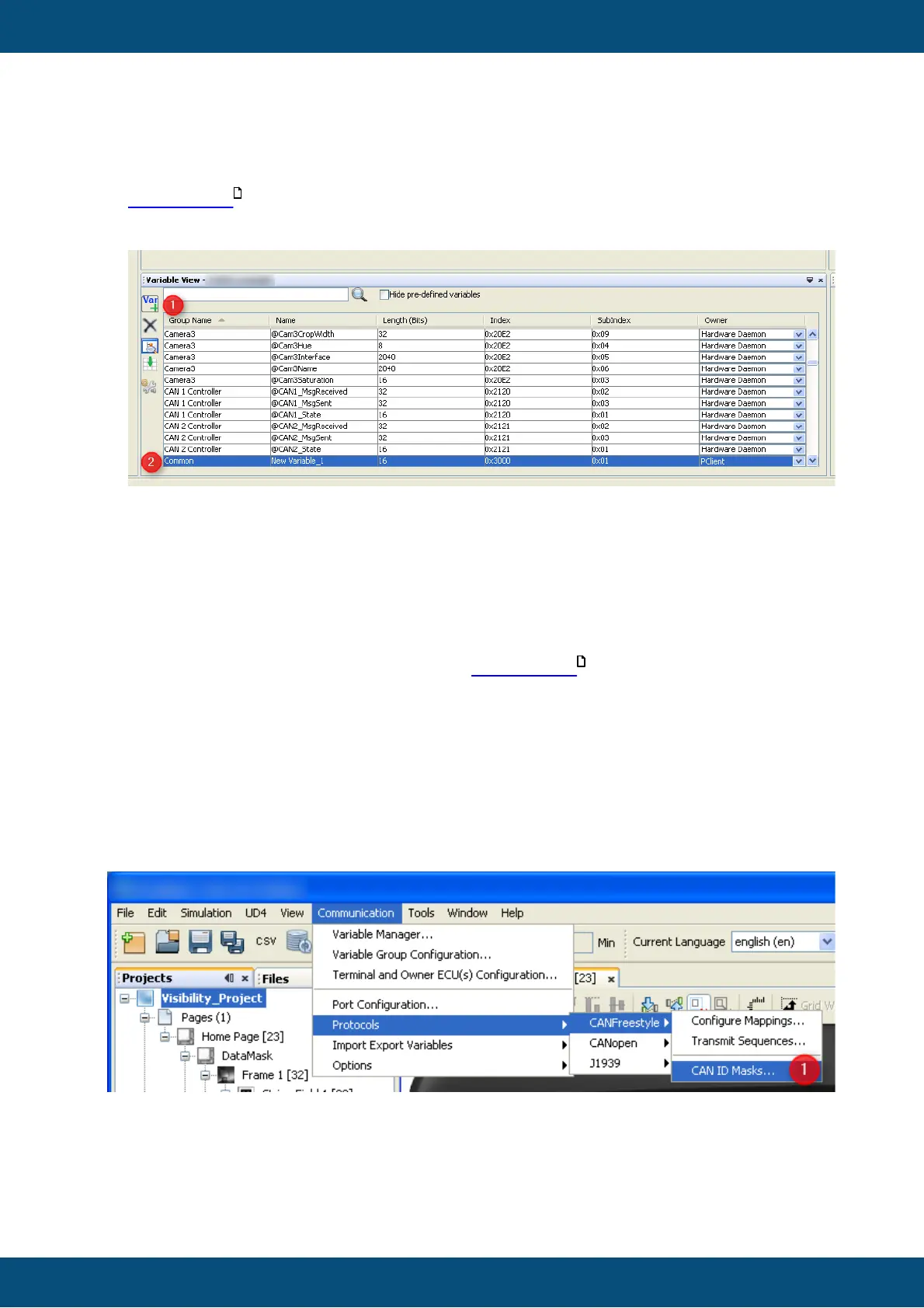
For a detailed description of all the variable properties and events please refer to
variable view .
There is a second option to create variables:
1. In variable view press the "Var +" button
2. A new variable with default settings appears
3. You can double click each property and edit it.
Warning: If you type a group name that was not defined yet, a new variable group will be
created.
Warning: Depending on your sorting option the variable can "disappear" whenever a
modification is confirmed.
More details on this option can be found in variable view .
So the recommendation is to create variables following the first option and use variable
view to manage and modify existing variables.
If you only want to evaluate specific bits of the CAN Identifier you can use "CAN ID
Masks..." to create our own mask. This can be used for example if several ECUs are
connected to the bus whose use same kind of identifier.



 To Next Page