1. If you want to edit CAN ID Masks you can find it in the main menu like shown above.
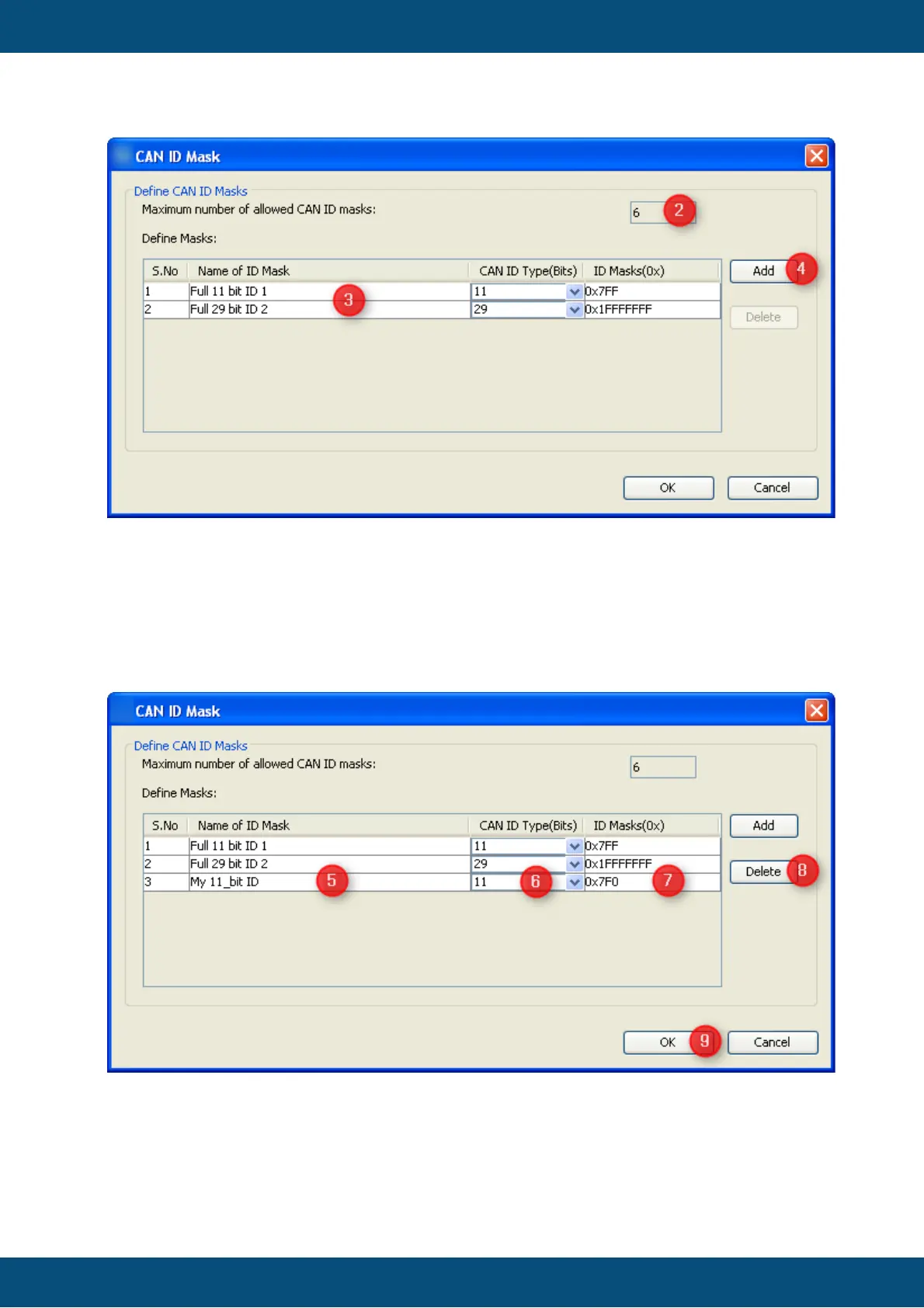
A new dialog CAN ID Mask will be open.
2. For performance reasons you can only define 6 CAN ID Masks
3. Two masks are predefined."Full 11 bit ID 1" and "Full 29 bit ID 2". So if you don't
need to filter the CAN ID you can use the predefined ones.
4. If you want to add your own proprietary mask you have to press the "Add" button
If the "Add" button is pressed a new line will be added at the table which is editable.
5. Here you can specify a name for the newly created mask.
6. You have to specify if the mask should be used for 11 or 29 bit CAN Identifiers.
7. In the field ID Masks you can specify the bits which should be evaluated for the CAN
Identifier in hexadecimal format.



 To Next Page