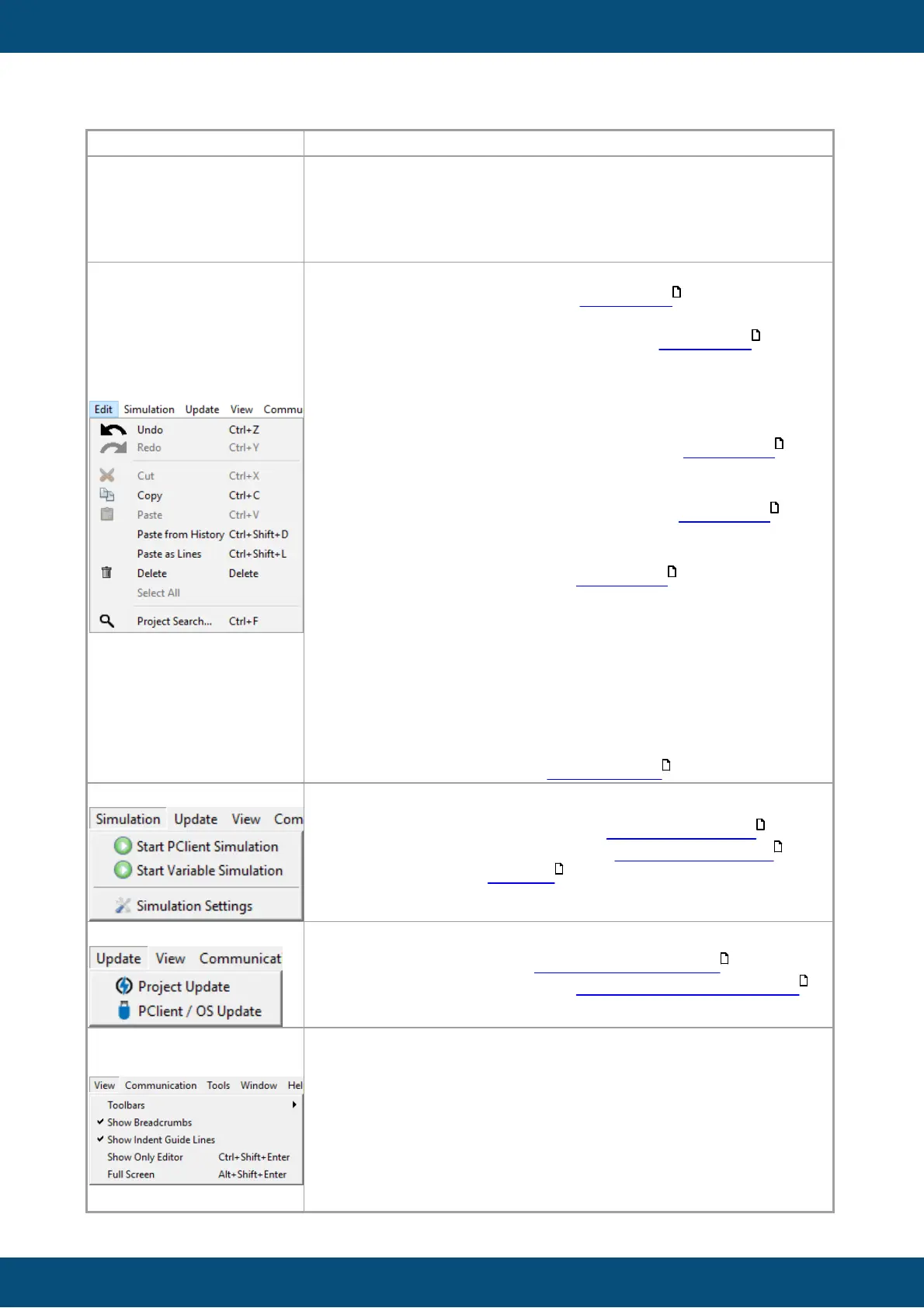
Undo: Reverts the last modification in the project. For a complete
list of Undo/Redo steps check the Undo/Redo tab.
Redo: Re-does the last reverted modification in the project. For a
complete list of Undo/Redo steps check the Undo/Redo tab.
Cut: Cut the currently selected object(s). Note that paste after
cutting only works if the parent of the cut object changes.
Copy: Copy the currently selected object(s).
Paste -> Paste: Paste the currently selected object(s). The parent
object of the source object has to be selected. Read more .
Paste -> Paste as Reference: Paste the currently selected
object(s) as references. All properties are identical. The parent
object of the source object has to be selected. Read more .
Paste -> Shallow Paste: Paste the currently selected object(s).
Children objects will be reference copies. The parent object of the
source object has to be selected. Read more .
Paste from History: Only for the JavaScript Editor. Opens a
popup with the last copied texts for pasting.
Paste as Lines: Only for the JavaScript Editor. Pastes multi-line
copied text to one line per multi-cursor.
Delete: Delete the currently selected object(s). There will be a
confirmation dialog.
Select All: Only for the JavaScript Editor. Marks all text in the
currently opened JavaScript file.
Project Search...: Opens the project search .
Toolbars: Provides customization options for the toolbar.
Show Breadcrumbs: Only for the JavaScript Editor. Enables or
disables the breadcrumbs bar in the JavaScript editor (only useful
if classes and functions are used).
Show Indent Guide Lines: Only for the JavaScript Editor.
Enables or disables vertical indent lines in the code view.
Show Only Editor: Maximizes the currently selected editor
window.



 To Next Page