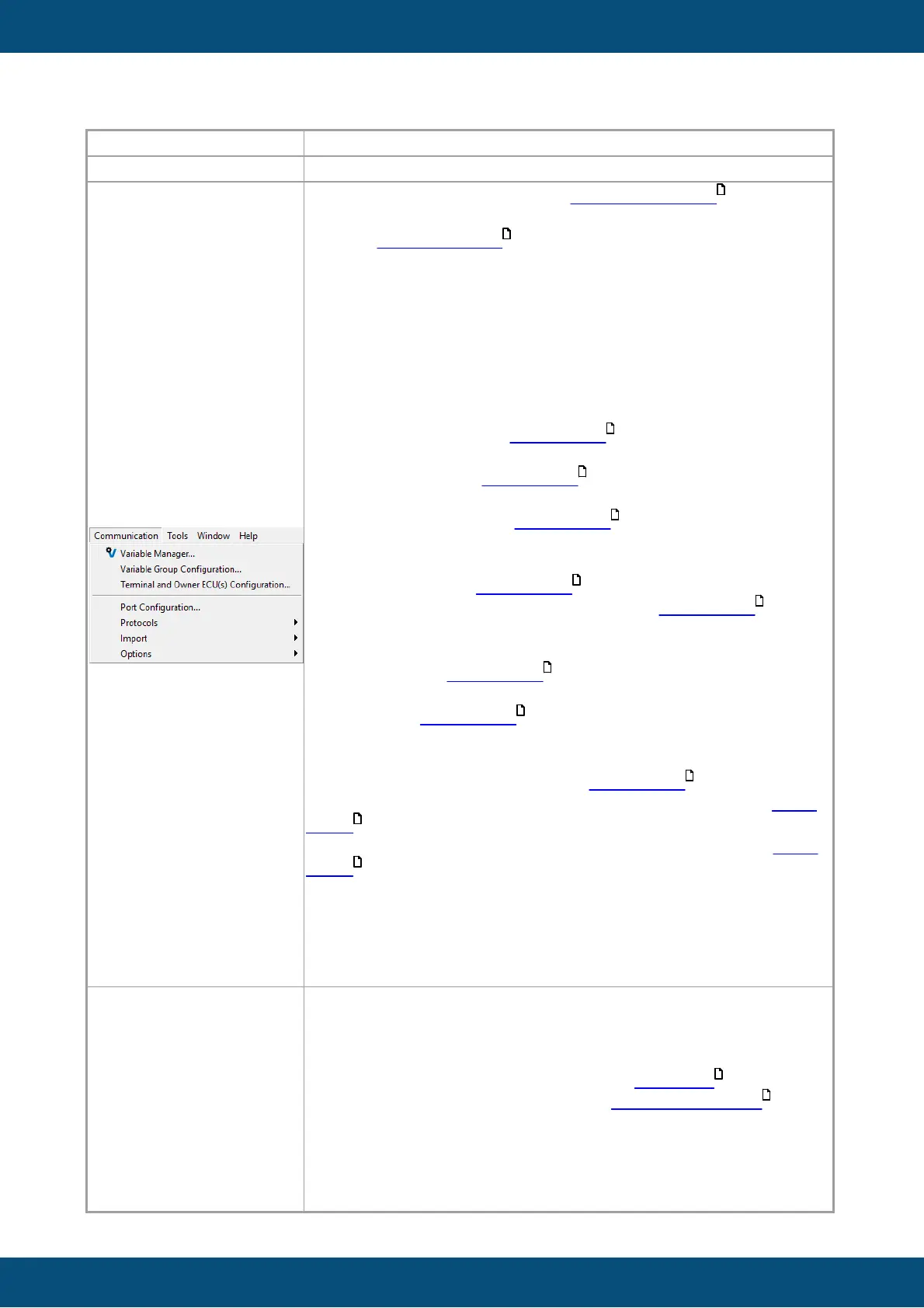
Variable Manager...: Opens the Variable Manager .
Variable Group Configuration...: Opens the dialog to manage
and add variable groups .
Terminal and Owner ECU(s) Configuration...: Opens the
dialog to add / remove and configure CAN protocols for the
project.
Port Configuration...: Opens the dialog to configure the bus
speeds of the CAN ports for the project.
Protocols ->
-CANFreestyle->
--Configure Mappings: Opens the Mapping Configuration
dialog for CANFreestyle. Read more.
--Transmit Sequences...: Opens the dialog to configure
Transmit Sequences. Read more.
--CAN ID Masks...: Opens the dialog to add / remove and
configure CAN ID masks. Read more.
-CANopen ->
--Configure Mappings: Opens the Mapping Configuration
dialog for CANopen. Read more.
--Generate EDS File: Creates an EDS file. Read more.
-J1939 ->
--Configure Mappings: Opens the Mapping Configuration
dialog for J1939. Read more.
--DM1/DM2 Settings...: Opens the dialog to configure DM1 /
DM2 support. Read more.
Import-Export->
-Import Variables: Opens the dialog to import variables from
another project or from a .CSV file. Read more.
-Import DBC File: Opens the dialog to import a DBC file. Read
more.
-Export DBC File: Opens the dialog to export a DBC file. Read
more.
Options ->
-Data type definitions...: Create and manage variable data
types.
-Process Configuration...: Create and manage processes as
variable owners (only for additional C/C++ applications).
Generate Key File: Generate a key file to obtain a license file.
Load License File: Load a license file to unlock the full version.
Default Password: Opens the dialog to set a default password
that will be used to unlock projects with a password .
Start Graph History Tool: Starts the Graph History Tool .
Reinstall Components: Opens the dialog to reinstall different
external components of the program. Only needed if one of the
elements listed is missing files.
-Camera ->



 To Next Page