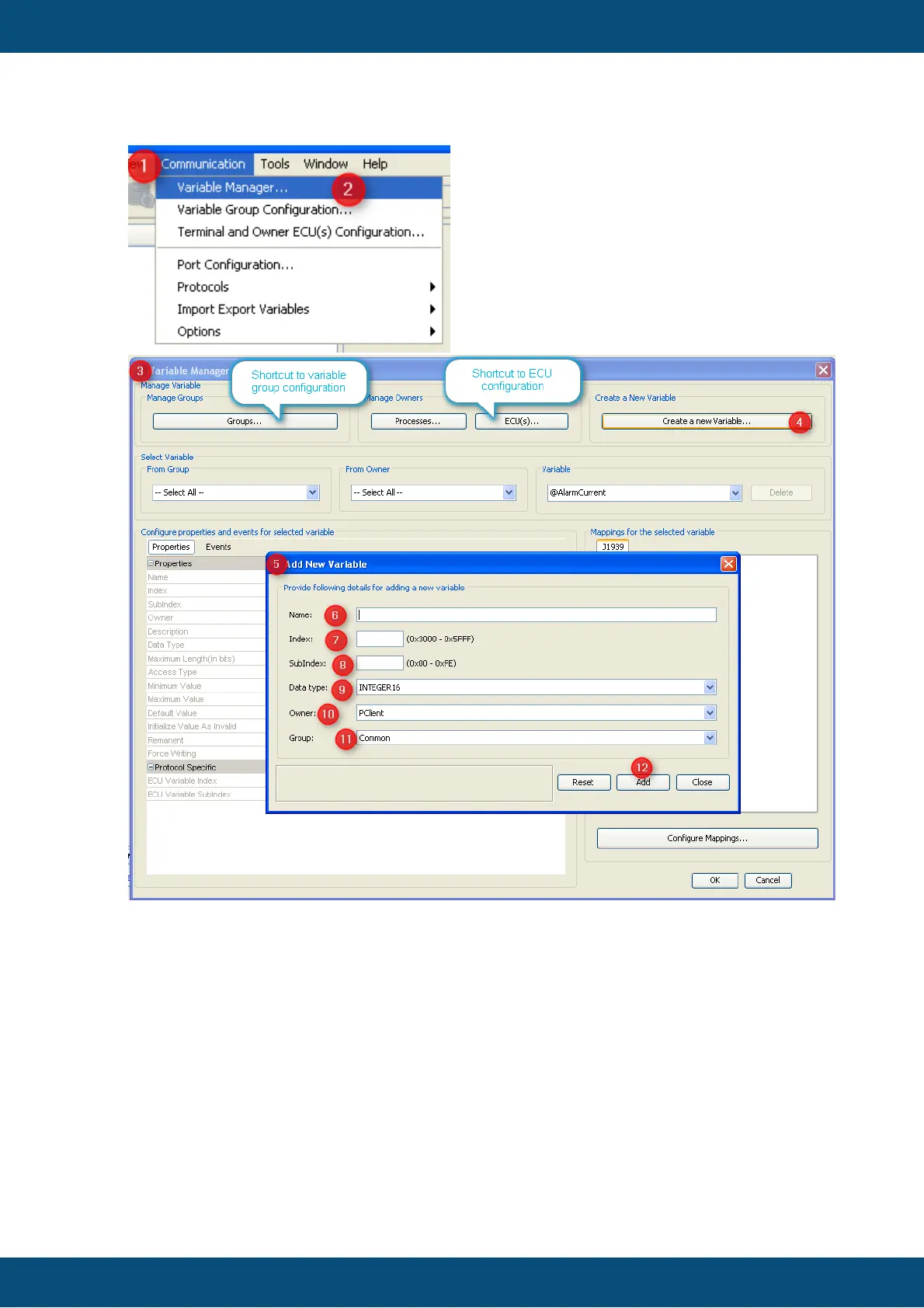
1. Open the "Communication" menu
2. Choose "Variable Manager ..." entry
3. Variable Manager dialog opens (which can be used as shortcut to all variable
related tasks)
4. Press "Create a new Variable ..." button
5. "Add new variable" dialog opens
6. Fill in a name of the variable
7. Type an index for the variable. You are free to enter the value in decimal or
hexadecimal, starting with "0x". Anyways hexadecimal will be displayed. (Although
the concept comes from CANopen you should use index and subindex as a
means of ordering and grouping of variables)
8. Add a subindex for the new variable. Note: Combination of index and subindex
has to be unique among all variables in the GUI definition.



 To Next Page