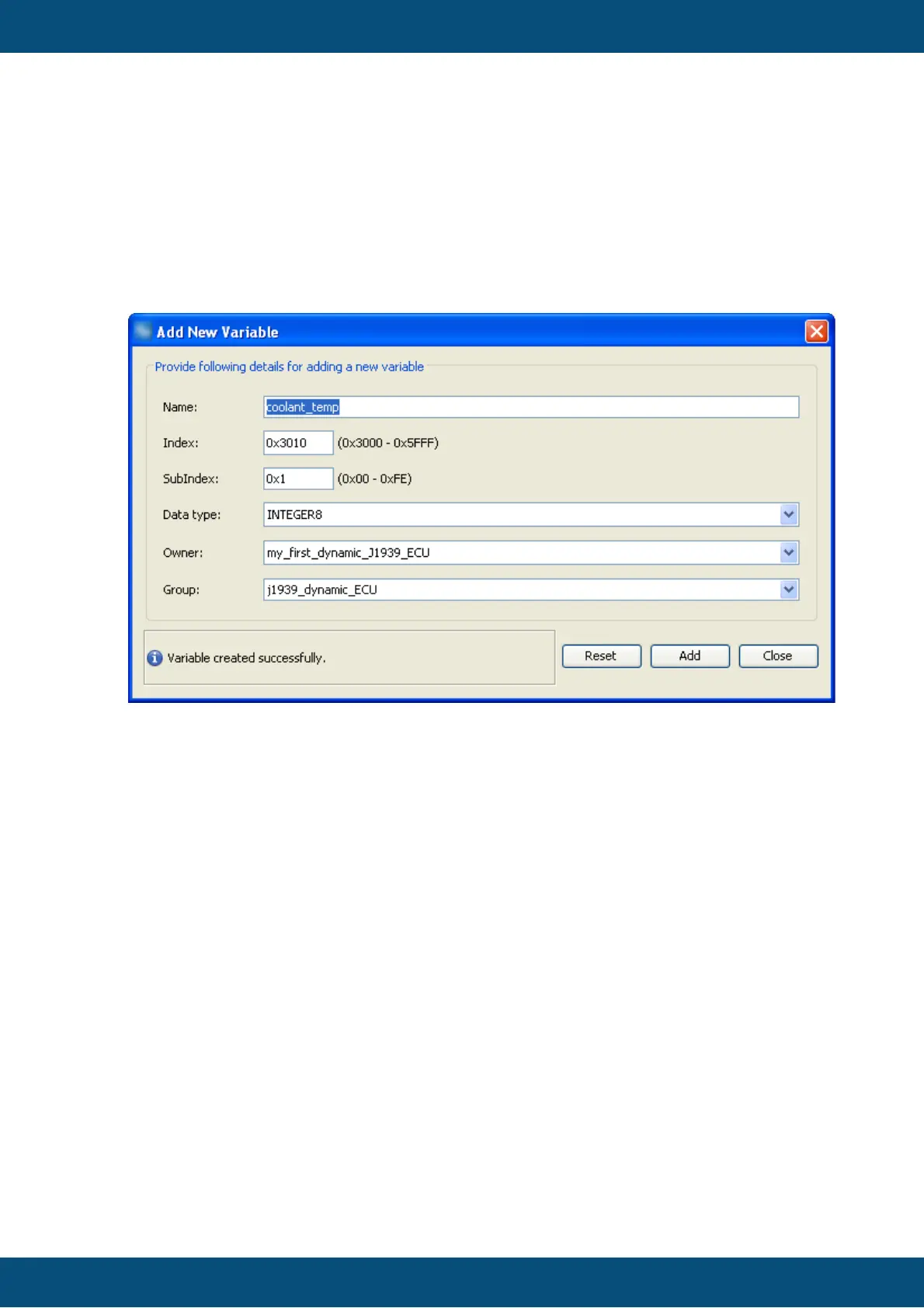
9. Select signed or unsigned data type at least as wide as the variable will be in
CAN message.
10.Change owner from default "PClient" to the newly created J1939 ECU. Note: If
you keep "PClient" you could handle the variable also but would not notice if the
ECU is not available anymore.
11.Select the newly created variable group for the variable.
12.Press "Add" to finally create the new variable with the settings made above.
Once you did all that the dialog could look like this:
Now you can either create more variables by editing the settings with or without "Reset"
or leave the dialog with "Close".
After closing the "Add New Variable" dialog you can modify all the properties of the
variable(s) just created or already existing in "Variable Manager" dialog:



 To Next Page