375
OPUS Projektor Manual
CAN
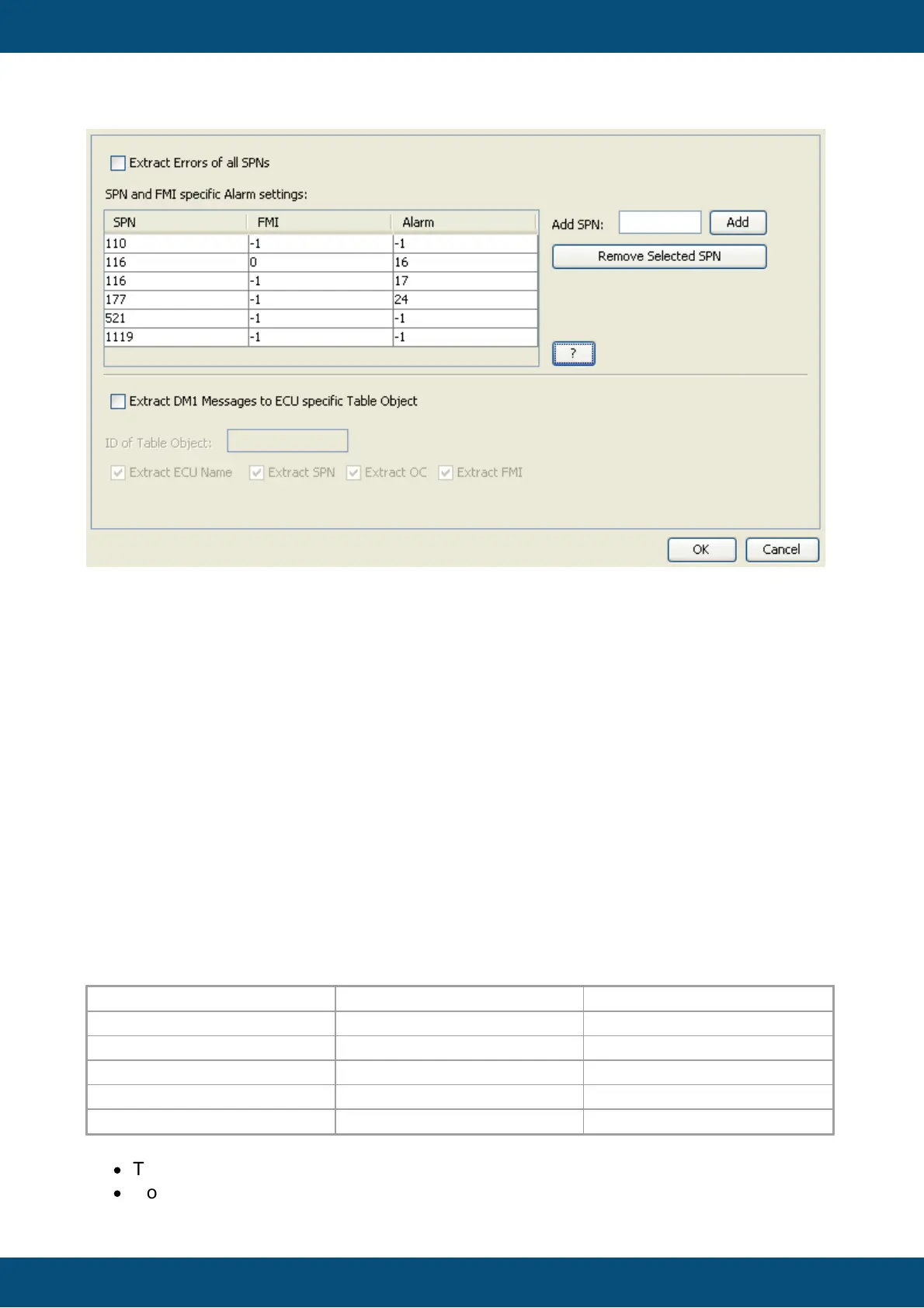
In this dialog it can be configured if all SPNs of one ECU shall be extracted or if only the
configured ones shall be handled. Furthermore it can be specified if an alarm shall be
triggered if a certain SPN is received in a DM1 message.
If all SPNs shall be extracted, the “Extract Errors of all SPNs” checkbox has to be enabled.
If only some SPNs shall be handled, disable the “Extract Errors of all SPNs” checkbox. Then
just write the SPNs in the “Add SPN” text field and click Add or hit <Enter> on the keyboard.
The new SPN will appear in the table on the left.
If you want to remove one or more SPNs, just select it/them and click the “Remove Selected
SPN” button.
After a SPN was added to the table it can be configured if a dedicated alarm shall be
engaged when the SPN is included in the DM1 message. For that, the alarm number needs to
be entered in the in the "Alarm" cell. The default value for that cell is -1 which means: engage
no alarm.
Additionally it can be configured if the alarm shall only be engaged for a certain FMI number.
Just write the FMI into the cell. The default value for the FMI cell is -1 which means: engage the
alarm for any FMI.
To trigger different alarms for different FMIs, the same SPN can be added several times to
the table and different FMIs and alarms can be configured.
For example take the screenshot above. It has the following SPN FMI Alarm settings:
That means:
·
Track SPNs 110, 116, 177, 521 and 1119
·
Don’t engage an alarm for SPN 110 (FMI and Alarm are -1)



 To Next Page