378
OPUS Projektor Manual
CAN
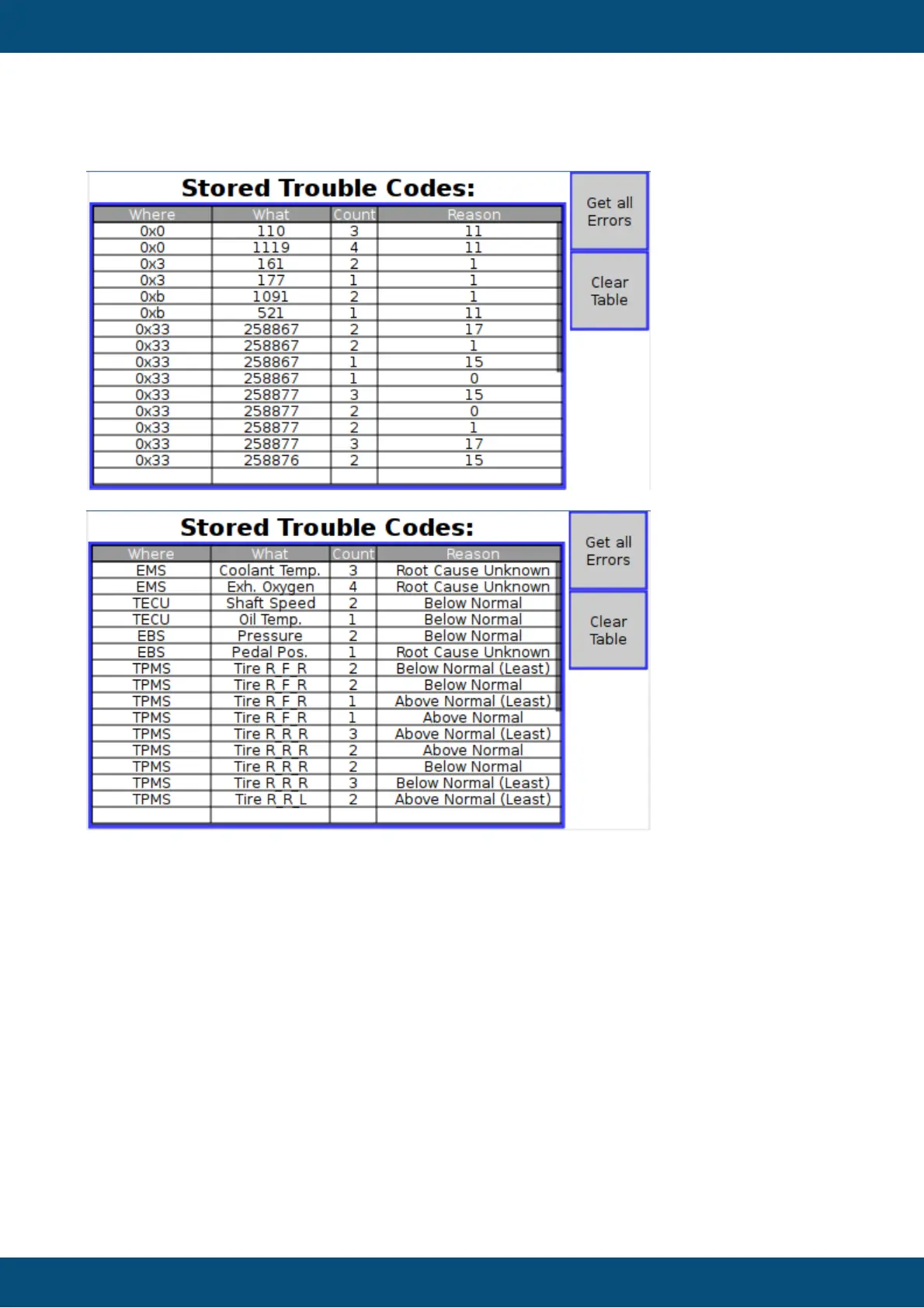
Screenshots from an example DM2 Table Object running on adevice:
First without a translation file:
And with a valid translation file:
How to clear the data of a table object
Execute a script with the following content:
var emptyArray = new Array(0);
//the first parameter of setProperty function is the Object ID,
//make sure that you enter the correct ID (probably not 291)
var tableID = 291;
setProperty(tableID, “Table Data”, emptyArray);
How to display logged DM1 messages on the device
Preconditions: Enable DM1 support. Enable “Log DM 1 Messages To File” and enter a file
name. Disable “ExtractOC”.
First create a Table Object. This table should have 5 columns.
The Table Heading should be: “Date;Time;ECU;SPN;FMI”.
For updating the table with the logged DTCs, a Script has to be executed. Assign an “Execute
Script” action to either a softkey’s/button’s “OnRelease” event or to the page’s “Page Init”
event.
The Script has to look like this:



 To Next Page